Investigating with Splunk TryHackMe Writeup
Investigate anomalies using Splunk.
Investigate anomalies using Splunk.
Investigate anomalies using Splunk.
Room: https://tryhackme.com/room/investigatingwithsplunk
Scenario
SOC Analyst Johny has observed some anomalous behaviours in the logs of a few windows machines. It looks like the adversary has access to some of these machines and successfully created some backdoor. His manager has asked him to pull those logs from suspected hosts and ingest them into Splunk for quick investigation. Our task as SOC Analyst is to examine the logs and identify the anomalies.
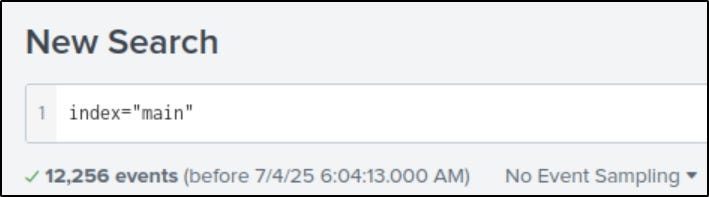
How many events were collected and Ingested in the index main?
- Set the index to
mainand the time range to “All time”.- Splunk will show the total number of events.
On one of the infected hosts, the adversary was successful in creating a backdoor user. What is the new username?
Search for Event ID 4720, which logs user account creation:
1
index=”main” EventCode=4720
One event will show the newly created user.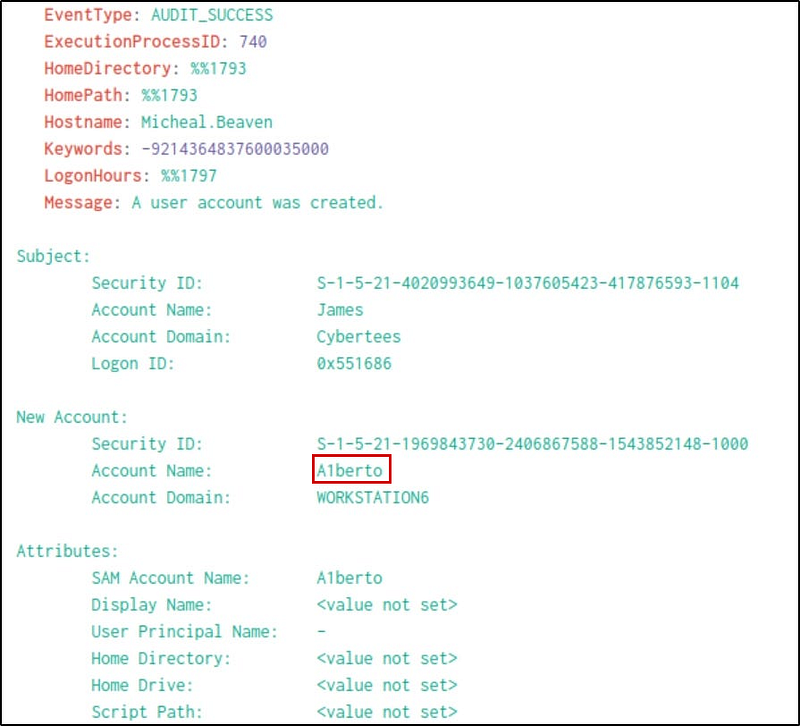
On the same host, a registry key was also updated regarding the new backdoor user. What is the full path of that registry key?
If we look at the categories, we will see a “Registry object added or deleted”; we can add that as a filter by clicking on it.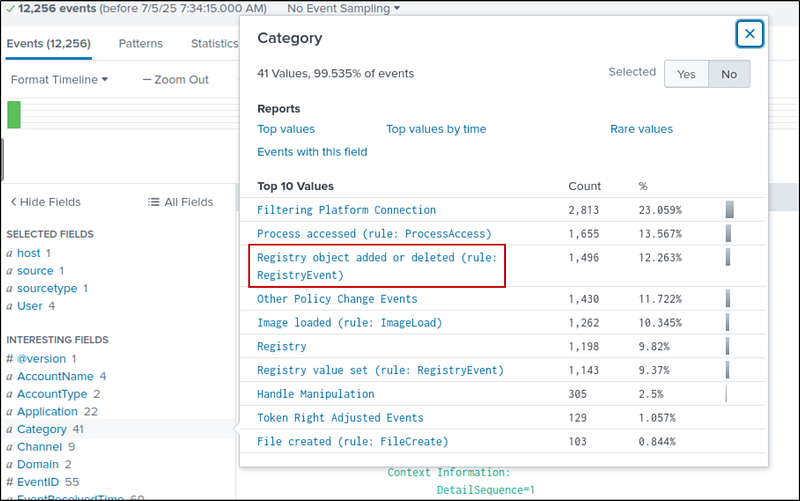
Filter logs for registry changes using:
1
index=”main” Category=”Registry object added or deleted (rule: RegistryEvent)”
We get 1496 hits, we need to narrow down further. Since the registry key is added to the user A1berto, I added the username in the search. Now our new search is:
1
index=”main” Category=”Registry object added or deleted (rule: RegistryEvent)” A1berto
Now, we have 2 events. One event added the registry key and the other to delete a registry key. Both of them has the same path. If we look at the message part of the event, we can get the full path of that registry key.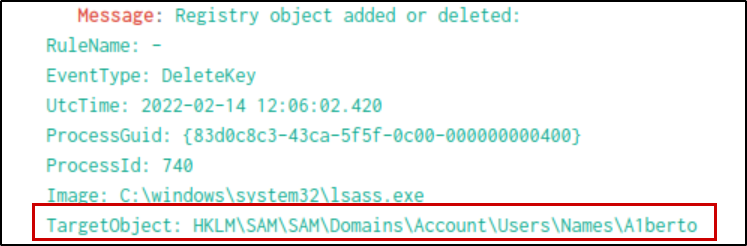
Examine the logs and identify the user that the adversary was trying to impersonate.
Now that we’ve seen the account, the next logical question is: who was the attacker trying to imitate? With a name like A1berto, it’s no stretch to imagine the real user is Alberto. Scanning the User field confirms it. The attacker swapped the ‘l’ for a ‘1’—a common trick to camouflage their presence.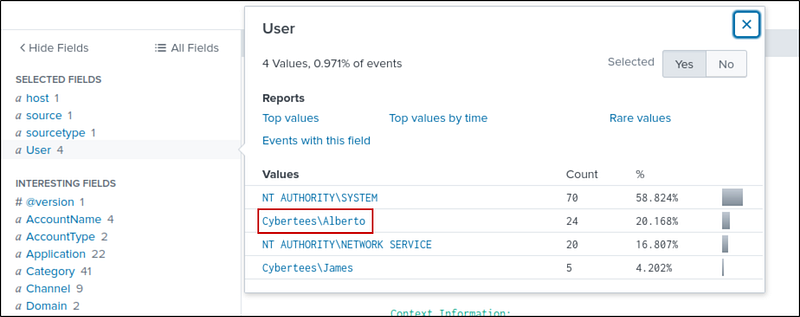
What is the command used to add a backdoor user from a remote computer?
We know from earlier evidence that the user James was involved. Searching the logs with James’s username, we uncover five events.
1
index=”main” User=”Cybertees\\James”
Now we have 5 events. In the filter tab, we see a “commandline” filter showing the 4 commands executed by James.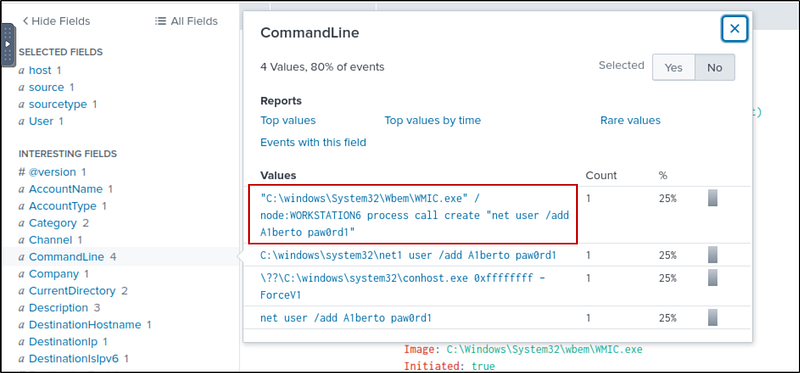
The first command creates a user A1berto with the password paw0rd1. This is our required command.
How many times was the login attempt from the backdoor user observed during the investigation?
Our next question is whether this user actually logged in. Running a search for “A1berto” brings up 347 events.
1
index="main" Alberto
In category filter, there are no login events.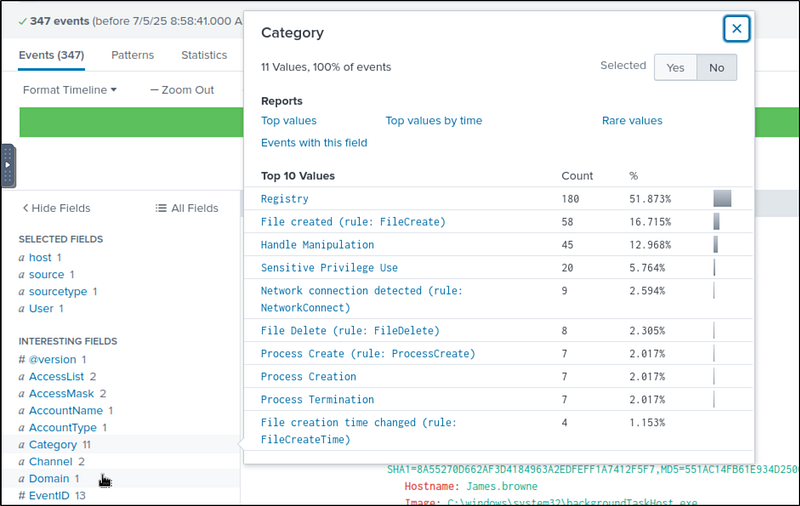
That seems significant, until we check the Event IDs. None of them match those used for login attempts (like 4624 for successful or 4625 for failed logins).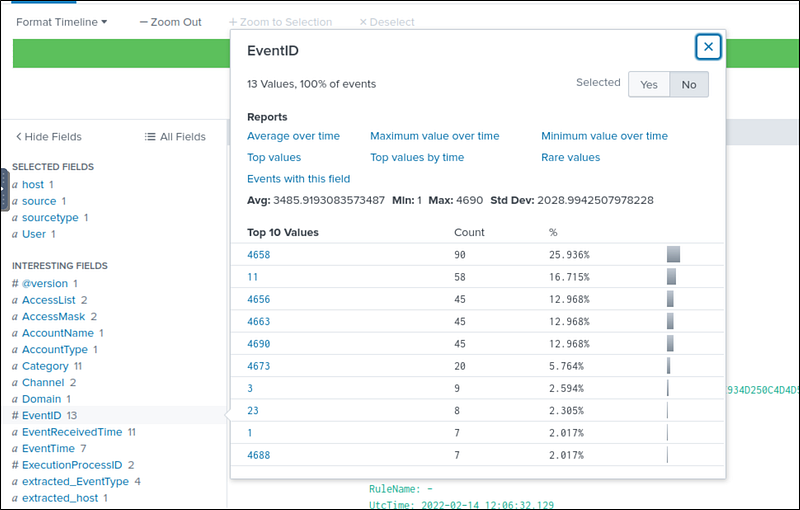
Surprisingly, it seems the backdoor user never attempted to log in.
What is the name of the infected host on which suspicious Powershell commands were executed?
Running a search for “powershell” gives us 198 events — all traced back to one system. Looking at the Host field, we find the machine responsible for every suspicious script. That’s our infected host.
1
index=”main” powershell
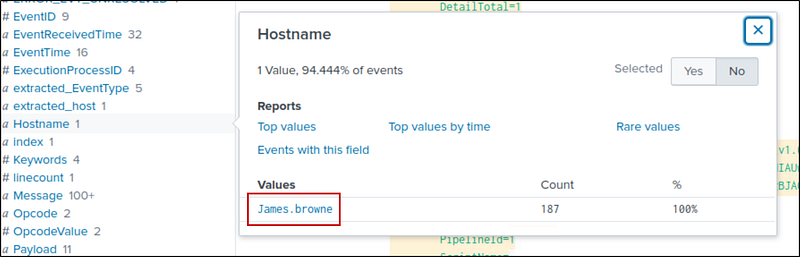
PowerShell logging is enabled on this device. How many events were logged for the malicious PowerShell execution?
Because PowerShell logging is enabled on the system, we can dig even deeper. Focusing on Event IDs 4103 and 4104 (used for module and script block logging), we find 79 logged events.
1
index=”main” EventID=4103 or EventID=4104
An encoded Powershell script from the infected host initiated a web request. What is the full URL?
Inside the Context Info of one log (from the previous search), we spot a long, encoded Base64 string. This is our chance to uncover what the attacker was trying to hide.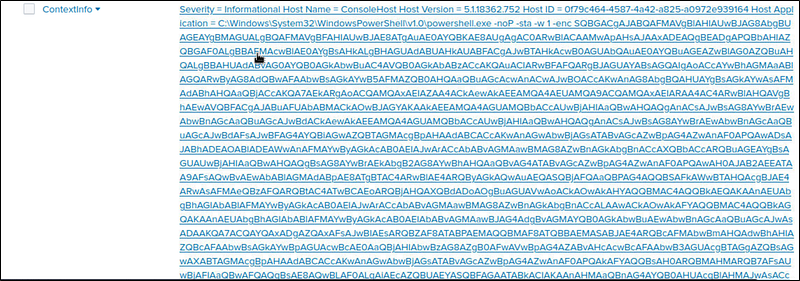
So, we head over to CyberChef, paste in the string, and decode it using “From Base64” followed by “Remove null bytes.” What unfolds is the smoking gun: a call to a malicious URL.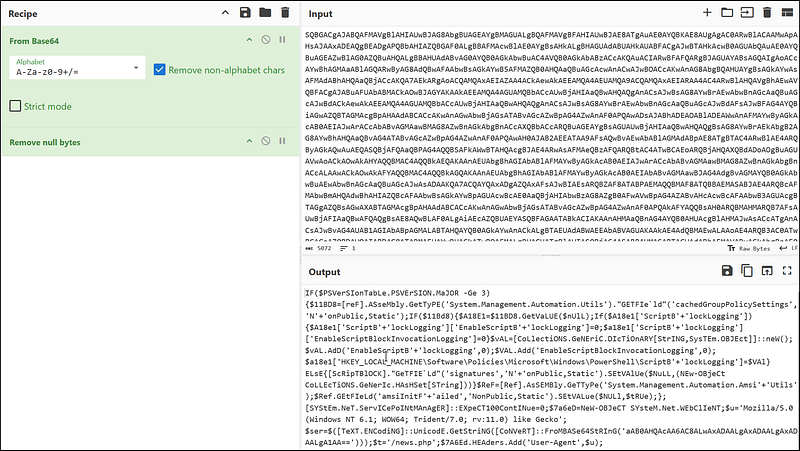
We can see that the URL is some base64 string/news.php
Copy the string and paste it in the input and add defang url to tghe recipie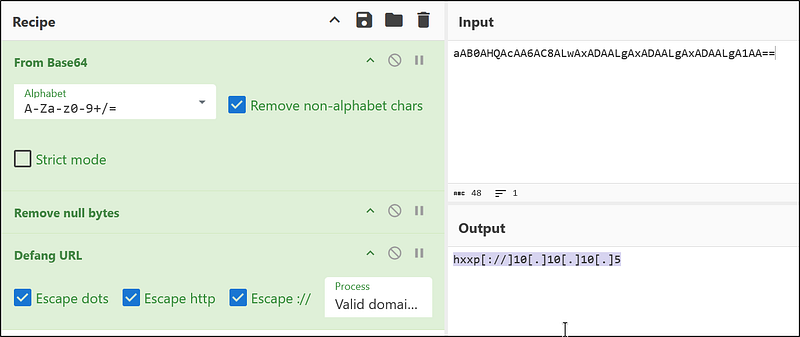
Now, we have the full URL
1
hxxp[://]10[.]10[.]10[.]5/news[.]php
The attacker was likely trying to either download a payload or exfiltrate data. Either way, the intent is clear, and the behavior is malicious.