Conti TryHackMe Writeup
An Exchange server was compromised with ransomware. Use Splunk to investigate how the attackers compromised the server.
An Exchange server was compromised with ransomware. Use Splunk to investigate how the attackers compromised the server.
An Exchange server was compromised with ransomware. Use Splunk to investigate how the attackers compromised the server.
Room: https://tryhackme.com/room/contiransomwarehgh
Scenario :
Some employees from your company reported that they can’t log into Outlook. The Exchange system admin also reported that he can’t log in to the Exchange Admin Center. After initial triage, they discovered some weird readme files settled on the Exchange server.
Below is a copy of the ransomware note.
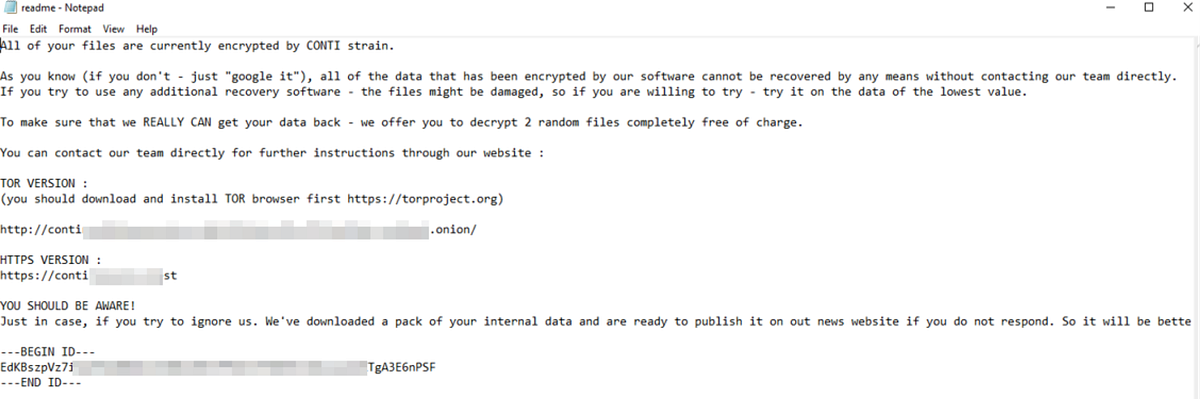
Below are the error messages that the Exchange admin and employees see when they try to access anything related to Exchange or Outlook.
Exchange Control Panel: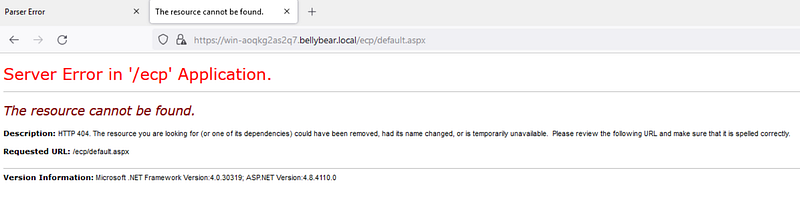
Outlook Web Access: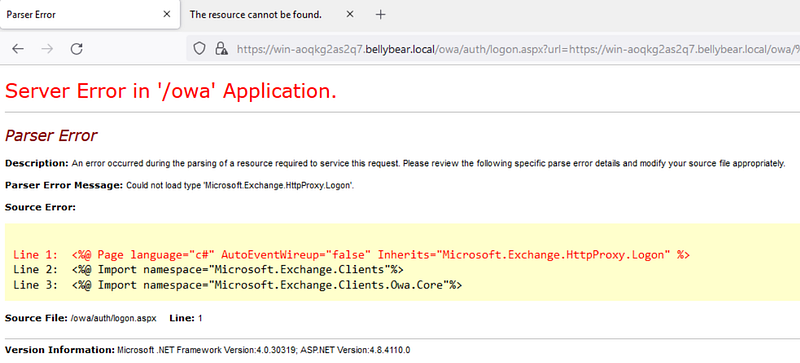
Task: You are assigned to investigate this situation. Use Splunk to answer the questions below regarding the Conti ransomware.
Can you identify the location of the ransomware?
First, let’s set the index to look at all the events.
1
index=*
Next, let’s look at the sysmon logs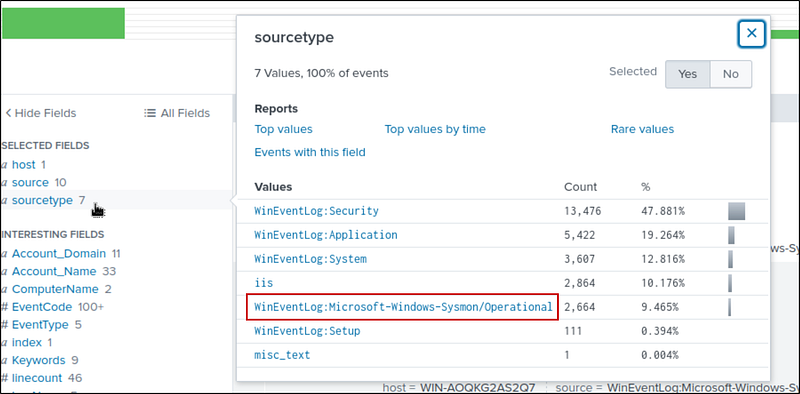
And, lets target the .exe files
1
index=* sourcetype=”WinEventLog:Microsoft-Windows-Sysmon/Operational” “*.exe*”
We get 2,000+ hits. Let’s look at the CurrentDirectory Filter; there are 5 directories. Our answer is one among them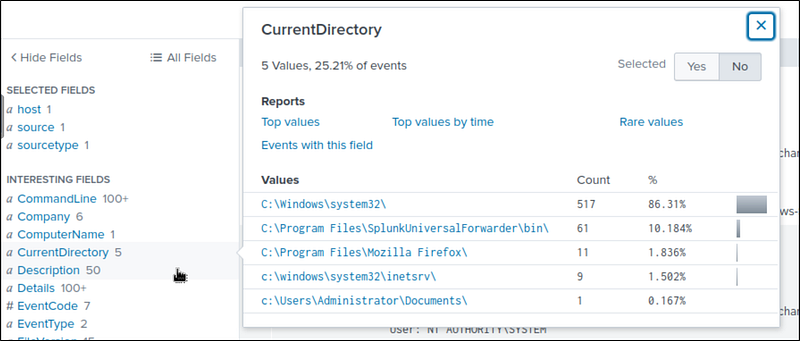
Lets create a table for the CurrentDirectory and the images.
1
index=* sourcetype=”WinEventLog:Microsoft-Windows-Sysmon/Operational” “*.exe*”| table CurrentDirectory, Image| dedup CurrentDirectory
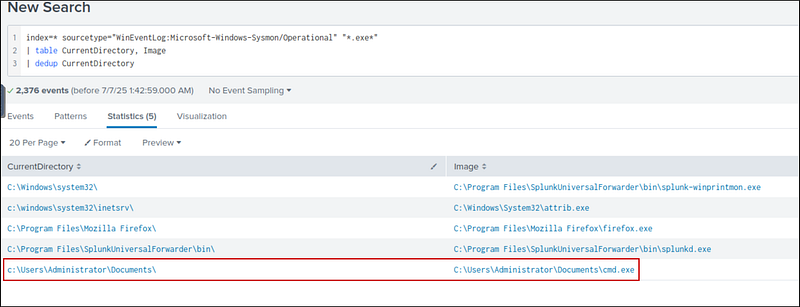
I found the cmd.exe in the Documents folder, which is suspicious. That’s our answer.
What is the Sysmon event ID for the related file creation event?
This one’s straightforward: The Sysmon event ID for file creation events is 11
Can you find the MD5 hash of the ransomware?
To find the hash, i addeId the image to the search
1
index=* sourcetype=”WinEventLog:Microsoft-Windows-Sysmon/Operational” Image=”C:\\Users\\Administrator\\Documents\\cmd.exe”
Then, I navigated to the first event with cmd.exe. In the details, I found the hash.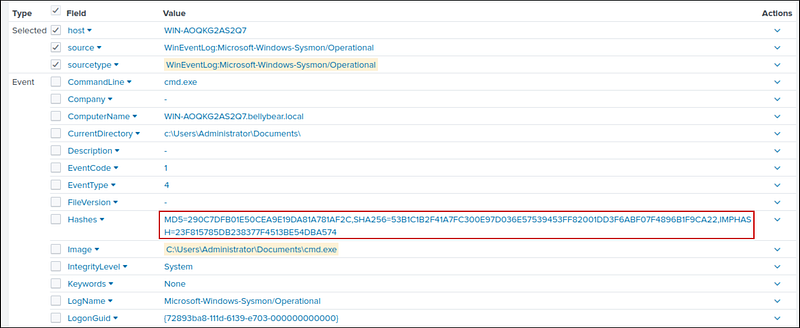
What file was saved to multiple folder locations?
In Sysmon, Event ID 11 logs FileCreate operations, which are triggered when a file is created or overwritten. So, let’s add it to the search. We get 104 hits. Let’s create a table for image and targetfilename to find the file.
1
index=* sourcetype=”WinEventLog:Microsoft-Windows-Sysmon/Operational” EventCode=11| table Image, TargetFilename
After scrolling a bit, I found cmd.exe saving a readme.txt file in multiple locations. This readme is the ransom note we saw earlier.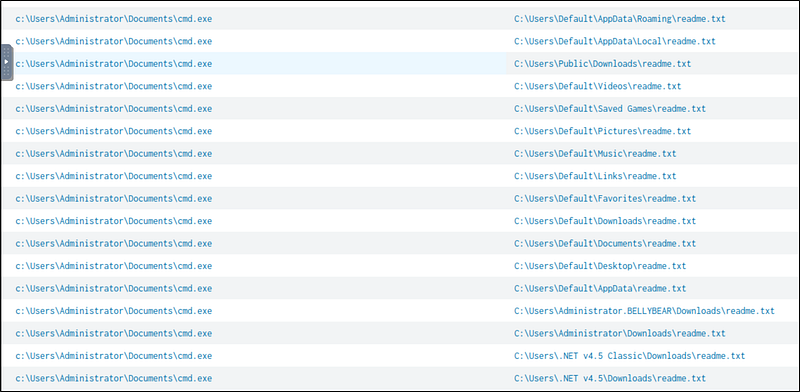
What was the command the attacker used to add a new user to the compromised system?
event ID 4720 is triggered when a new user account is created. When I searched, I found 2 events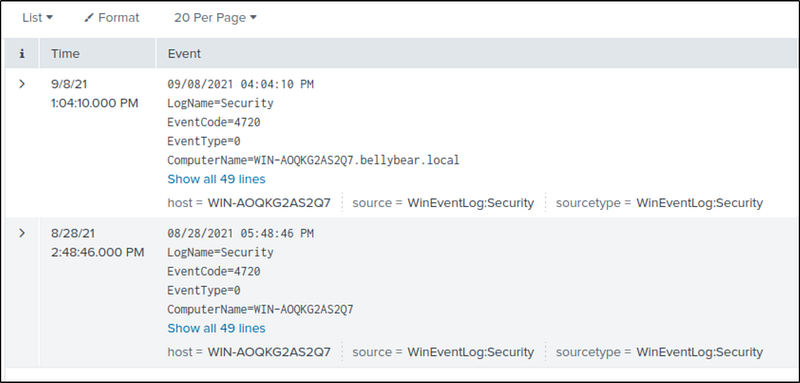
If we take a look at the latest event, the first event, I found out that the username of the account is securityninja. Then I searched for it, and I got 10 events. I navigated to the first occurrence and found the command used to create the user.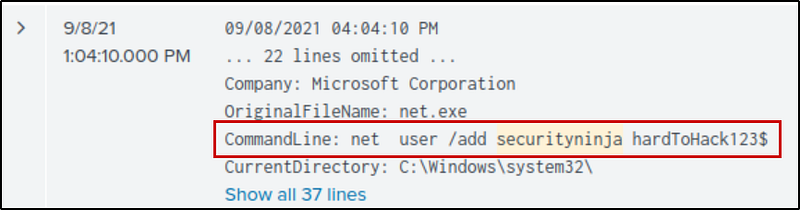
The attacker migrated the process for better persistence. What is the migrated process image (executable), and what is the original process image (executable) when the attacker got on the system?
Event ID 8: The CreateRemoteThread event detects when a process creates a thread in another process. This is generally used for persistence operations — process migration.
1
index=* source=”WinEventLog:Microsoft-Windows-Sysmon/Operational” EventCode=8
We get 2 events. Now let’s create a table for SourceImage and TargetImage
1
index=* source=”WinEventLog:Microsoft-Windows-Sysmon/Operational” EventCode=8| table SourceImage TargetImage

We can see that the attacker migrated from powershell.exe to unsecapp.exe and later to lsass.exe
The attacker also retrieved the system hashes. What is the process image used for getting the system hashes?
Attackers commonly use lsass.exe to extract credentials, and we have seen earlier that the attacker migrated to lsass.exe
What is the web shell the exploit deployed to the system?
Attackers use .aspx files to deploy webshells. So, let’s add it to the search. I found 1 event, and the name of the file is in the CommandLine
1
index=* source=”WinEventLog:Microsoft-Windows-Sysmon/Operational” aspx
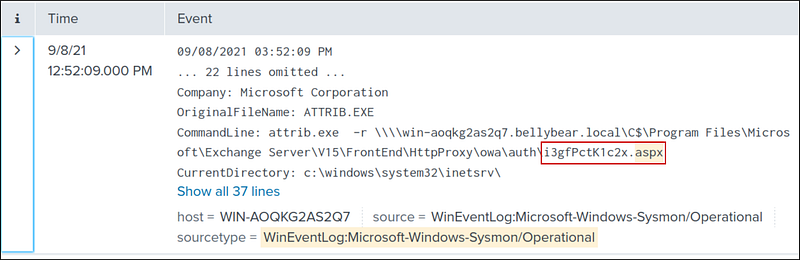
Another way to find this is by using the hint, “Try looking in the IIS logs for POST requests.”
1
index=* sourcetype=iis cs_method=POST
then, i looked at the cs_url_stem and found the aspx file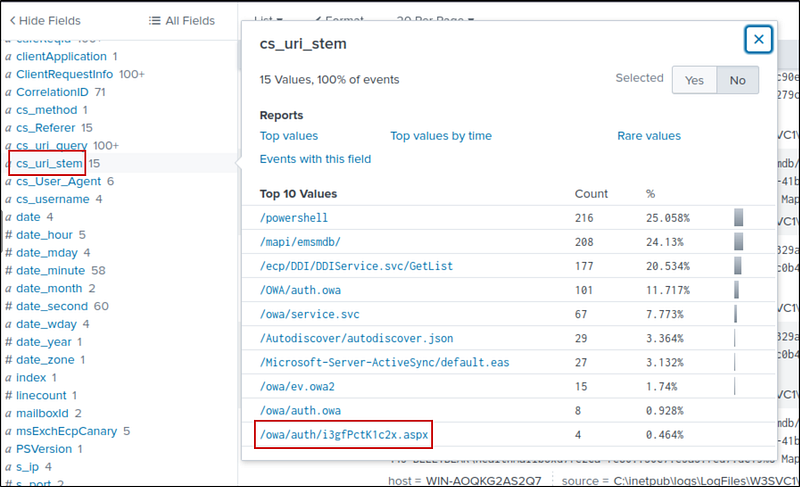
What is the command line that executed this web shell?
From the previous found event, we can get the full command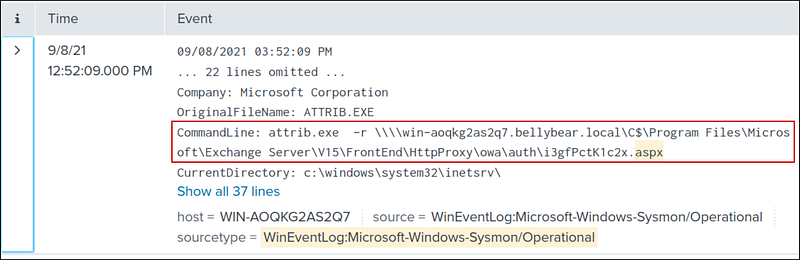
What three CVEs did this exploit leverage? Provide the answer in ascending order.
We have to search for this on our own, through external research. I found the answer after looking at:
https://www.securin.io/articles/is-conti-ransomware-on-a-roll