Retracted
Investigate the case of the missing ransomware.
Investigate the case of the missing ransomware.
Investigate the case of the missing ransomware.
Room: https://tryhackme.com/room/retracted
Scenario
“Thanks for coming. I know you’re busy with your new job, but I didn’t know who else to call…”
Sophie’s system was hit by what appeared to be ransomware: files were locked, the wallpaper changed, and a ransom note was left behind. But by the time she returned, everything was back to normal, except for a strange message and an alert about a Bitcoin transaction.
As analysts, our job is to dive into the endpoint, examine the digital trail, and make sense of this bizarre turn of events.
The machine looks like this: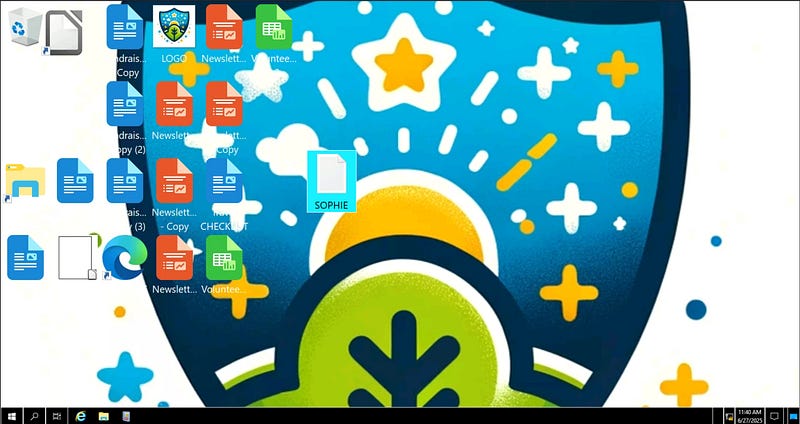
What is the full path of the text file containing the “message”?
Check the Desktop for any unusual files. You’ll find a file named SOPHIE.txt. Right-click → Properties → Note the full path:
1
C:\Users\Sophie\Desktop\SOPHIE.txt
What program was used to create the text file?
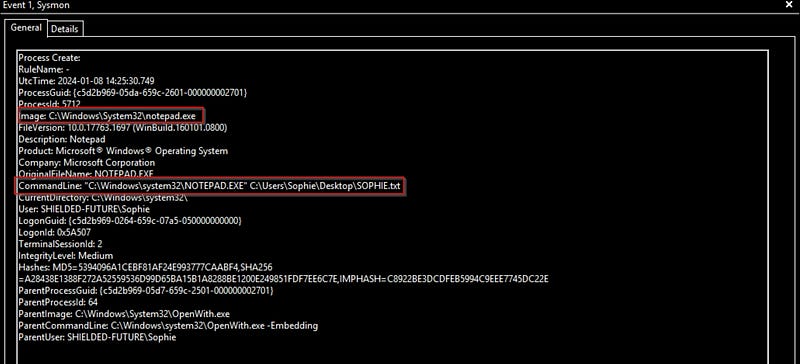
We can find this using Sysmon logs.
- Open Event Viewer.- Navigate to:
Applications and Services Logs → Microsoft → Windows → Sysmon → Operational- Use Find → Search forSOPHIE.txt.- The corresponding event shows the parent process as notepad.exe
What is the time of execution of the process that created the text file? Timezone UTC (Format YYYY-MM-DD hh:mm:ss)
From the same event where we found notepad.exe, note the exact UTC timestamp: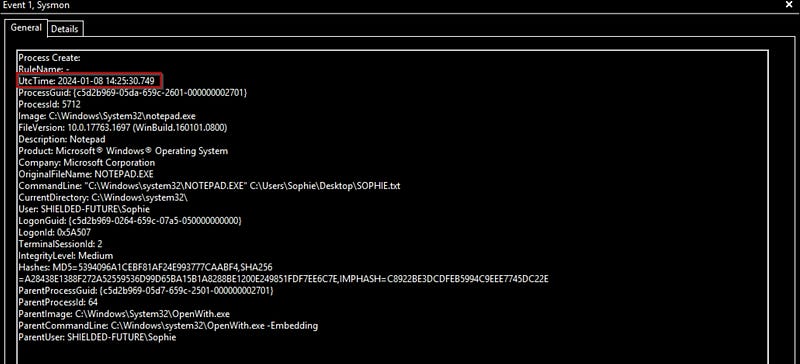

What is the filename of this “installer”? (Including the file extension)
Since, it is downloaded form the google, Open the browser, go to Downloads. You’ll find the suspicious file: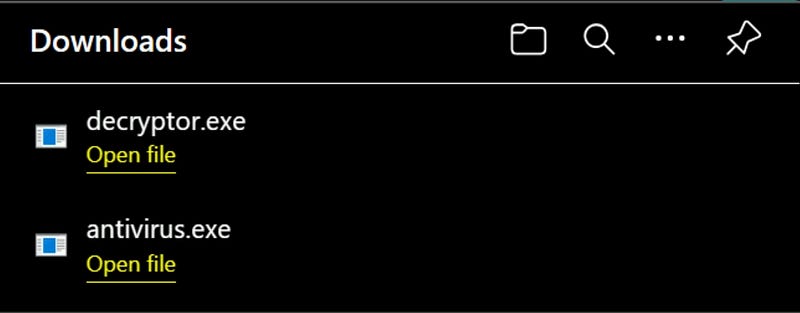
What is the download location of this installer?
Click the folder icon next to the download in the browser. It leads to: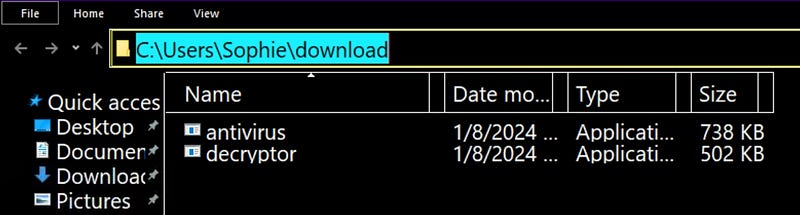
The installer encrypts files and then adds a file extension to the end of the file name. What is this file extension?
Inspect the Sysmon logs for file modification events related to antivirus.exe. You’ll notice several files ending with .dmp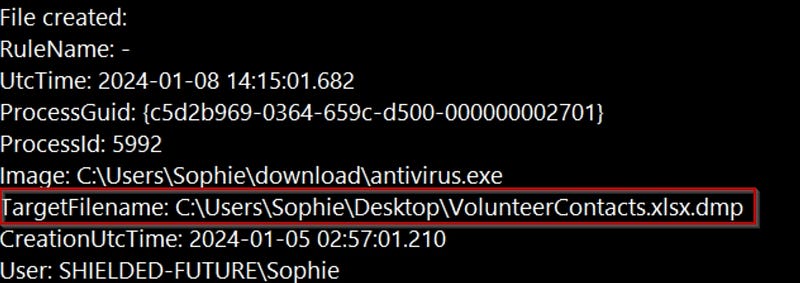
The installer reached out to an IP. What is this IP?
To investigate network connections:
- In Event Viewer, filter Sysmon logs to Event ID 3 (network connections).- Use Find → Search for
antivirus.exe.
You’ll find it connected to: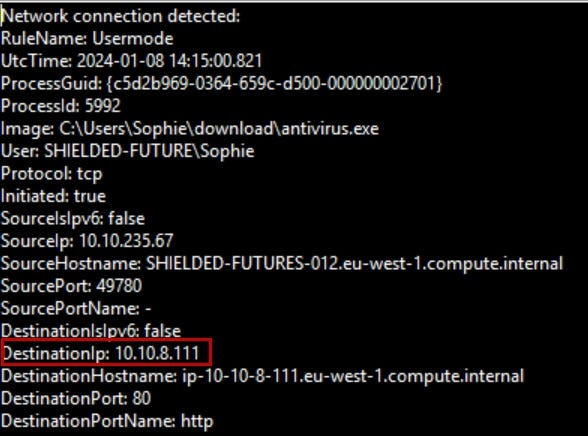

The threat actor logged in via RDP right after the “installer” was downloaded. What is the source IP?
Filter Event ID 3 for RDP activity. Look for the RDP session after the installer runs.
You’ll find a connection from: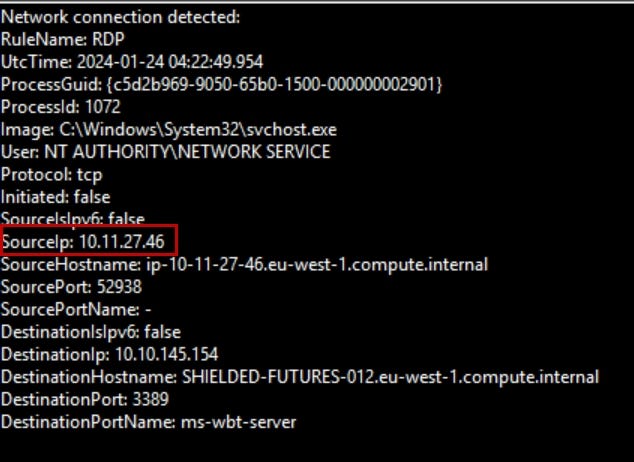
This other person downloaded a file and ran it. When was this file run? Timezone UTC (Format YYYY-MM-DD hh:mm:ss)
Back in the Downloads folder, there are two files: antivirus.exe and decryptor.exe.
Search the logs for decryptor.exe. Note the process creation time: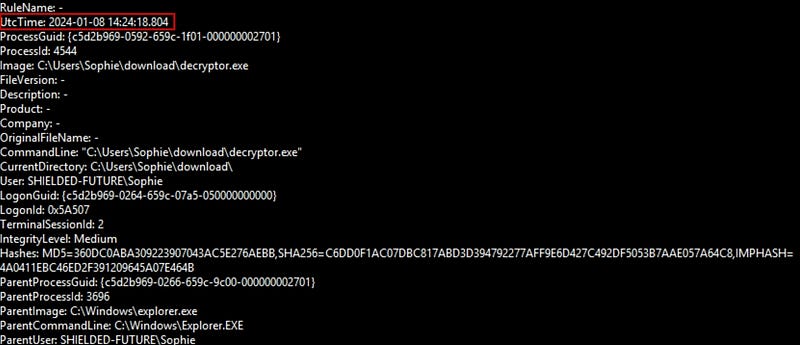
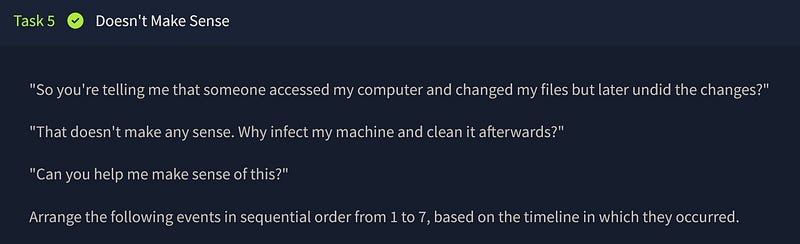
🔄 Arrange the events in the correct order:
- Sophie downloaded the malware and ran it.- The downloaded malware encrypted the files and showed a ransomware note.- After seeing the ransomware note, Sophie ran out and reached out to you for help.- While Sophie was away, an intruder logged into Sophie’s machine via RDP and started looking around.- The intruder realized he infected a charity organization. He then downloaded a decryptor and decrypted all the files.- After all the files are restored, the intruder left the desktop telling Sophie to check her Bitcoin.- Sophie and I arrive on the scene to investigate. At this point, the intruder was gone.
Conclusion
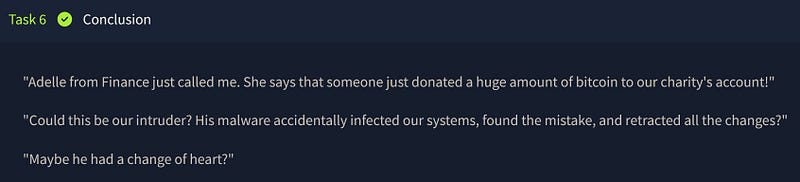
Sometimes, even ransomware authors have a conscience. It seems the attacker realized they’d hit a charity, reversed the damage, and made a donation. Unusual? Definitely. But it wraps this cyber mystery with an oddly humane twist.