Warzone 1 TryHackMe Room
You received an IDS/IPS alert. Time to triage the alert to determine if its a true positive.
You received an IDS/IPS alert. Time to triage the alert to determine if its a true positive.
You received an IDS/IPS alert. Time to triage the alert to determine if its a true positive.
Room: https://tryhackme.com/room/warzoneone
What was the alert signature for Malware Command and Control Activity Detected?
My first tool of choice is Brim, a fantastic piece of software that leverages Zeek logs to provide a high-level, queryable overview of network traffic. Instead of sifting through millions of raw packets, I can start with the alerts.
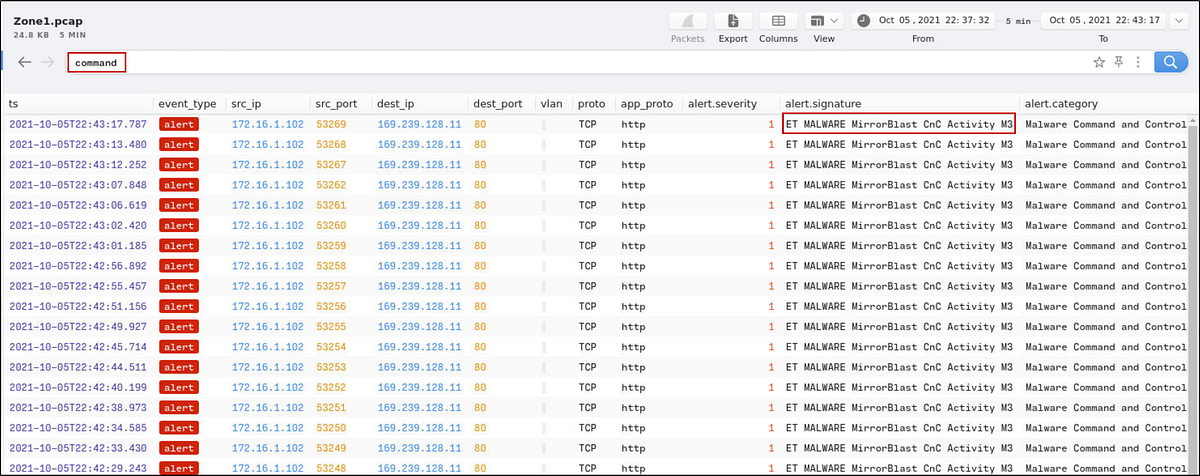
Loading the PCAP, I ran a simple search for alerts containing Command.
This filters out entries categorized under Malware Command and Control. From the alert.signature column, grab the alert signature.
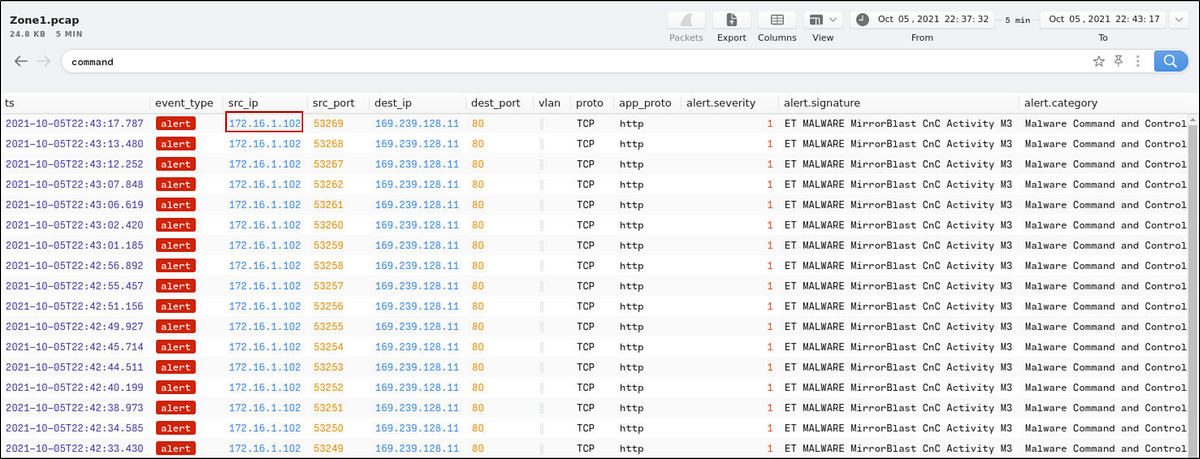
What is the source IP address? Enter your answer in a defanged format.
In Brim, identify the:
- Source IP from
src_ip
Before submitting the answer, defang the IP using CyberChef (. → [.]).
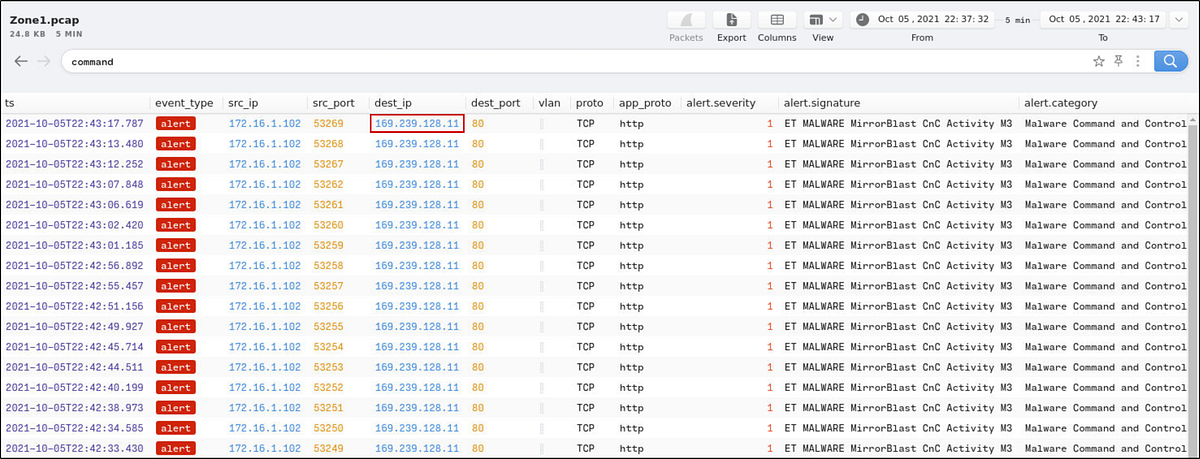
What IP address was the destination IP in the alert? Enter your answer in a defanged format.
In Brim, identify the:
- Destination IP from
dest_ip
Before submitting the answer, defang the IP using CyberChef (. → [.]).
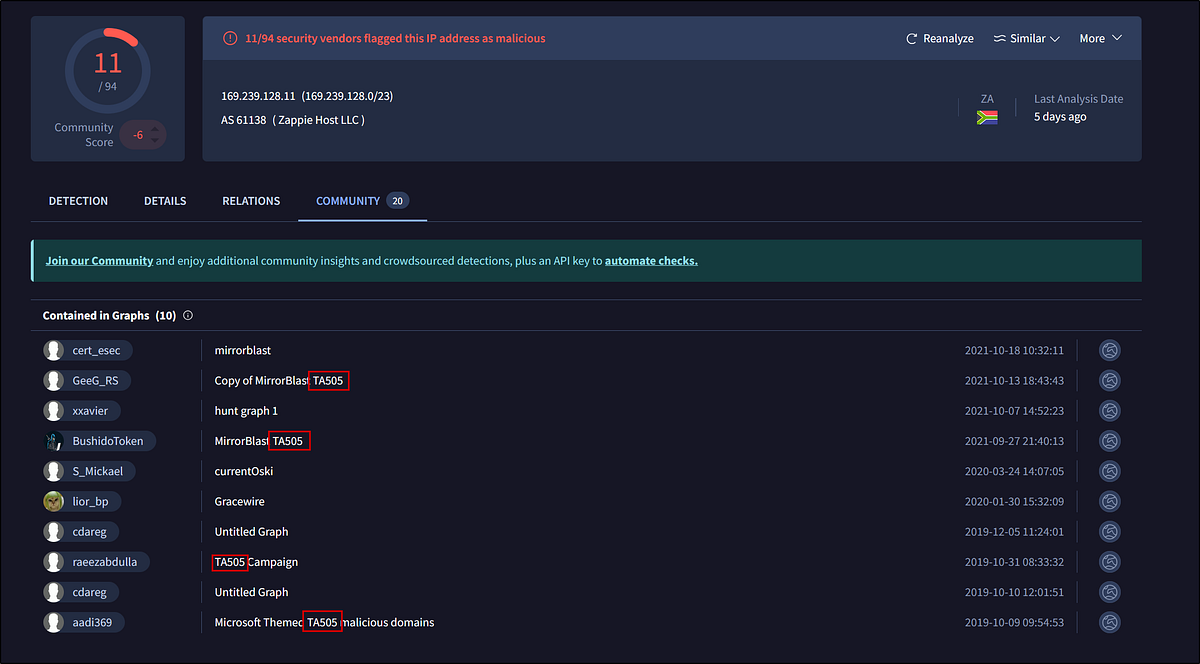
Still in VirusTotal, under Community, what threat group is attributed to this IP address?
Take the destination IP and paste it into VirusTotal.
Under the Community tab: Identify the threat group attributed to this IP
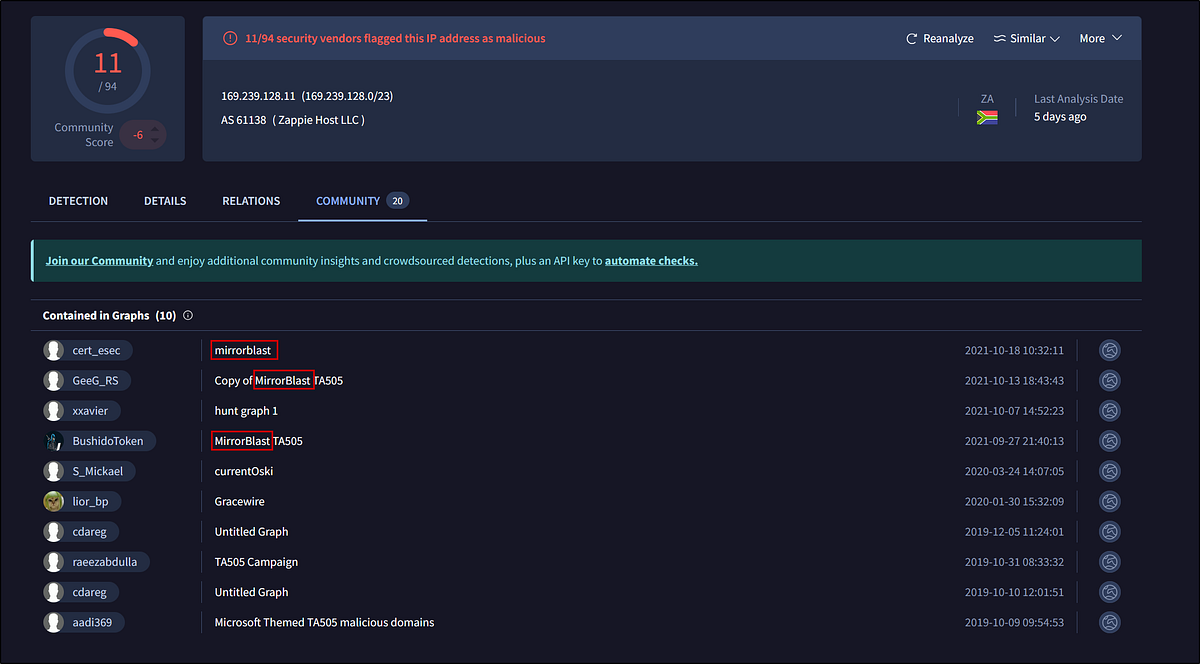
What is the malware family?
Under the Community tab: Identify the malware family name
Do a search in VirusTotal for the domain from question 4. What was the majority file type listed under Communicating Files?
From the previous VirusTotal search, go to the Relations tab → click Communicating Files.
Identify the majority file type listed.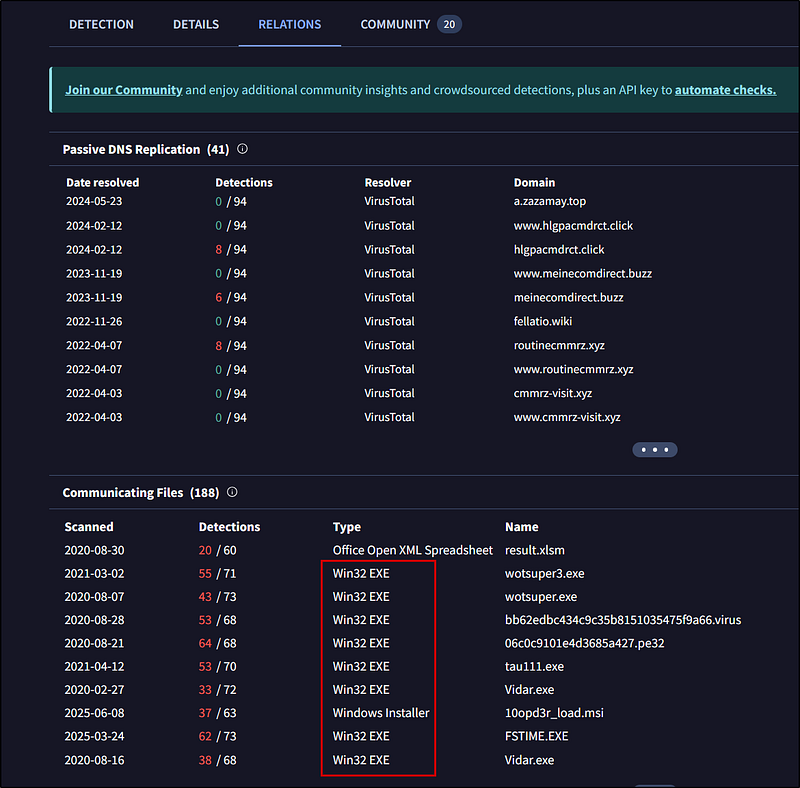
Inspect the web traffic for the flagged IP address; what is the user-agent in the traffic?
In Brim, filter HTTP traffic: Click on the HTTP Requests, then we get
1
_path==”http” | cut id.orig_h, id.resp_h, id.resp_p, method,host, uri | uniq -c
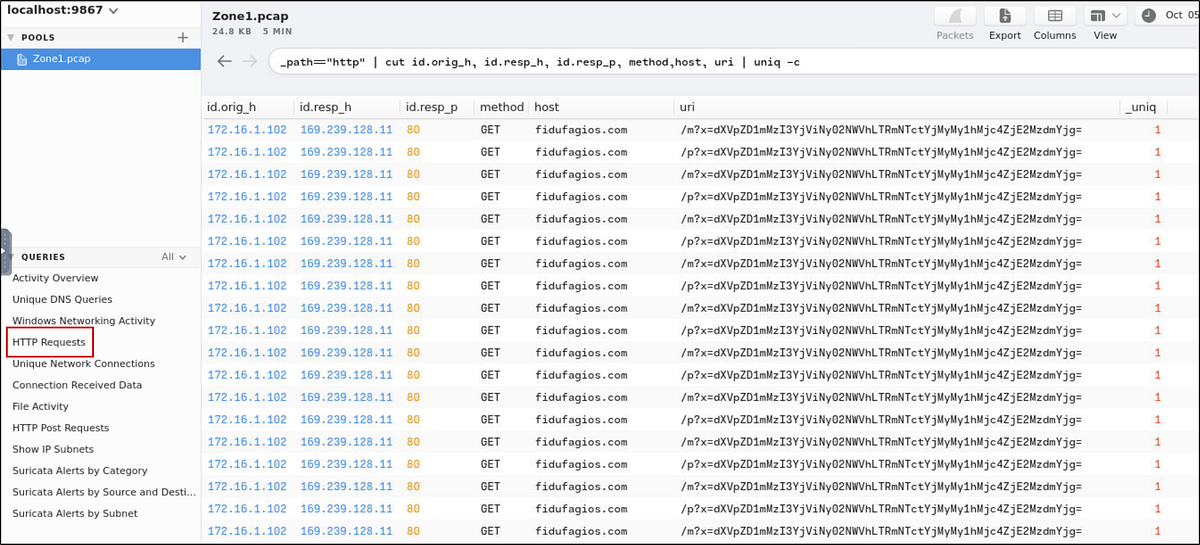
Let’s add user_agent to the search
1
_path==”http” | cut id.orig_h, id.resp_h, id.resp_p, method,host, uri, user_agent | uniq -c
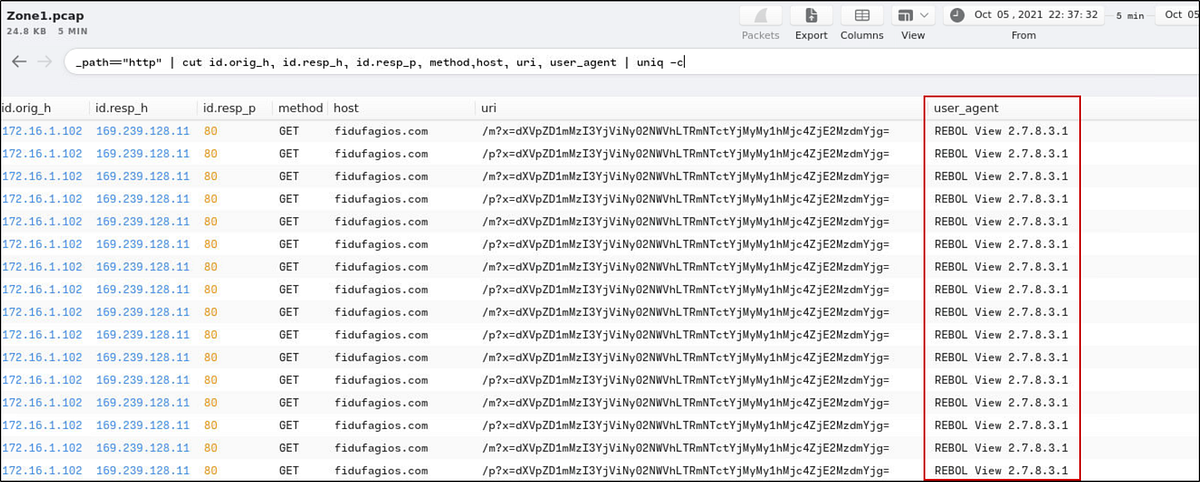
Find the User-Agent from the user_agent field.
Retrace the attack; there were multiple IP addresses associated with this attack. What were two other IP addresses? Enter the IP addressed defanged and in numerical order. (format: IPADDR,IPADDR)
Scrolling through Brim, notice other destination IPs that emerge as the timeline progresses.
Check each IP on VirusTotal. Two are confirmed malicious.
List them in defanged and numerical order:

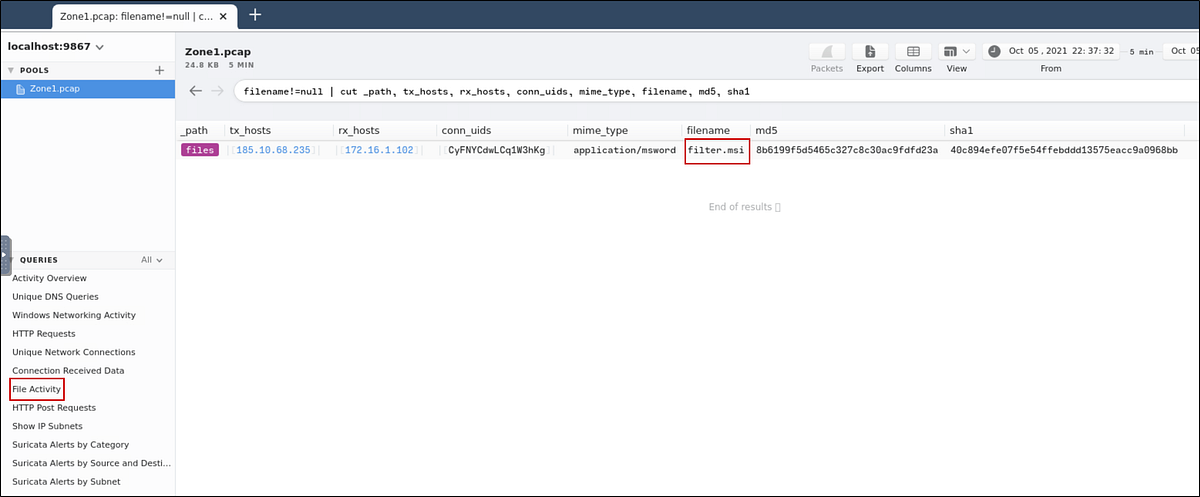
What were the file names of the downloaded files? Enter the answer in the order to the IP addresses from the previous question. (format: file.xyz,file.xyz)
In the previous search result, we can see the name of the downloaded file of the second IP.

To get that, let’s search for the first IP. I found that by clicking on the “File Activity” Query. We see the first malicious IP and the filename it downloaded.
Inspect the traffic for the first downloaded file from the previous question. Two files will be saved to the same directory. What is the full file path of the directory and the name of the two files? (format: C:\path\file.xyz,C:\path\file.xyz)
Let’s look at the packets for this result. Click on the packets button to open Wireshark so we can analyze the packets.

Go to:
Analyze → Follow → TCP Stream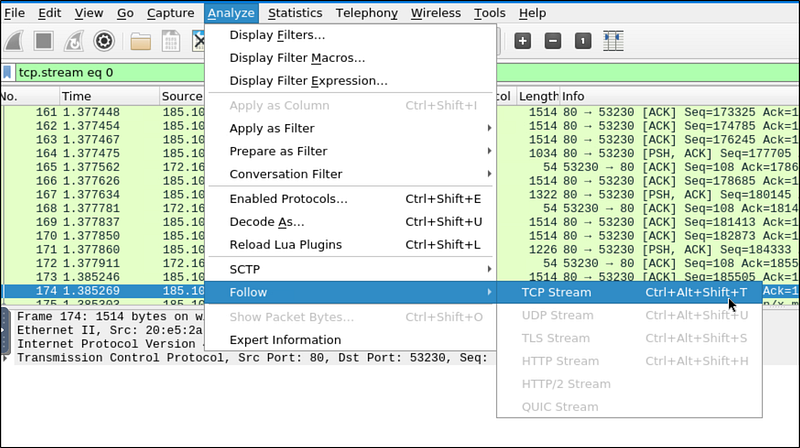
Here, let’s search for C:* since we know that the format is *C:\path\file.xyz.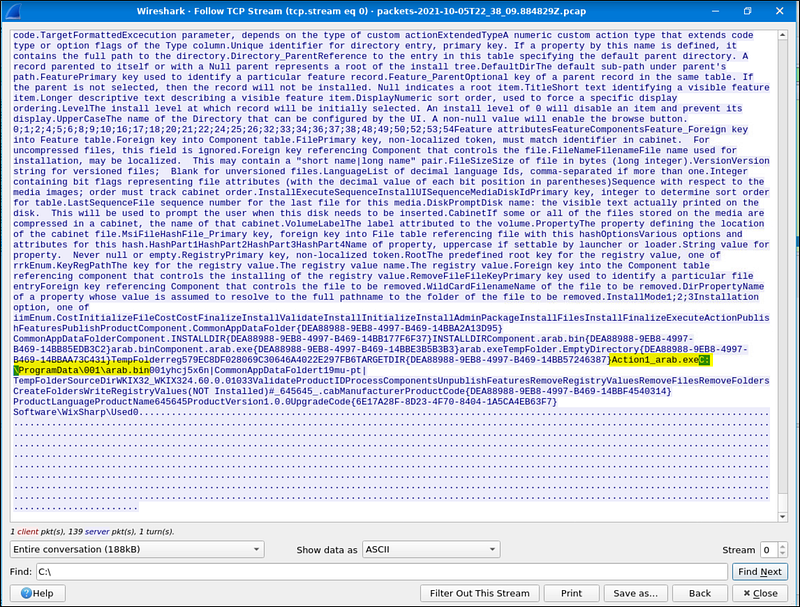
From the highlighted part, we can know the names of the files and their path. Remember that they are in the same directory.
Now do the same and inspect the traffic from the second downloaded file. Two files will be saved to the same directory. What is the full file path of the directory and the name of the two files? (format: C:\path\file.xyz,C:\path\file.xyz)
We already know the host IP address. Let’s search for it.

Select the connection and click on the packets button. Like the previous question, let’s follow the stream and search for *C:*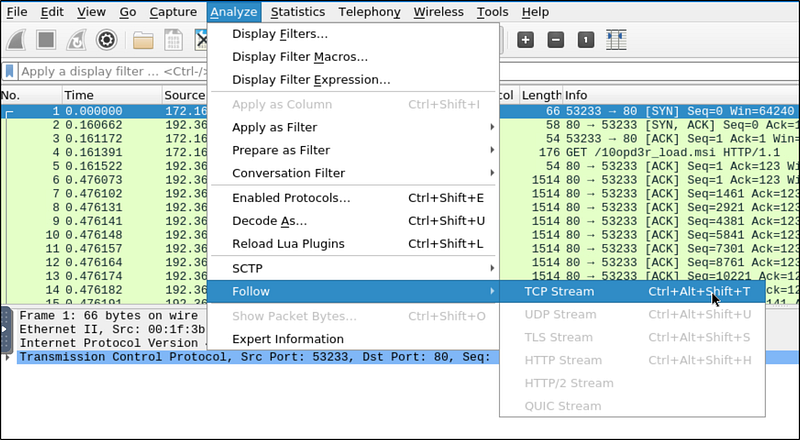
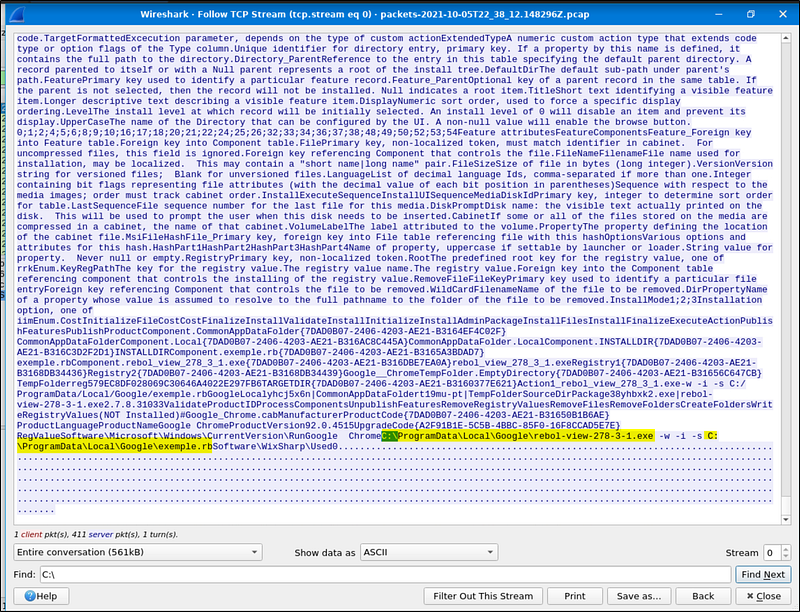
We get the full file paths from the highlighted.
Final Thoughts
This was a solid exercise in alert triage, network forensics, and incident investigation. Warzone 1 challenges your ability to parse packet data, leverage open-source intel, and easily pivot between tools like Brim and Wireshark.