Intermediate Nmap- TryHackMe challenege Walkthrough
Can you combine your great nmap skills with other tools to log in to this machine?
Can you combine your great nmap skills with other tools to log in to this machine?
Can you combine your great nmap skills with other tools to log in to this machine?
Room Link: https://tryhackme.com/room/intermediatenmap
In the world of Capture The Flag (CTF) challenges, we often expect complex buffer overflows or obscure web vulnerabilities. But sometimes, the “hack” is simply about paying attention to what the server is screaming at you.
Phase 1: The Initial Recon
Every good engagement starts with a scan. We kicked things off with nmap against the target IP 10.80.179.246, using the -A flag for aggressive OS and service detection and -T4 to speed things up.
1
nmap -T4- -A <MACHINE_IP>
The scan returned results in just over 15 minutes (941 seconds). The host was up, but it was noisy — over 65,000 ports were closed or reset. However, three ports stood out in the crowd:
- 22/tcp: OpenSSH 8.2p1 (Standard SSH)- 2222/tcp: Another instance of OpenSSH 8.2p1- 31337/tcp: An open port labeled “Elite?”
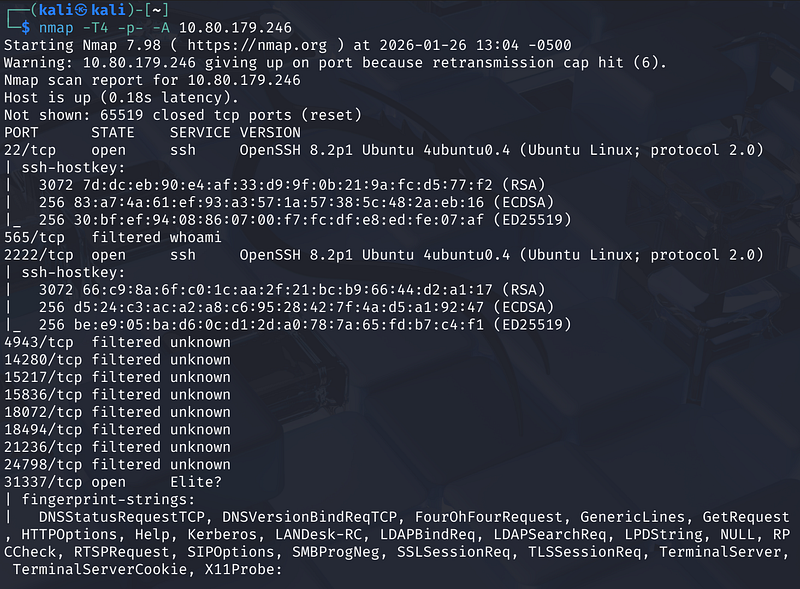
While SSH is standard, port 31337 (hacker slang for “Elite”) is always a red flag that screams “Look at me!”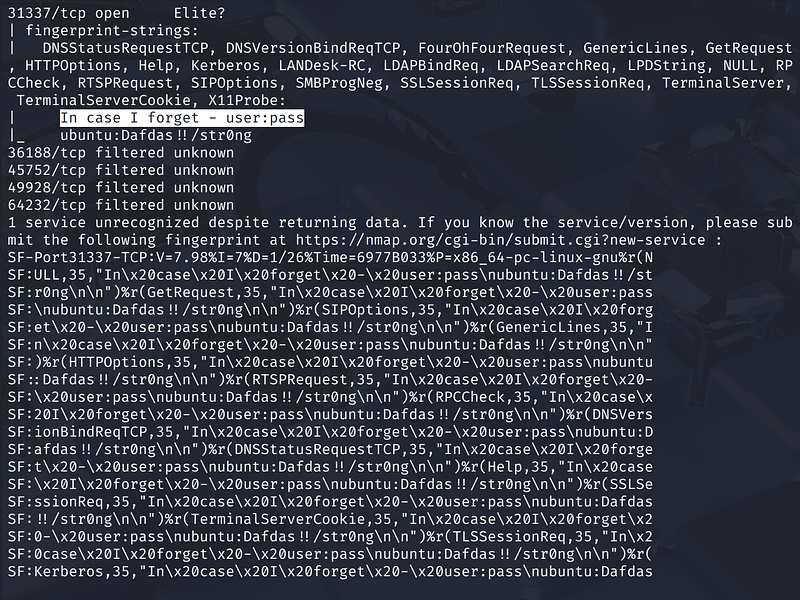
Phase 2: Reading the “Garbage”
Here is where many beginners get stuck. Nmap tried to identify the service running on port 31337 but failed. When Nmap fails to identify a service, it dumps a “fingerprint” — a massive block of raw data it received from the server, asking the user to submit it to the Nmap database.
It’s tempting to ignore this wall of text, but looking closely at the fingerprint-strings section revealed the vulnerability. Buried inside the hex-encoded response was a readable string repeatedly echoed in the server’s response headers:
1
In\x20case\x20\x20forget\x20-\x20user:pass\nubuntu: Dafdas!!/strong
The service wasn’t just unknown; it was leaking credentials directly in its banner!
Phase 3: Verification
To confirm this wasn’t a hallucination or a false positive, I opened a web browser and navigated to the service directly at http://10.80.179.246:31337.
The page rendered plain text confirming exactly what the Nmap scan hinted at:
“In case I forget user:pass ubuntu: Dafdas!!/strong”.
We now had a username (ubuntu) and a password (Dafdas!!/strong)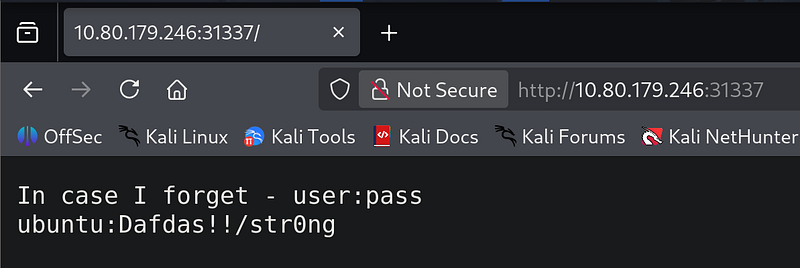
Phase 4: Gaining Access
With credentials in hand, I turned back to the standard SSH port identified in the initial scan.
1
ssh ubuntu@<MACHINE_IP>
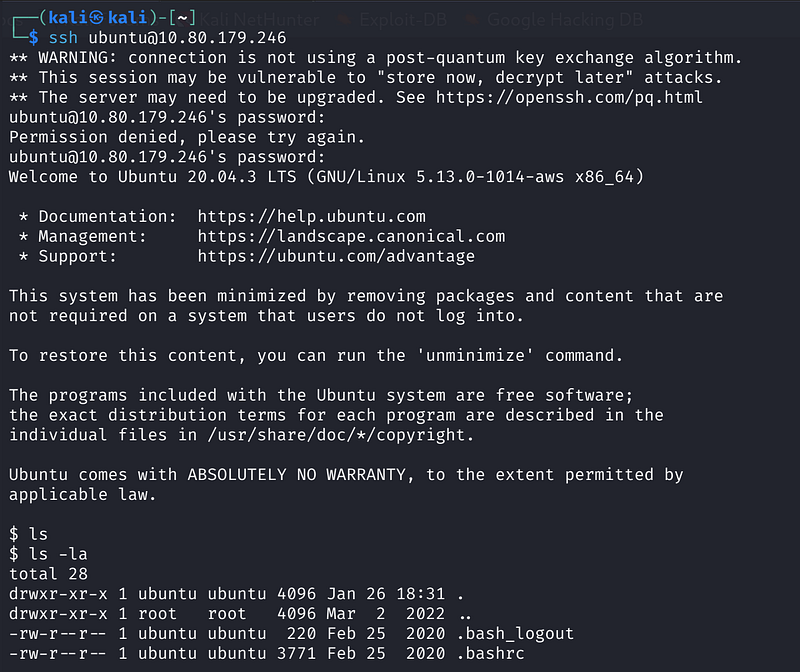
After an initial stumble with the password entry (likely a typo on my part), the second attempt went through. The terminal responded with the golden text: Welcome to Ubuntu 20.04.3 LTS.
We are in!
Phase 5: The Loot
Once inside the shell, standard enumeration began. A quick ls -la showed we were in a standard user directory. I navigated to the user’s home folder:
1
cd /home/userls
There it was: flag.txt.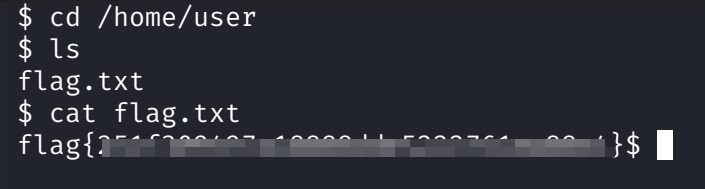
A final cat flag.txt printed the victory string to the screen, marking the end of the challenge.
Conclusion
This box serves as a perfect reminder: Always read the verbose output. Nmap told us exactly how to break in, but it disguised the answer as an error report. If we had just glanced at the “closed/filtered” ports and moved on, we would have missed the credentials hiding in plain sight.